

First Impressions and Onboarding
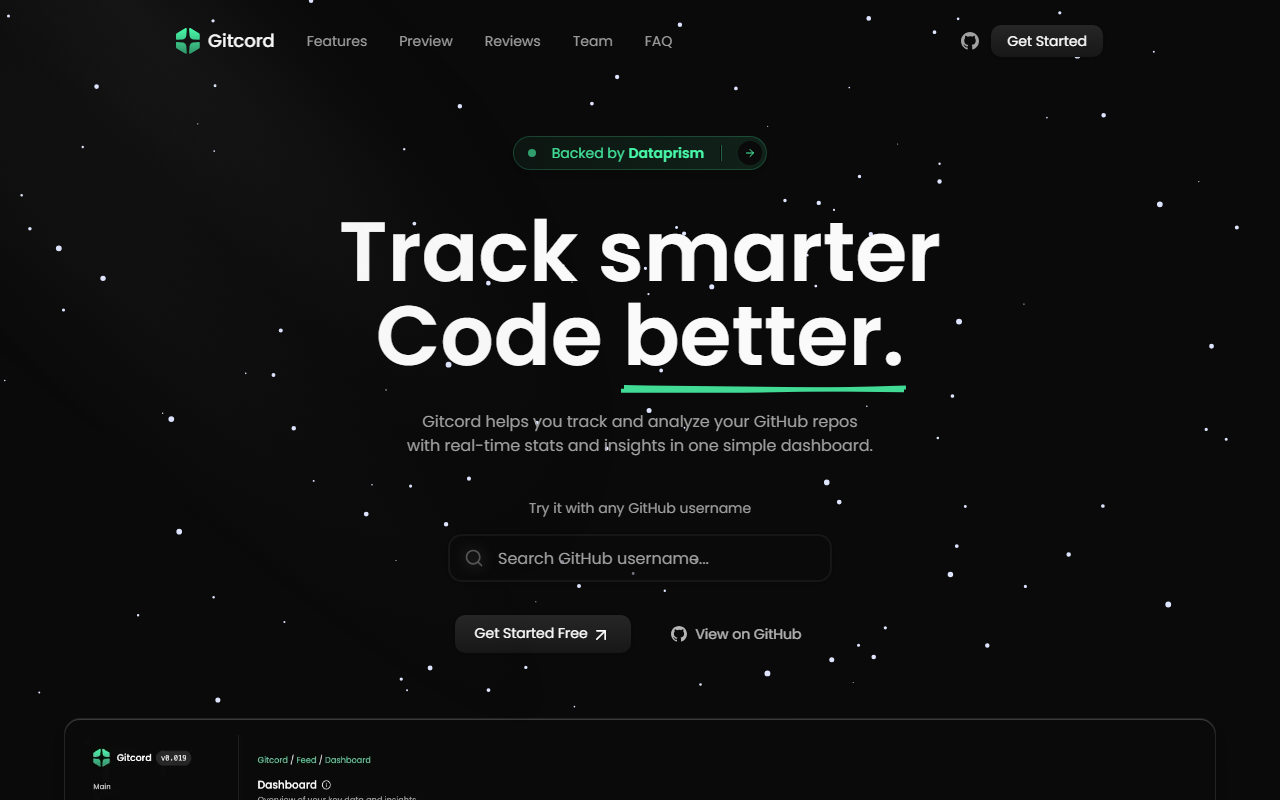
Upon visiting the Gitcord website, I was greeted by a clean, modern interface that immediately highlights its core value proposition: “Track smarter, Code better.” The homepage invites you to try it with any GitHub username, so I entered a public profile without signing up. Within seconds, a live preview appeared, showing a basic dashboard with commit frequency and repository activity. The onboarding flow is minimal—just enter a username and see the magic. This frictionless demo is a smart move; it hooks you before you commit. The site also offers a “Get Started Free” button that redirects to an authentication page via GitHub OAuth. I tested the free tier by authorizing Gitcord to access my public repositories. The setup took less than a minute, and I was dropped into a main dashboard that displays a timeline of commits, pull requests, and issues across all my repos.
Core Features and AI Integration
The dashboard organizes data into several tabs: Analytics, Repository, Leaderboard, and a Feed. The Analytics section breaks down coding patterns—languages used, time of day commits are made, and productivity trends. It shows a graph of contribution streaks and a pie chart of language distribution. The Repository view lists all repos with stats like stars, forks, and recent activity. The Leaderboard is a fun addition: it ranks you against other Gitcord users based on contributions, which can gamify open-source work.
Gitcord claims AI integration, though I couldn’t find a dedicated AI panel. A testimonial from a user named BlanchDev reads: “Thanks to AI integration, I now have a clear vision for my upcoming projects.” This suggests the AI might generate project suggestions or roadmap ideas based on your history. When exploring the dashboard, I noticed a “Suggestions” button on the analytics page that, when clicked, offered a short AI-generated paragraph about which repositories need more attention and potential next steps. The analysis felt generic but could evolve with more usage data. Team and organization insights are also present—you can create a team and see aggregated stats for members. The contribution graphs are visually appealing and can be shared as an embed or image, making them useful for portfolio sites.
Pricing, Limitations, and Alternatives
Pricing is not publicly listed on the website. The only option presented is “Get Started Free,” which I used. There is no mention of paid plans or limits, leaving uncertainty about future costs. This lack of transparency is a drawback. A significant limitation is the AI feature’s depth: it offers suggestions but doesn’t provide code-level analysis or pull request reviews like tools such as GitClear or Code Climate. Gitcord also lacks integration with CI/CD pipelines and issue tracking beyond what GitHub already offers. For enterprise teams needing compliance or advanced security scanning, Gitcord is not a fit. Competitors like Profile Summary (GitHub profile badges) or WakaTime (coding time tracking) cover narrower use cases. Gitcord’s strength is its all-in-one dashboard for personal GitHub activity and team visibility, but it doesn’t replace more mature analytics suites.
Who Should Use Gitcord?
Gitcord is best suited for individual developers who want a polished, visual way to track their open-source contributions and showcase them. It’s also useful for small teams (under 10 members) who need lightweight insights into collective GitHub activity. However, if you’re looking for deep code quality analysis, enterprise governance, or AI code generation, look elsewhere. The tool is backed by Dataprism, which adds some credibility, but the lack of transparent pricing and limited AI depth gives me pause. I recommend trying the free tier—it’s genuinely functional for tracking commits and creating shareable graphs. Just be aware that the AI integration is currently more of a teaser than a powerhouse. Visit Gitcord at https://gitcord.pro/ to explore it yourself.









Comments