

First Impressions and Onboarding
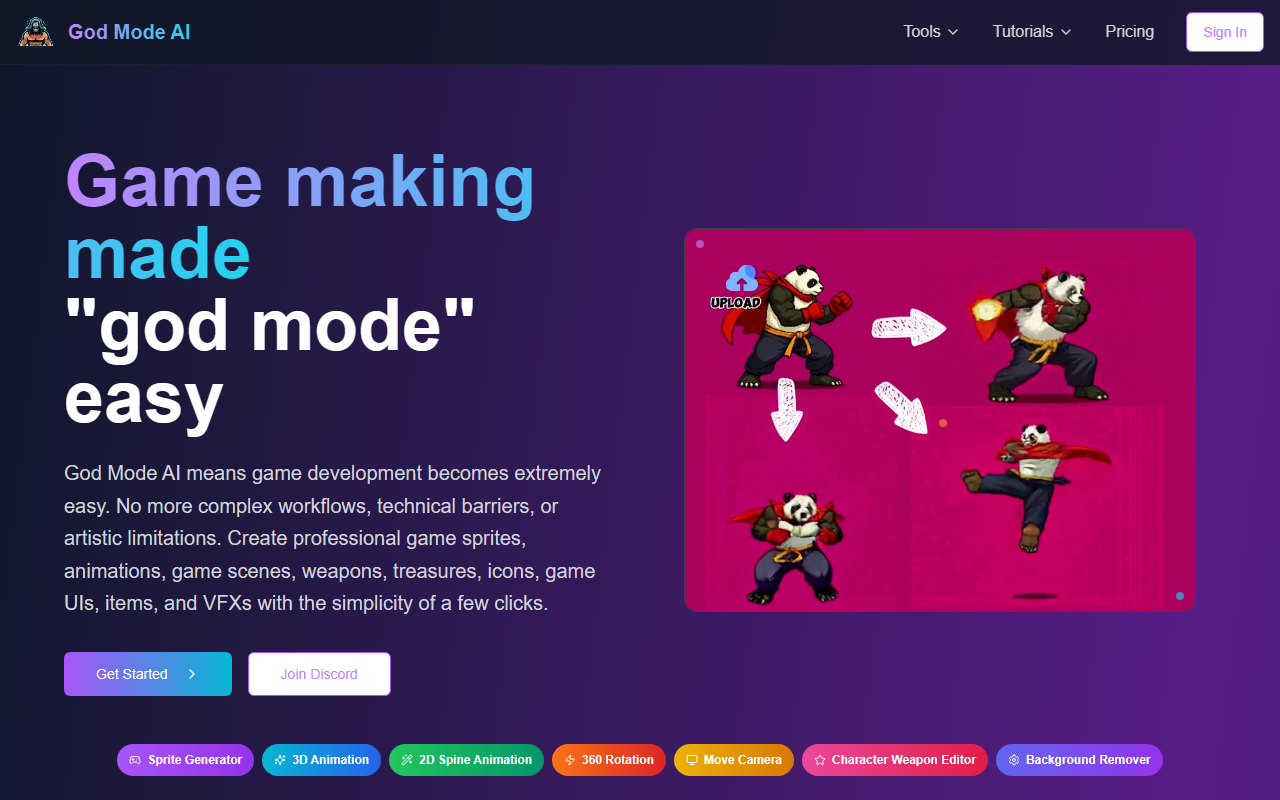
Upon visiting God Mode AI, the site immediately pitches itself as an all-in-one solution for game sprite creation. The landing page is clean and directs you toward a three-step workflow: upload your character design, select animation actions, and download the resulting sprites. I clicked "Get Free Credits" to test the free tier. The dashboard is minimal but functional, prompting you to drop an image file. The tool supports PNG, JPG, and other common formats, though it recommends simple character designs for best results. A Discord button is prominent, suggesting an active community — and indeed the site claims "thousands of game developers" already use the platform.
The onboarding flow is fast: no account creation required to preview the generator, but to actually download assets you need to sign up. The free tier gives you a limited number of credits, which is typical for AI tools. Overall, the interface prioritizes speed over deep configuration, which matches the promise of “game development in god mode.”
Key Features and Workflow
God Mode AI is far more than a simple sprite generator. The dashboard shows six distinct tools under the hood: the AI Sprite Generator, Game UI Agent, UI Element Generator, AI Pixel Art Sprite Generator, AI 3D Animation Generator, and AI Spine Animation Generator. The core sprite generator supports over 16 animation types — including combat moves like Punch, Hadouken, Shoryuken, and movement animations like Run, Jump, and 8-direction walk cycles for isometric views. Uploading a character (such as the "Panda Warrior" example) generates six animations in seconds.
During my test with a simple humanoid silhouette, the system processed the upload and presented a selection of actions. I chose "Run" and "Punch" and within about 30 seconds received sprite sheets and individual frames. The tool also includes a "V3 Enhancement" feature that adds cloth physics (flutter) and fire effects to certain actions. A note warns that enhancements may slightly affect overall quality, which shows honest design. The export options include PNG sequences and sprite sheets compatible with Unity and Godot.
The additional tools are equally impressive: the Game UI Agent lets you describe your interface in natural language and generates HTML/CSS or Unity-compatible UI elements. The Pixel Art Sprite Generator applies a retro filter and optimizes sprites 10x faster than manual work. The 3D Animation Generator auto-rigs a single image and exports to FBX and GLB. All generated assets come with commercial licensing, a critical feature for indie developers.
Quality, Pricing, and Market Position
The sprite quality varied. Some animations were smooth and retained the original character's style, while others showed slight distortion in complex poses. The V3 enhancements added realistic physics but occasionally introduced artifacts. For professional use, you might need to polish results. The tool is ideal for rapid prototyping, indie game jams, and small studios where speed matters more than pixel-perfect output.
Pricing is not publicly listed on the website. You get free credits upon signup, and there is a paid plan mentioned only in the context of "Get Free Credits." No tiered pricing or subscription amounts are shown. This lack of transparency could be a barrier for budget-conscious developers. In comparison, tools like Leonardo AI offer similar sprite generation but with more flexible pricing, while Aseprite remains the manual standard for pixel art. God Mode AI differentiates itself by bundling multiple game-asset tools (UI, pixel, 3D, spine) into one platform, which reduces workflow friction.
Final Verdict
God Mode AI excels at simplifying game asset creation for developers who have no art skills. Its wide range of animation types, commercial licensing, and integration with major game engines make it a strong candidate for indie teams. The primary limitations are the lack of clear pricing and occasional quality inconsistencies in enhanced animations. I recommend trying the free credits first — if the output meets your quality bar, the tool can dramatically speed up production. For professional studios requiring consistently high-fidelity art, manual tools or more established AI might be better. Visit God Mode AI at https://godmodeai.co/ to explore it yourself.










Comments