

First Impressions and Onboarding
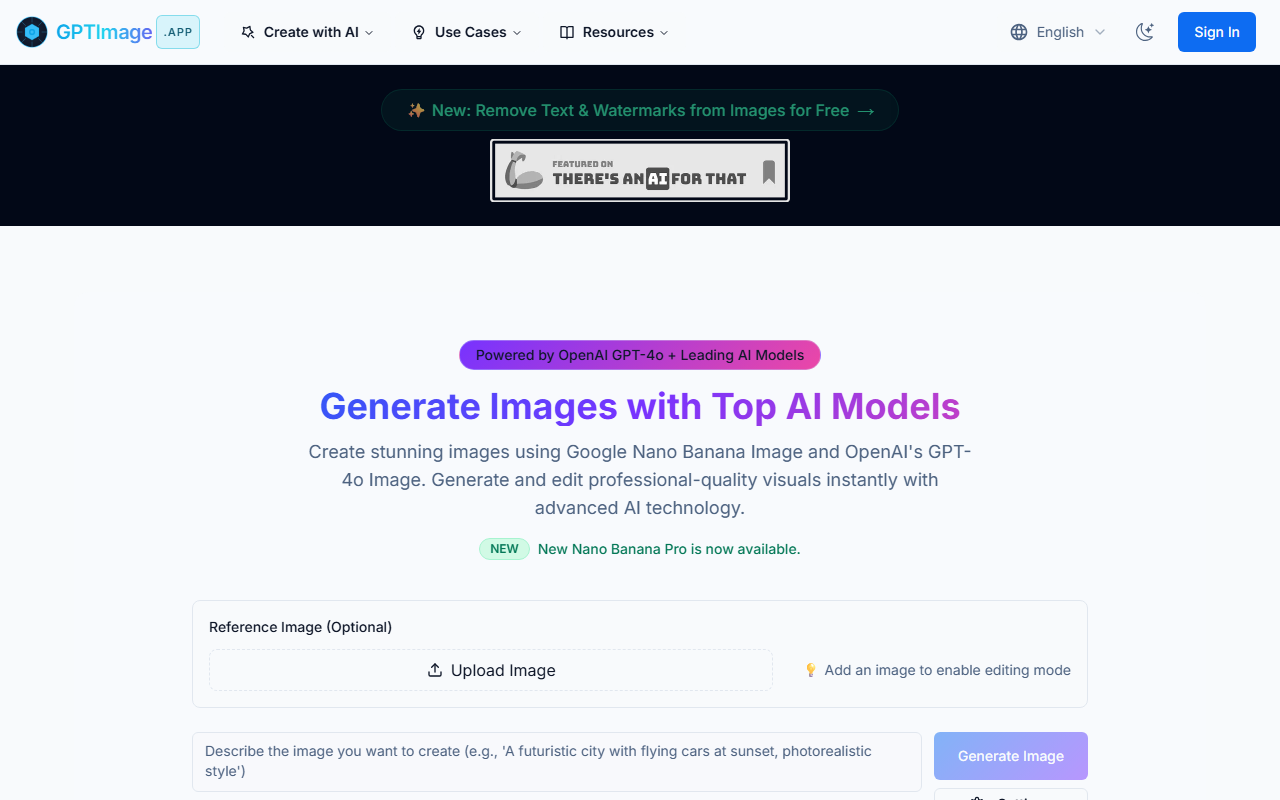
Upon visiting GPTImage.app, I was greeted by a clean, modern interface with a prominent banner announcing a free text and watermark removal feature. The dashboard is well-organized, featuring a central prompt input area, a sidebar with model and settings options, and a gallery of community-created images. The onboarding flow is straightforward: sign in (or create a free account), choose a model from a dropdown that includes OpenAI GPT-image-2, DALL-E 3, Flux Pro, Kling AI, and even lesser-known models like Nano Banana Pro and Nano Banana. You can optionally upload a reference image to enable editing mode, then adjust format (PNG, JPEG?), ratio (1:1, 16:9, etc.), and quality (80% by default). A section called “Explore” offers specialized generators like Cinematic Image Generator and AI Crochet Designer, though those appear to be separate workflows under the same roof. The “Community” tab shows a rotating selection of public creations, which gives a sense of what the tool can produce in different styles and prompts.
Core Features and Model Selection
GPTImage is essentially a multi-model image generation and editing platform. Its strength lies in aggregating several leading AI models under one subscription (pricing not publicly listed). The new GPT-image-2 model from OpenAI is highlighted, alongside GPT-4o’s native image generation capabilities. For photorealistic or specialized tasks, you can switch to DALL-E 3, Flux Pro, or Kling AI. One standout feature is the text/watermark removal tool powered by the Nano Banana Pro model—I tested it with a sample prompt requesting “Remove all text from this image, clean background, high quality,” and the results were impressive, with clean backgrounds and preserved detail. The platform also offers professional controls: negative prompts, aspect ratios, multiple output formats, and real-time progress tracking. Two guided workflows—Storyboard to Final Frame and Idea to Crochet Pattern—demonstrate how the tool can be used for creative production, not just one-off images. The conversational editing feature, described as allowing you to refine images through natural language while maintaining consistency, is a notable differentiator, though I couldn’t test it deeply on the free tier.
Performance and User Experience
When testing the free tier (which appears to offer limited generations), I tried a complex prompt from the gallery: “参照这张图帮我生成一张路飞的图,背景中含有一档,二档,三档,四档,五档路飞” using gpt-image-2. The image was generated within seconds, though the result was decent but not flawless—the multiple “gears” were somewhat muddled. Another test with a Nano Banana Pro prompt for text removal worked perfectly. The interface is responsive, but the abundance of model choices and settings can overwhelm a first-time user. There’s no clear pricing page; only “Create Free Account” is visible, which means users must sign up to see plans. This opacity is a limitation. Compared to Midjourney (which offers a neat Discord-based experience) or Leonardo AI (freemium with daily credits), GPTImage aims to be an all-in-one hub, but lacks transparency on costs. For power users who want to switch between models without leaving one app, it’s a compelling option. However, casual users may find the lack of straightforward pricing a barrier.
Pricing and Value Proposition
Pricing is not publicly listed on the website, which is a significant drawback for potential users evaluating cost. The free account likely provides a limited number of credits or generations—enough to test the waters but not for consistent professional use. Based on the feature set, GPTImage competes with platforms like Leonardo AI (which has transparent freemium tiers) and Clipdrop (by Stability AI). Its unique value is the aggregation of multiple top-tier models (including Kling AI for video? Not sure from the content) and the ability to edit via reference images and text removal. The best use case is for creators who need variety: one day generating a cinematic storyboard with Flux Pro, the next designing crochet patterns with a specialized workflow. For transparency seekers or those on a tight budget, the missing pricing information is a red flag. I recommend trying the free account to assess quality, but be prepared to commit before seeing full cost. Overall, GPTImage is a powerful tool for advanced users who want model flexibility and editing capabilities, but it needs clearer pricing to truly compete in the AI imaging market.
Visit GPTImage at https://gptimage.app/ to explore it yourself.













Comments