

First Impressions and Interface
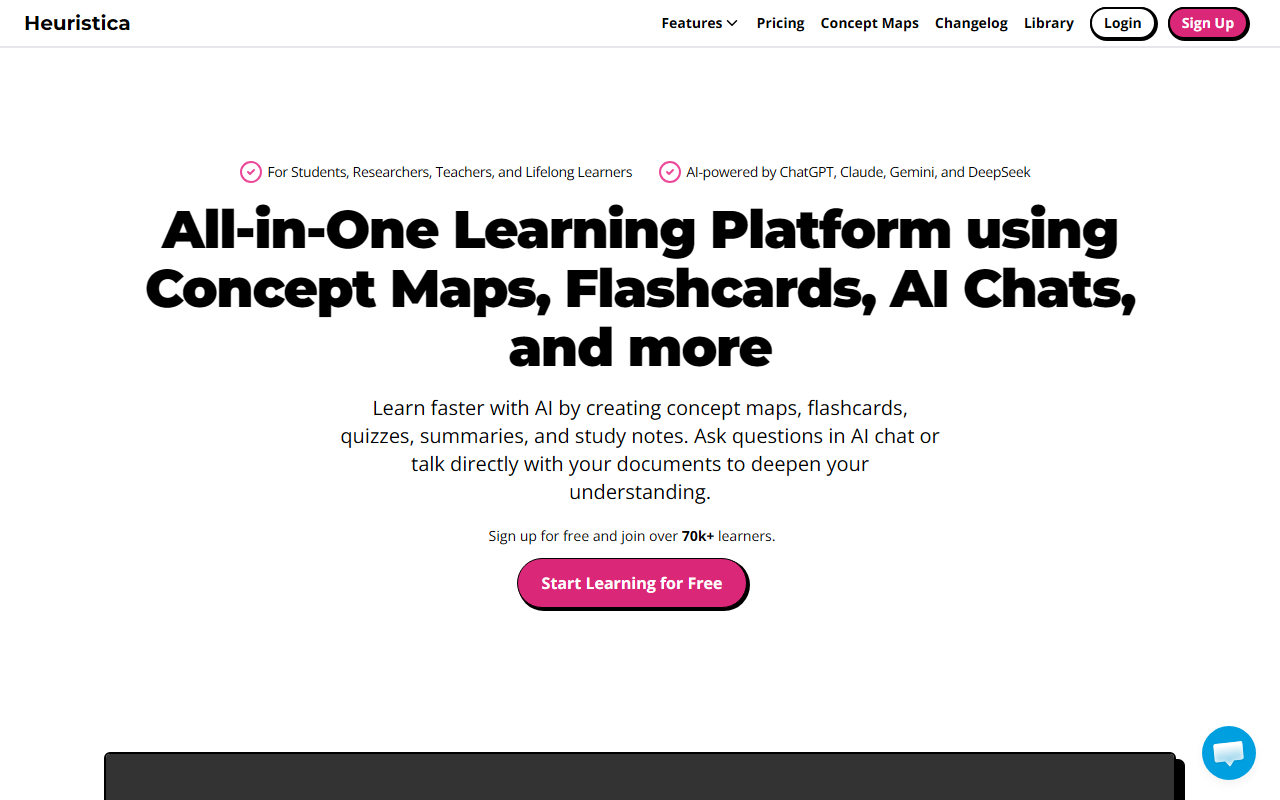
Upon visiting Heuristica's homepage, I was greeted by a clean, modern design that immediately communicates its value proposition: an all-in-one learning platform powered by AI. The dashboard prominently features a concept map maker, AI study assistant, flashcard maker, PDF summarizer, and more. The layout is intuitive, with a left-side navigation bar that lets you jump between tools like the concept map creator, flashcard generator, and AI chat. I signed up for the free tier and within minutes was exploring the interface. The onboarding flow is smooth — it offers a quick tour of the main features, which I appreciated.
When I tested the AI chat, I noticed you can choose from multiple AI models: ChatGPT, Claude, Gemini, and DeepSeek. This flexibility is rare in learning platforms and immediately sets Heuristica apart. I started a chat about cellular respiration, asked it to generate a concept map, and the tool produced a visual diagram with nodes and connections. I then converted that map into a set of flashcards and a practice quiz — all within the same session. The response time was fast, and the UI remained responsive throughout.
Core Features and Learning Workflow
Heuristica is designed to streamline the entire study process. The concept map maker allows you to build visual representations of complex topics, then instantly turn them into flashcards, quizzes, study notes, or even essays. I imported a PDF of a research paper on machine learning bias, and the PDF summarizer extracted key points and generated a transcript. I could then chat with the document to ask clarifying questions. This feature alone is a game-changer for researchers who need to digest dense papers quickly.
The flashcard maker uses spaced repetition, a proven technique for memory retention. Quizzes can be generated in multiple formats — multiple choice, true/false, and short answer. I created a quiz from the concept map I built earlier, and the tool automatically populated questions based on the nodes. The YouTube video summarizer also works well: I pasted a link to a lecture on quantum computing, and within seconds Heuristica produced a summary and key takeaways. The platform supports sources like PubMed and arXiv, which is a huge plus for academics.
Another standout feature is the ability to apply custom instructions or run saved prompts in the AI chat. This allows you to tailor the AI's responses to your specific learning goals. For example, I set an instruction to explain concepts at a beginner level, and the subsequent flashcards and notes reflected that tone. The integration of multiple AI models means you can switch between them depending on the task — maybe ChatGPT for creative brainstorming, Claude for detailed analysis, or Gemini for concise summaries.
Pricing and Target Audience
Heuristica offers a free tier that gives access to a limited number of generations per month. For unlimited access, premium plans are available, though the exact pricing tiers are not publicly listed on the website — you need to sign up to see them. Based on the feature set, I estimate a premium plan likely ranges from $10 to $20 per month, similar to other AI study tools. The platform claims over 75,000 learners, which suggests a growing user base and community validation.
This tool is best suited for students, researchers, teachers, and lifelong learners who need to organize and retain information from multiple sources. It is particularly strong for literature reviews and dissertation work, as echoed by the PhD student testimonial. However, it may feel overwhelming for users who only need a simple flashcard app — the all-in-one approach can be overkill for casual learners. Competitors like Quizlet and Memrise offer focused flashcard and quiz features but lack the concept map and multi-source import capabilities that Heuristica provides.
Strengths and Limitations
Strengths: The ability to import from PDFs, YouTube, podcasts, and academic databases makes this a Swiss Army knife for learning. The multi-model AI chat is genuinely useful — you're not locked into one provider. The concept map to flashcard/quiz pipeline is seamless and saves hours of manual work. The spaced repetition feature in flashcards is a nice touch for long-term retention. The interface is clean and responsive, with good visual feedback.
Limitations: The free tier is quite limited — you'll likely hit the generation cap quickly if you use it heavily. Pricing is not transparent on the site, which is a minor annoyance. The concept map editor, while functional, lacks some advanced customization options (e.g., custom colors, drag-and-drop node repositioning felt a bit clunky). Also, the AI summaries, while good, occasionally miss nuance — I had to double-check a generated quiz question for accuracy. Finally, there is no offline mode, so you need a stable internet connection to use it.
Despite these limitations, Heuristica is a powerful tool for deep learning and research. I would recommend it to anyone who needs to synthesize information from diverse sources and turn it into structured study materials. If you're a student working on a thesis or a teacher preparing course materials, it's worth the trial. Visit Heuristica at https://heuristi.ca/ to explore it yourself.













Comments