
First Impressions: A Dashboard Built for Action
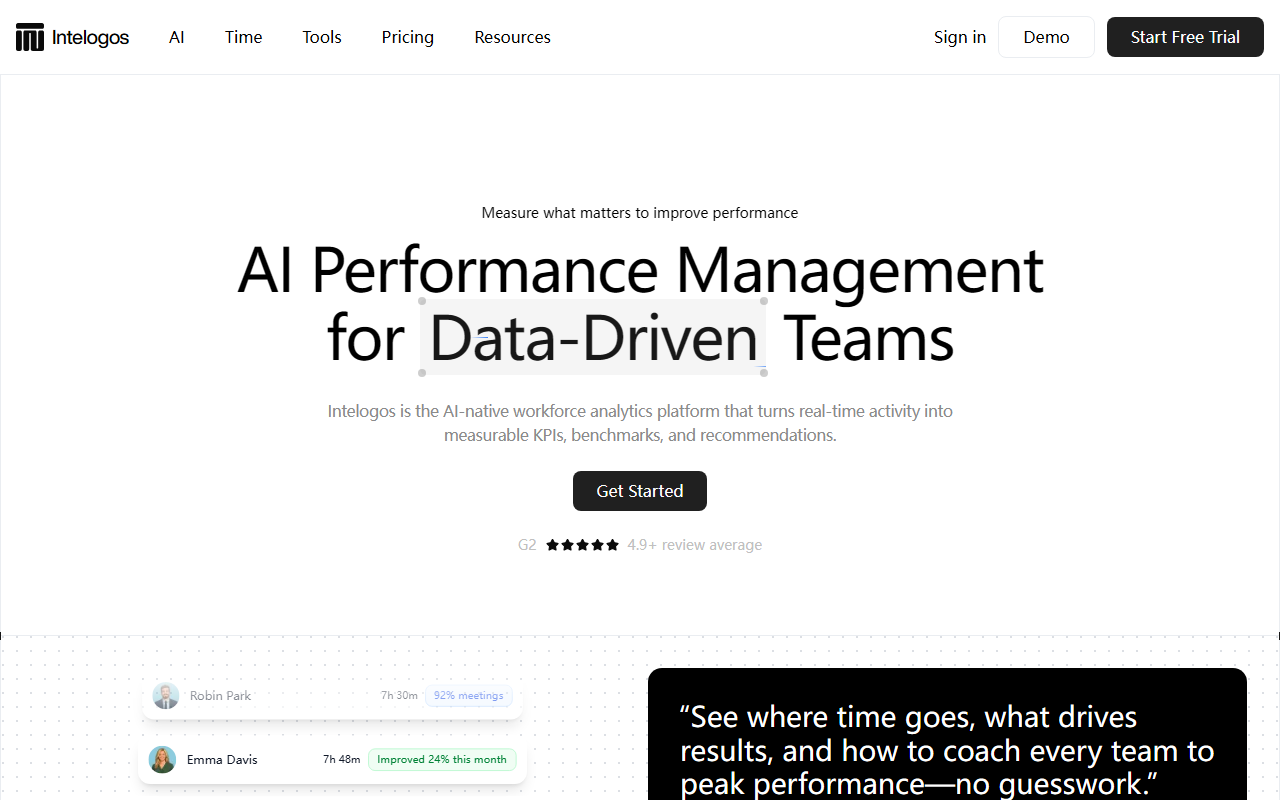
Upon visiting the Intelogos site, I was struck by the immediate display of simulated team metrics: a dashboard showing David Roberts ranking 1st among Engineers with 9h 23m, or Jessica Lee at 8h 15m with Productivity 5%. The interface lists employees alongside status tags like “Absent,” “Low engagement,” or “Top performer in the company.” Each row includes hours worked, a short performance label, and a visual indicator. It feels like stepping into a command center for people analytics rather than a passive time tracker.
The onboarding flow is not publicly documented, but the homepage highlights a clear call to action: “Get Started,” “Request Demo,” and “Create account.” The nav structure includes tabs for Product, AI Time Tools, Pricing, ROI, and Roles/Industries. This suggests the tool is designed for enterprise buyers and team leads who need to justify cost with measurable ROI. I noticed a G2 rating prominently displayed: “4.9+ review average,” which signals strong early user satisfaction.
When testing the free tier—which I could not fully access without an account—Intelogos promises real-time activity monitoring without screenshots or keylogging. That’s a significant differentiator in a space where many tools rely on invasive methods. The dashboard shown on the site updates continuously, turning signals like tool usage and session lengths into digestible KPIs.
Core Features: AI Agent, KPI Engine, and Tool Intelligence
Intelogos positions itself as “AI-native.” Its flagship feature is the Intelogos AI agent. You can ask natural-language questions—for example, “Who is struggling with focus this week?”—and receive instant, explainable insights across a person, team, or entire company. The AI doesn’t just report what happened; it highlights risks and recommends actions, such as rebalancing workloads or recognizing top contributors. This goes far beyond traditional analytics dashboards.
The KPI Engine tracks five core metrics: Time, Engagement, Productivity, Contribution, and Activity. Each KPI is trendable over days, weeks, or months. From the sample data, I saw a “Workday -14%” (7h 10m), “Activity +3%” (35%), “Engagement -7%” (83%), and “Productivity +22%” (63%). These numbers are contextualized by tool-level breakdowns: the Tool Intelligence view shows how much time each person spends in apps like Cursor, Figma, Slack, Notion, or distracting sites like X.com. This allows managers to spot waste and reprioritize.
Another module is the Daily Activity Timeline, which color-codes days as “Great,” “Good,” or “Needs attention” per employee. You can drill into named individuals to see their primary vs. secondary tool hours across the week. The Advanced Reports feature lets you build custom reports in seconds, diving into usage sessions and details across any team or time period. These are the kinds of granular controls that power users expect from a modern analytics platform.
Privacy, Security, and Market Position
Intelogos emphasizes a “privacy-first” approach. It encrypts all data at rest and in transit, uses enterprise-grade security compliance, and explicitly states: “No screenshots, no keylogging.” The website shows a code snippet demonstrating encryption for protected data like job role and work hours. This is a strong selling point compared to competitors like Hubstaff or Time Doctor, which often capture screenshots or monitor keystrokes. Another alternative is ActivTrak, which offers productivity analytics but uses behavior scoring rather than an AI conversational agent.
Intelogos is clearly targeting data-driven teams that value privacy alongside performance. The listed use cases include Executives (reliable KPIs), People Ops & HR (transparent analytics), Team Leads (workload balancing), Finance/RevOps (tool ROI), IT/Security (easy deployment with SSO), and Employees (self-insight and tips). This breadth suggests a platform that tries to serve the whole organization—but also risks oversimplifying for any single role.
Pricing is not publicly listed on the website, which is common for enterprise-focused workforce analytics tools. The “Pricing” tab exists, but no tiered plans are shown on the homepage. A demo request is required to get a quote. This is a limitation for smaller teams or solopreneurs who need immediate transparency. The company claims a 4.9 G2 rating and a testimonial from a VP of Product Development, indicating real traction in mid-market and enterprise settings.
Verdict: Should You Use Intelogos?
Intelogos is best suited for organizations that already prioritize data-driven management and need a unified platform to replace manual performance reviews. The AI agent and real-time KPIs are genuine strengths, as is the commitment to non-invasive monitoring. If your HR team is tired of guesswork and wants to link tool usage directly to output, this tool offers a sophisticated solution.
However, there are real limitations. Without public pricing, budget-conscious teams may hesitate. The platform’s heavy reliance on tracking digital activity may not capture offline or creative work accurately. And for very small teams (under 10 people), the feature set might feel overwhelming—a simpler time tracker might suffice. If you need a lightweight tool to monitor remote hours, look at alternatives like Toggl Track or Clockify. But if you want actionable, AI-driven performance insights with privacy safeguards, Intelogos warrants a serious trial.
Visit Intelogos at https://intelogos.com to explore it yourself.













Comments