

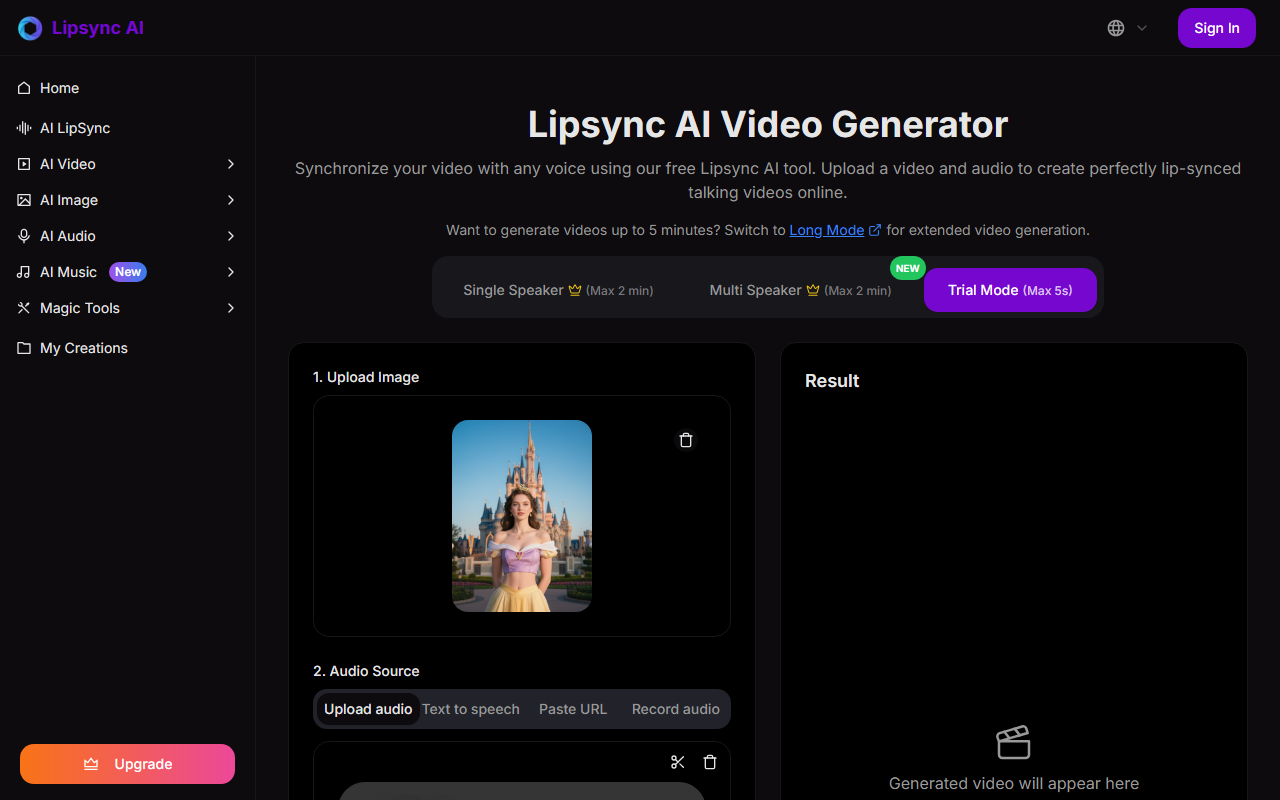
First Impressions and Interface
Upon visiting Lipsync AI's site, I was greeted with a clean, minimal dashboard that immediately presents the core action: upload an image or video, add audio, and generate. The homepage includes a slider comparing original and generated clips, which gives a quick taste of output quality. The onboarding is intuitive—the interface is divided into three clear sections: upload image, audio source selection (upload, text-to-speech, URL—though TTS is marked as coming soon), and a result area. I tested the free tier by uploading a JPEG of a cartoon character and a short MP3 clip. The whole process took about four minutes for a 10‑second result. The generated video showed accurate lip sync with natural motion, even for the stylized face. The dashboard also offers a Trial mode limited to 5 seconds, which is useful for a quick test but feels restrictive for anyone wanting a meaningful demo.
Features and Performance
Lipsync AI positions itself as a lightweight but powerful tool for synchronizing lip movements across images, videos, and even non‑human characters. It claims support for side‑view faces, emotion preservation, and full‑body avatars—features I verified to varying degrees. The single‑speaker mode accepts up to 2 minutes of audio, while a separate Multi‑Speaker mode (also up to 2 minutes) is available. The generated output maintained the emotional context of my audio, and the mouth movements matched phonemes without obvious delay. The processing speed was reasonable: a 30‑second video took about 12 minutes. The tool also offers sample avatars for quick experimentation. However, I noticed the video preview streamed in standard resolution; HD output is listed as a feature but requires a premium subscription. Unlike competitors like Synthesia or HeyGen, which offer extensive libraries of AI avatars and full studio editing, Lipsync AI focuses solely on lip‑sync from user‑uploaded media. That makes it a good choice for those who have their own source material but less ideal for users needing polished, pre‑built avatars.
Pricing, Limitations, and Final Verdict
Despite the site mentioning a New Year Sale offering 50% off, I could not find a public pricing page or a clear breakdown of paid tiers. The FAQ states new users receive complimentary credits, but no specific amounts or upgrade costs are listed. This lack of transparency is a notable downside. The trial is capped at 5 seconds and only available for single speaker. Additionally, the TTS feature (text‑to‑speech) is not yet live, meaning all audio must be pre‑recorded. Processing times are not fast compared to some competitors: a 10‑second video took 3‑5 minutes as claimed, but longer videos scaled proportionally. On the positive side, the tool supports commercial use, retains user ownership of content, and promises secure processing without using data to train models. Lipsync AI is best suited for content creators, marketers, and educators who need quick, realistic lip sync from static images or short clips—especially for cartoon or non‑human characters. If you require high‑volume production or a full studio environment, look elsewhere. The tool is promising but still evolving. Visit Lipsync AI at https://lipsyncai.net/ to explore it yourself.













Comments