

First Impressions of MailMentor: A Browser-First Lead Gen Tool
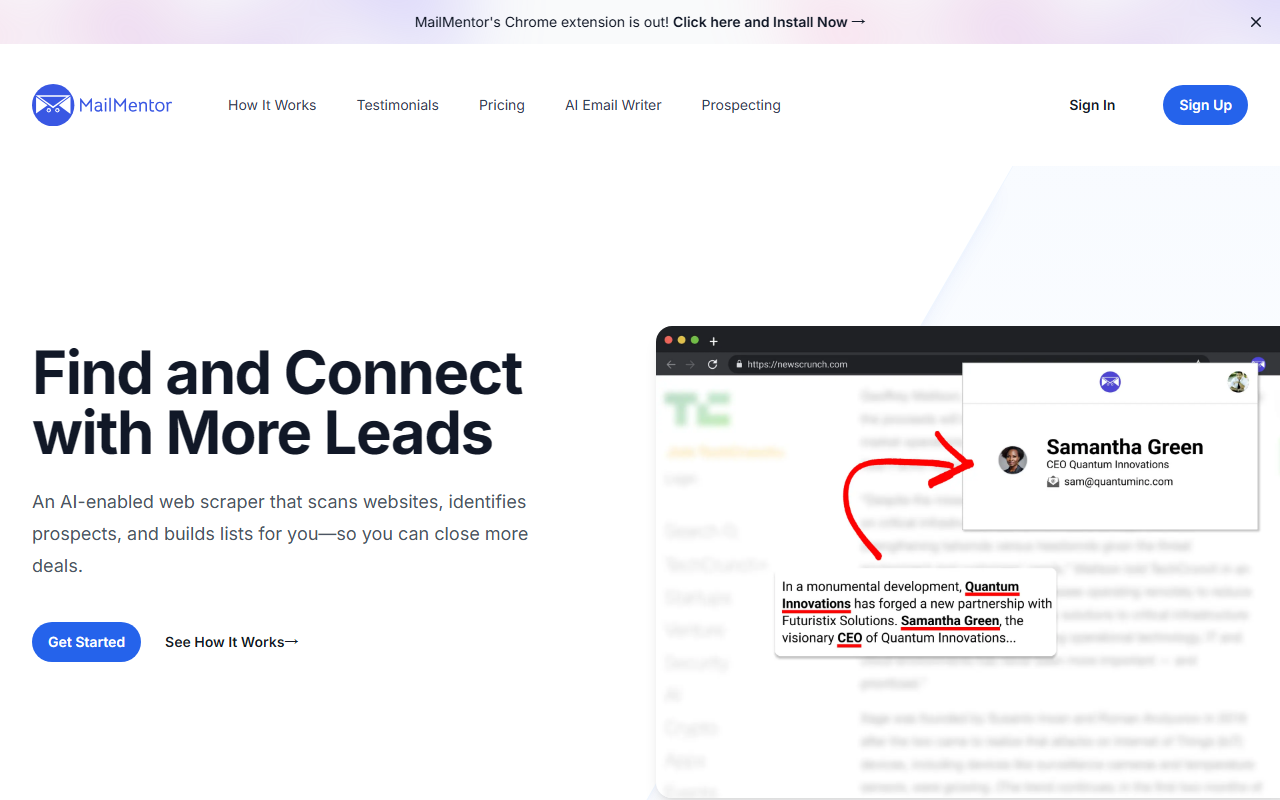
Upon visiting the MailMentor website, the focus is immediately clear: this is a tool built for sellers who want to find and connect with prospects faster. The homepage leads with a call to action to install the Chrome extension, and the narrative revolves around scraping contact information from any webpage. Over 4,000 sellers are listed as users, with 25,000 searches per month and 26,000 contacts found—these numbers suggest a tool that is actively being used for real outbound prospecting. I downloaded and installed the extension to observe the onboarding flow. The extension sits in the browser toolbar and, when clicked on a page, triggers a scan that identifies names, titles, email addresses, and sometimes phone numbers. The dashboard is simple and functional, displaying scraped leads in a table that can be exported as CSV or sent to external systems via webhooks. The tool’s value proposition is straightforward: it bypasses expensive databases like Apollo or ZoomInfo by extracting leads from the open web—news articles, company websites, and social media profiles.
How MailMentor Works: From Scraping to Outreach
The core workflow is broken into three steps: install, browse and scan, then store and sort. During testing, I navigated to a few technology news pages and activated the extension. It identified company names and key contacts listed in the articles. The accuracy was moderate—some email addresses were missing or incorrectly extracted from complex page layouts, but most common formats (e.g., "[email protected]") were recognized. Once scanned, the leads appear in the MailMentor web dashboard, which also houses the AI Sequence Builder. This feature generates multi-step email sequences based on the context of the page you were on. For example, if you scraped a news article about a company’s new funding round, the AI can craft an outreach email referencing that event. Another standout feature is the Sales Message Optimizer, which lets you fine-tune the AI’s output. There’s also integration with Gmail for direct outreach and Google Calendar for availability. Notably, case studies can be automatically incorporated into messages, which is a unique touch for sales teams using customer success stories in their outreach. The tool relies on AI models for text generation, though the website does not specify the underlying model (likely GPT variants).
Strengths and Limitations of MailMentor
MailMentor’s greatest strength is its simplicity. The Chrome extension makes it effortless to collect leads while browsing, and the AI outreach features save significant time in crafting personalized messages. Pricing is not publicly listed on the website, which is a notable limitation. Users must sign up for a free trial or contact sales to get a quote. This lack of transparency can be frustrating for small businesses or solopreneurs who want to evaluate cost upfront. Another limitation is the Chrome-only availability—there is no standalone web app or alternative browser support (no Firefox, Edge, or Safari extension listed). This ties users to the Chrome ecosystem, which may be a barrier for teams that use other browsers. Additionally, the scraping accuracy depends heavily on the page structure. On heavily dynamic sites (e.g., single-page apps with client-rendered content), the extension struggled to extract contacts. Competitors like Apollo or ZoomInfo provide more structured databases with verified data, but they require paid subscriptions and can be overkill for small teams. MailMentor fills a niche for those who prefer a lightweight, browser-first approach.
Who Should Use MailMentor and Final Recommendation
MailMentor is best suited for sales professionals, recruiters, and entrepreneurs who need a fast way to gather contact information from the web without wrestling with complex CRMs. It’s ideal for those who already spend time reading industry news and want to turn those articles into actionable lead lists. The AI sequence builder is a bonus for salespeople who struggle with writing cold emails. However, for enterprise teams needing large-scale, verified contact databases, dedicated platforms like ZoomInfo or Lusha offer more reliable data. MailMentor’s lack of public pricing is a drawback, but the free trial (available via sign-up) allows you to test the scraping quality before committing. My recommendation: if you value speed and simplicity and primarily use Chrome for your daily prospecting, give MailMentor a try. Just be aware that it’s a supplementary tool, not a replacement for a full CRM or data provider.
Visit MailMentor at https://mailmentor.io/ to explore it yourself.













Comments