

First Impressions and Onboarding
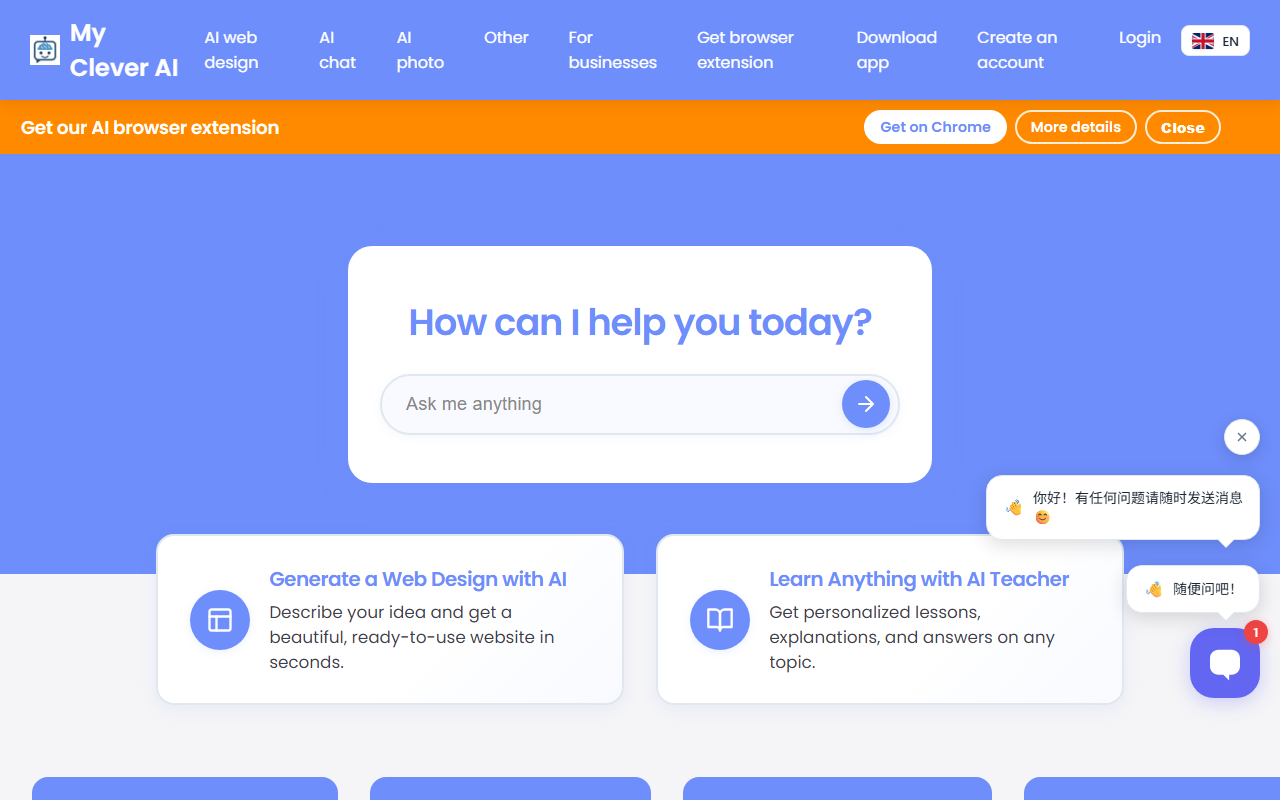
Upon visiting mycleverai.com, I was greeted with a clean dashboard that immediately offered three primary options: AI Web Design, AI Tutor, and AI Photography. The interface is straightforward, though the browser extension and mobile app promotions dominate the page. When I clicked "Generate a Web Design with AI," the tool prompted me to describe my idea. I typed "a modern landing page for a coffee shop." The design generation process began with a countdown timer showing "00 remaining," which was somewhat confusing—it appeared stuck at 00 seconds but then proceeded after a brief pause. The tool displayed a series of tips while generating, advising me not to leave the page and explaining that I could download the result as a CSS/HTML file, adjust designs, or regenerate. After about 30 seconds, a design appeared. The result was acceptable but not stunning; the layout was clean, but the text content was generic placeholder copy. I was able to navigate between generated designs and use the "Adjust/Fix Design" feature to refine specific elements. The experience highlighted the tool's beta-like nature: it works, but requires patience and multiple regeneration attempts. The tips also mentioned that you can generate logos and blog articles for your project, which expands the utility beyond just webpage design.
Core Features and Capabilities
MyCleverAI is not just a website builder. It positions itself as an all-in-one AI suite with over 15 tools. The AI Web Design tool generates complete websites from text descriptions, outputting CSS/HTML files. During testing, I found the design quality variable—it often required several regenerations to get a satisfactory result, as the tool itself warns. The AI Tutor offers personalized lessons on any topic; I tested it by asking for an explanation of quantum computing, and it provided a structured, clear answer with examples. The tool also supports specialized tutors like an AI SQL Tutor and image recognition for plants, rocks, and animals. The AI Photography suite includes tools for editing, generating selfies, headshots, interior design concepts, and even photo editing. Additionally, there are tools for social media bios, slogans, and YouTube transcription. The browser extension lets users select text or take screenshots on any webpage to discuss with AI, which is a useful productivity feature. The mobile app provides on-the-go access. For organizations, MyCleverAI offers a plan with 15+ AI tools across web, mobile, and browser extension. Notably, there is no mention of API access or integration with other platforms beyond specific CMS like Moodle, Prestashop, Joomla, etc., for its chatbot tool, which can be embedded in various websites.
Pricing and Market Positioning
Pricing is not publicly listed on the website. There is no free tier or subscription cost mentioned anywhere in the content I reviewed. This lack of transparent pricing is a significant drawback for potential users. The site only hints at "premium features" through the mobile app and organization plan, but no numbers are shown. Users must likely sign up or contact sales to learn more. Compared to competitors like Wix ADI and Google's TensorFlow-based tools, MyCleverAI offers a broader but perhaps less refined set of capabilities. Wix ADI excels in producing highly customizable, market-ready websites, while MyCleverAI's outputs are somewhat rudimentary. Similarly, dedicated AI tutors like Khan Academy's Khanmigo or OpenAI's ChatGPT for education offer more depth in adaptive learning. MyCleverAI's strength lies in bundling multiple AI tools into one platform, making it a convenient Swiss Army knife for casual users who want to experiment. However, professionals needing robust, production-ready outputs may find it lacking. The inclusion of niche tools like color palette generator and fantasy name generator shows an attempt to cover fun use cases, which could appeal to hobbyists.
Final Verdict
MyCleverAI is a promising but uneven tool. Its website builder works but requires patience and multiple attempts. The AI Teacher is genuinely useful for quick explanations. The photography tools are interesting additions. The biggest limitation is the absence of clear pricing—users need to sign up or wait for billing details. Additionally, the generated websites lack the polish of dedicated website builders. The tool is best suited for small business owners or content creators who want a quick prototype or learning aid. It is not for developers needing backend control or large-scale deployments. Overall, MyCleverAI earns a tentative recommendation for its versatility, but I advise caution until the pricing model becomes transparent. Visit MyCleverAI at https://mycleverai.com/ to explore it yourself.













Comments