

What Is MyMap and How Does It Work?
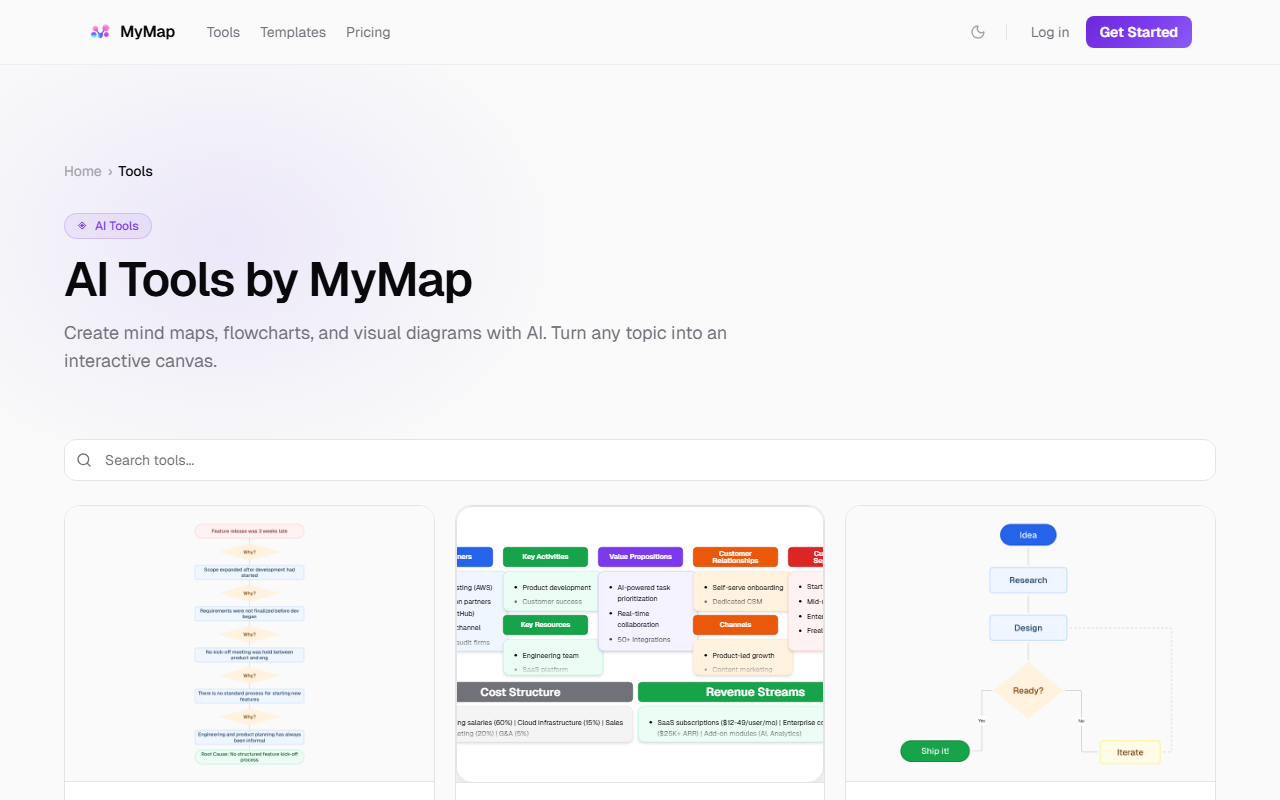
Upon visiting MyMap's website, you are greeted by a clean interface with a simple prompt input and a canvas. The core value proposition is that it "thinks with you" — instead of just returning text, the AI generates visual structures like mind maps, flowcharts, and diagrams on an infinite canvas. The technology behind it includes support for multiple AI models: Qwen 3 (235B), Gemini 3 Flash, GPT-5 mini, Claude Sonnet 4.6, DeepSeek R1, and others. This multi-model approach allows users to switch between models without lock-in, a notable feature for those who want flexibility.
Unlike traditional chat-based AI tools, MyMap is designed for visual thinking. When I tested the free tier, I entered the prompt "Map our customer's journey from first contact to brand advocacy." Within seconds, nodes appeared and connected in real time, drawing edges as the AI generated the structure. This live streaming effect makes brainstorming feel more dynamic than waiting for a full response. The AI understands the context of each node — its position and neighbors — enabling coherent expansions.
Hands-On Experience and Key Features
The dashboard is minimalistic: a central canvas with a chat prompt at the bottom. On the left side, you can select different visual formats like Mind Map, Flowchart, Schema, or Kanban Board. I explored the "Brainstorm" workflow, where I described a sustainable coffee brand idea. The AI instantly created a mind map with branches for sourcing, marketing, and sustainability practices. I could drag nodes, add new connections, and even generate AI images using Flux models directly onto the canvas. The real-time streaming is impressive — nodes appear one by one, and edges draw dynamically.
One standout feature is the "multi-model" selector. You can choose from 10 models and 7 providers, including GPT-5 mini and Claude Sonnet. During my test, I switched from Qwen 3 to Gemini 3 Flash; the response time remained fast. However, the free tier restricts premium models (like Claude Sonnet 4.6) behind a paywall. The canvas also supports importing or generating images with five Flux models — useful for creative brainstorming. Overall, the experience feels like a fusion of a whiteboard and an AI assistant.
Pricing and Value for Different Users
MyMap offers a transparent pricing structure with three tiers: Free ($0), Pro ($12/month billed annually), and Max ($100/month). The free tier includes 20 AI credits per month, access to economic models (Qwen 3, Gemini 3 Flash, Claude Haiku 4.5, Minimax, DeepSeek V3.2, GLM-5), and up to 3 canvas maps. For casual users, this provides a low-risk way to test the tool without a credit card. The Pro tier unlocks 1,000 credits per month, unlimited canvases, premium models like Claude Sonnet 4.6, and priority generation. This is best for professionals who need regular visual mapping. The Max tier offers 10,000 credits and highest priority for heavy users.
Compared to alternatives like Miro (which relies on manual input) or Whimsical (with limited AI integration), MyMap's AI-first approach gives it an edge in speed and automation. However, the free tier's credit limit might frustrate power users; a single complex map can consume multiple credits. Also, the tool currently lacks advanced collaboration features, making it more suited for individual use than team projects.
Who Should Use MyMap (and Who Shouldn't)
MyMap is ideal for visual thinkers: project planners, marketers, students, and anyone who needs to quickly organize ideas into structured diagrams. If you regularly create mind maps, flowcharts, or process diagrams, MyMap can save hours by automating the initial structure. The real-time streaming and multi-model support are genuine strengths. However, if you prefer simple text-based chat or need a full-featured office suite, MyMap may not replace tools like ChatGPT or Google Docs. The canvas is focused on visual mapping, not document editing. Also, for teams requiring real-time collaboration and extensive integrations, competitors like Miro offer more robust sharing.
MyMap is best suited for individuals or small teams who value speed and visual clarity. I recommend trying the free tier first — you can use a prompt like "Brainstorm ideas for a sustainable coffee brand" to see if the workflow matches your thinking process. The absence of collaboration in the free tier is a limitation, but the core AI mapping functionality is genuinely impressive.
Visit MyMap at https://mymap.ai/ to explore it yourself.












Comments