

First Impressions: Speaking Instead of Typing
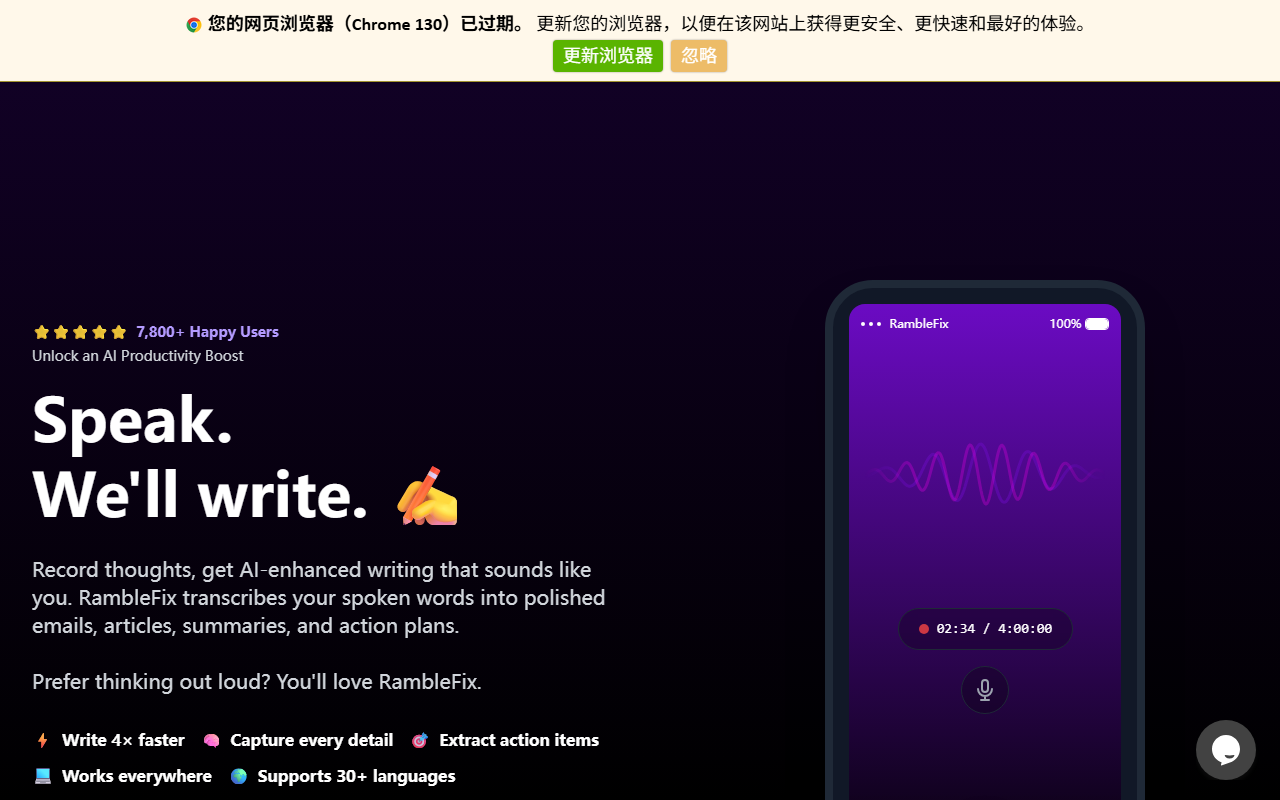
Upon visiting RambleFix’s website, I was struck by the clean, minimalist design that immediately communicates its core promise: speak, and we’ll write. The hero section shows a live recording interface with a waveform, a timer, and a “Get Started” button. The onboarding flow is virtually nonexistent—you can start recording right away in your browser without signing up. I tested the free tier by recording a brief ramble about my morning routine. Within seconds, the transcript appeared in a left panel while an AI-enhanced version showed up on the right. You can choose between a simple grammar fix or switch to modes like “Article,” “Message,” or “Mimic Your Writing Style.” The “Extract insights and actions” feature instantly produced a bulleted summary and a to-do list. The entire experience felt snappy and intuitive. The demonstration page even includes pre-recorded examples for social posts, patient notes, and follow-up emails, letting you see the transformation without any commitment.
Deep Dive: How RambleFix Works and What Sets It Apart
RambleFix is more than a basic voice-to-text tool. It uses AI to not only transcribe but to rephrase your spoken thoughts into context-aware, polished text that retains your natural tone. I tested the “Mimic Your Writing Style” option with a sample recording about remote work. The output mimicked my informal, direct style while cleaning up filler words and adding structure. The tool supports both live recording and file uploads (audio files up to 4 hours). It works across 30+ languages, which is a boon for international users. During my test, I uploaded a 30-second MP3 file; processing took under five seconds. The transcript captured my slight accent accurately, and the AI enhancement offered three distinct tones: Note, Article, and Message. Each version adapted the content to the target format—e.g., the Article version added topic sentences and transitions, while the Message version was concise and conversational. This level of control is rare among competitors like Otter.ai or Rev, which focus primarily on transcription with limited rewriting capabilities. RambleFix also integrates seamlessly into workflows: you can copy the output with one click and paste it into email, Slack, or social media.
Pricing, Positioning, and Practical Fit
Despite the polished product, pricing details are conspicuously absent. The website has a “Pricing” section that shows a monthly/yearly toggle, but the actual figures are hidden behind a JavaScript requirement (the page displays “Please enable JavaScript to continue using this application”). This lack of transparency is a potential red flag. However, the tool appears to target professionals who prefer verbal brainstorming: entrepreneurs, content marketers, customer success managers, and even a general practitioner are listed as users. The site claims 7,800+ happy users, which suggests a growing niche. Compared to alternatives like Otter.ai (which offers a free tier with limited minutes) or Descript (which includes video editing), RambleFix distinguishes itself by focusing purely on the voice-to-polished-text pipeline. It excels at capturing meeting minutes, drafting emails after a call, and turning rambled ideas into structured action plans. The main limitation is its reliance on browser JavaScript for the demo and likely the full app; plus, the pricing opacity may deter budget-conscious users. For those who value speed and natural tone over feature bloat, RambleFix is a strong contender.
Verdict: Who Should RambleFix and Who Should Pass?
After spending an hour with RambleFix, I can confidently recommend it to anyone who “thinks out loud” and struggles with blank-page syndrome. It’s ideal for busy professionals who need to turn quick voice notes into client emails, blog drafts, or task lists without fuss. The accuracy and stylistic options exceed expectations for a browser-based tool. That said, advanced users who need deep editing controls, transcription of long meetings, or collaboration features may find it lacking. The hidden pricing is also a concern—until RambleFix publicly lists its plans, potential users should test the free tier thoroughly. Overall, if you value writing speed and a natural, personalized output, RambleFix is worth your time. Visit RambleFix at https://ramblefix.com/ to explore it yourself.













Comments