
What Is Resume Studio and What Problem Does It Solve?
Every recruiter and ATS (Applicant Tracking System) expects a resume tailored to the specific job. Yet most job seekers reuse the same generic resume for dozens of applications — and then wonder why they hear nothing back. Resume Studio directly tackles this by generating a custom resume (and cover letter) for each opportunity you target. After you paste a job description and upload your current resume or describe your experience, the tool analyzes the match and produces a PDF designed to get past screening systems and catch a recruiter's eye.
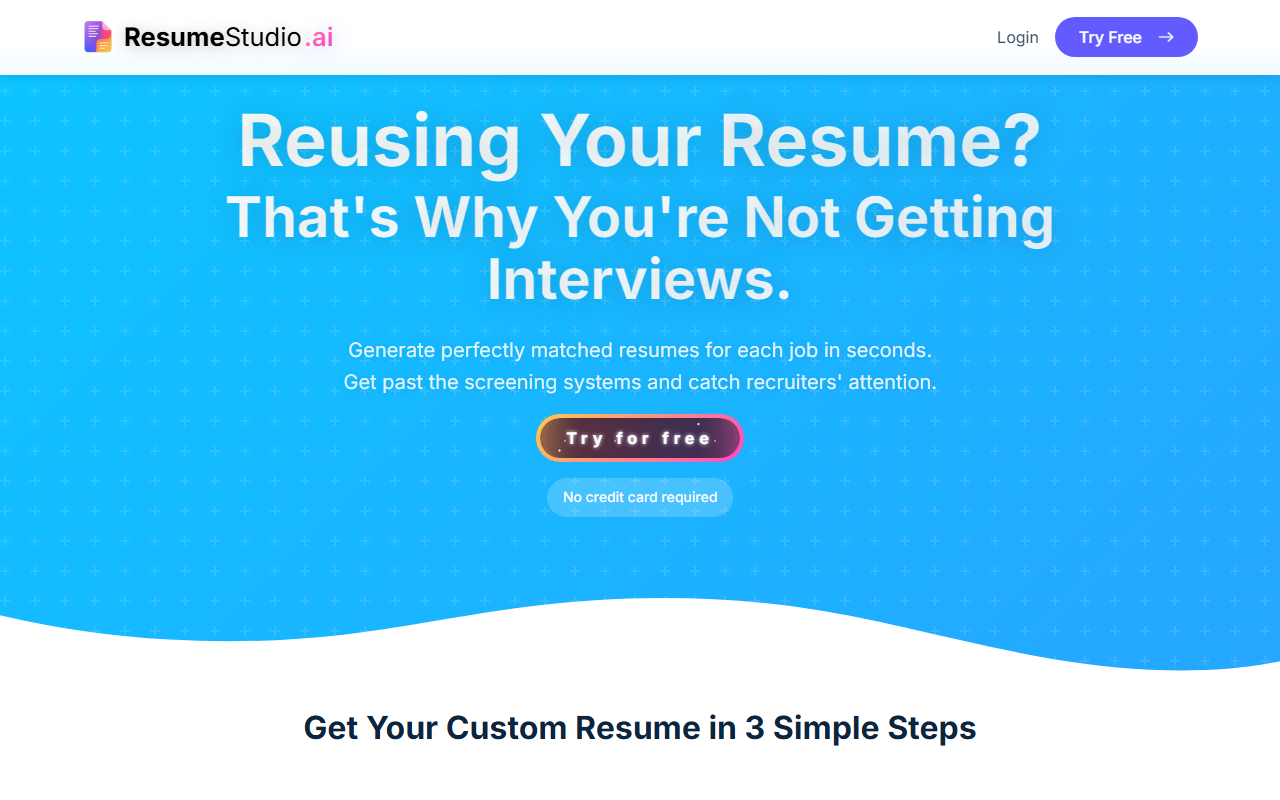
Upon visiting the site, the landing page clearly spells out the value proposition: stop reusing your resume. The headline “That's Why You're Not Getting Interviews” immediately speaks to the pain point. The 3-step workflow — paste the job, tell your story, download your optimized resume — is straightforward and promises results in seconds.
First Impressions and User Experience
The homepage is clean with a simple color scheme and prominent call-to-action to “Try for free.” No credit card required, which is a low-risk entry point. After signing up via Google, Apple, or Facebook (or email), you receive 3 free credits immediately. Each credit lets you generate one tailored resume plus cover letter. That’s enough to test the tool on a couple of jobs before paying.
The interface is minimal: a dashboard where you can start a new project, view past resumes, and track your credit usage. When I tested the free tier, I pasted a job description for a “Senior Data Analyst” role. Step two asks you to either upload a PDF of your current resume or manually enter skills and experience. I uploaded my existing resume. The processing took about 10 seconds, and then I saw a match analysis: a percentage score showing how well my background aligned with the job requirements. The generated resume rephrased my bullet points to emphasize the keywords from the job description, reordered skills, and adjusted the summary. I could preview it and tweak a few sections before downloading the PDF. The cover letter was also solid — concise and tailored. The entire process took less than two minutes.
One observation: the analysis screen shows which keywords from the job description appear in your resume. It’s a quick visual check that helps you understand why you might be scoring lower. This transparency is helpful for learning what to add.
Pricing and Value for Money
Resume Studio uses a credit system — no subscriptions. You buy credit packs that never expire. The pricing is simple: Starter – 10 credits for $5 (50¢ per credit); Standard – 50 credits for $10 (20¢ per credit); Professional – 500 credits for $20 (4¢ per credit). The Professional tier is clearly the best value for serious job seekers or those applying to many positions. Each credit covers one full resume and cover letter. There’s no monthly commitment, which I appreciate.
Compare this to competitors like Rezi (which charges around $10/month for unlimited resumes but requires a subscription) or Enhancv (about $13/month for a similar feature set). Resume Studio’s pay-per-use model is cheaper for low-volume users and more flexible. However, heavy users will find the Professional pack extremely cheap per resume.
Recommendations and Alternatives
Resume Studio is best suited for job seekers who apply to multiple roles and need fast, tailored resumes. It’s also a great fit for career changers (like the testimonial from a teacher moving to UX design) or anyone who struggles with ATS optimization. The tool covers most industries, as shown by testimonials from tech, finance, and career transitions.
Limitations? The tool relies heavily on the quality of your input. If your uploaded resume is weak or vague, the output will only be incrementally better. There’s no functionality to generate multiple versions for A/B testing or to parse a job description from a URL automatically — you must paste the text manually. Also, while the cover letter is decent, it may need editing for tone or length depending on the role.
For comparison, Rezi offers more advanced ATS scanning and formatting templates, while Kickresume provides a larger library of design templates. Resume Studio focuses on speed and simplicity over bells and whistles.
My verdict: if you’re sending out 10+ applications per week and want each resume to be optimized without spending hours on tweaks, the free credits let you test it risk-free. The Professional tier at $20 for 500 credits is a steal. Give it a try — it might just end your resume-reusing slump.
Visit Resume Studio at https://resumestudio.ai/ to explore it yourself.













Comments