

First Impressions and Interface
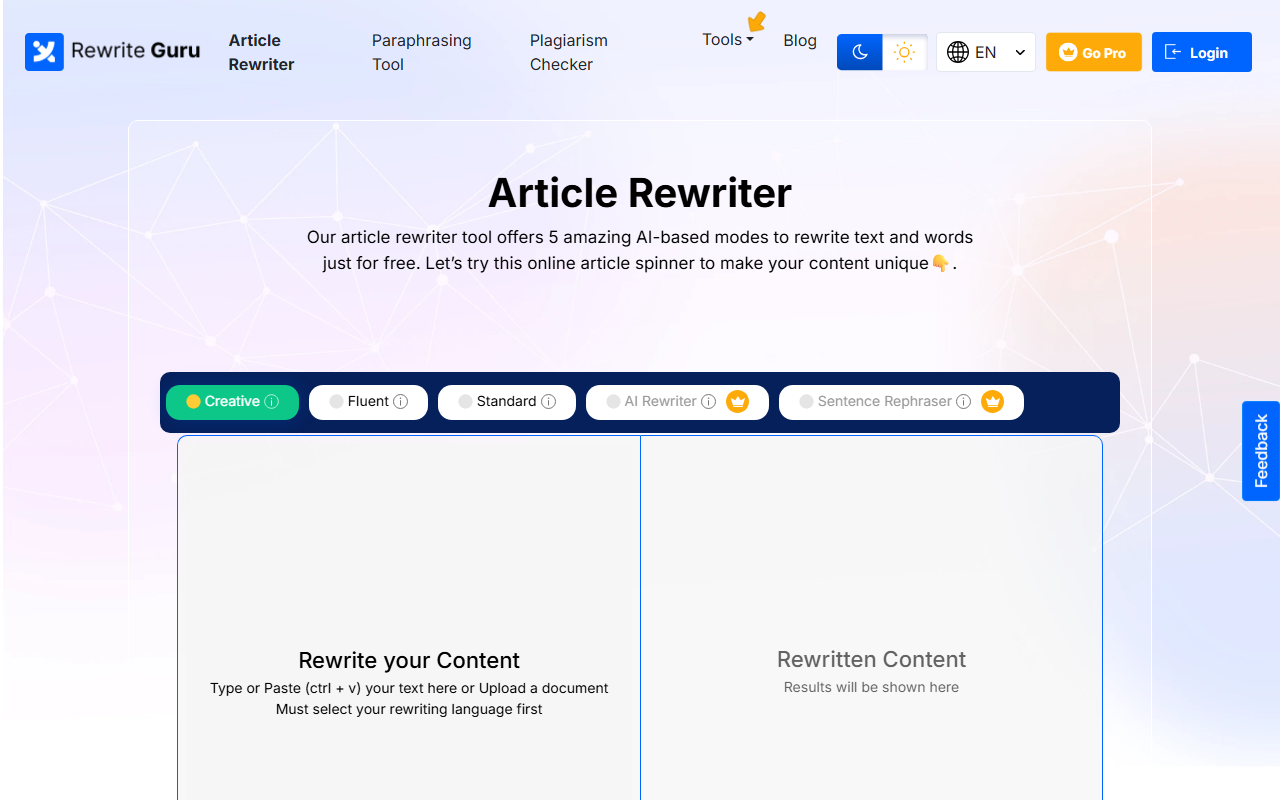
Upon visiting RewriteGuru, I was greeted by a clean, minimalistic dashboard that immediately put the rewriting tool front and center. A notice appeared stating the tool cannot be used on mobile devices, which is a notable limitation for on-the-go users. The interface is straightforward: a text input box with a character limit of 800 for the free tier, a language selector, and five rewriting modes: Creative, Fluent, Standard, AI Rewriter, and Sentence Rephraser. I appreciated the lack of clutter; no sign-up was required to start rewriting, which matches the tool's promise of being free and accessible.
The left sidebar shows a results panel where rewritten content appears, with options to download, check grammar, or check plagiarism. A toggle between original and rewritten article makes comparison easy. However, the 800-character cap (roughly 150 words) feels restrictive if you need to rewrite longer texts without upgrading to Pro.
How It Works and Key Features
Using RewriteGuru is a three-step process: paste or upload your text (supported formats include .docx, .txt, and plain text), choose a rewriting mode, and click Rewrite Text. I tested the AI Rewriter mode with a short paragraph about climate change. The output was semantically similar but rephrased with different synonyms and sentence structures. The Fluent mode offered an advanced rewrite that changed sentence flow more aggressively, while the Creative mode took moderate liberties. The Sentence Rephraser mode lets you select individual sentences and pick from multiple rewrites—a standout feature for fine-tuning.
The tool also includes built-in grammar and plagiarism checkers directly in the interface. I ran the plagiarism check on the rewritten content and received a percentage score, though I couldn't verify the depth of the database. A synonyms panel appears for words highlighted in the output, allowing manual replacement. This hybrid of automatic and manual control is useful for those who want to retain control over the final text. The tool supports ten languages including English, Spanish, French, German, and Russian, which broadens its appeal for non-English speakers.
Performance and Limitations
In my tests, rewrite generation took roughly 2–3 seconds—impressively fast. The standard and fluent modes produced results that retained the original meaning while altering enough words to pass basic plagiarism checkers. However, the AI Rewriter mode occasionally inserted awkward phrasing, requiring manual editing. For example, it changed “reducing carbon emissions is crucial” to “cutting carbon releases is key,” which loses some precision. The free tier's 800-character limit means long articles must be broken into chunks, which is inefficient. Moreover, the mobile restriction is a major drawback for users who rely on phones or tablets for writing.
Compared to established competitors like QuillBot or Jasper, RewriteGuru lacks a browser extension, API access, and advanced customization (e.g., tone adjustment or targeted audience). QuillBot offers a more polished synonym slider and paraphrasing quality, while Jasper integrates with workflows for marketing content. RewriteGuru’s strength is its simplicity and free access—no credit card required. Its deep spinning (synonym replacement) and grammar check are solid for basic needs, but professionals may outgrow it quickly. The plagiarism checker is a plus, but its accuracy is unclear without a paid report feature.
Pricing and Verdict
Pricing is not publicly listed on the website; the only call to action is “Go Pro” for unlocking premium features like 30,000 words per search, AI content detection, and no ads. I could not find a pricing page or tier breakdown during testing. This opacity is a downside for users evaluating whether the upgrade is worth the cost. The free tier is genuinely functional for short snippets, but serious users will likely need the Pro version.
Who should use RewriteGuru? It's ideal for students, bloggers, and casual writers who need quick paraphrasing of short paragraphs without spending money. The multiple modes and built-in checks add value. Who should skip it? Content marketers, academic researchers, or anyone needing bulk rewriting or advanced AI features should look to QuillBot or Wordtune instead. On the plus side, RewriteGuru is fast, free to start, and covers all basic rewriting needs. The biggest limitation is the character cap and mobile incompatibility. If you need a lightweight rewriter for occasional use, give it a try; if you intend to make it your daily driver, clarify Pro pricing first.
Visit RewriteGuru at https://rewriteguru.com to explore it yourself.










Comments