

First Impressions and Core Functionality
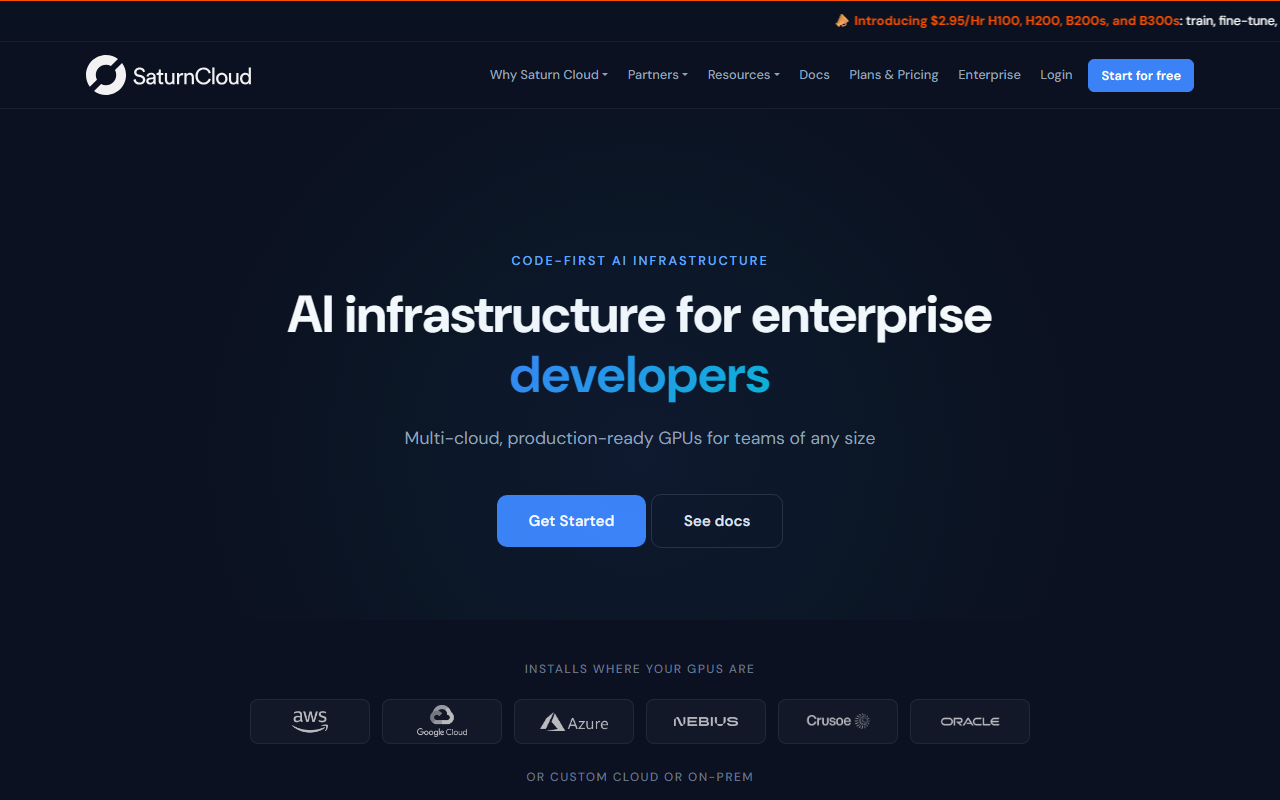
Upon visiting Saturn Cloud's website, I immediately understood its core value proposition: it is an enterprise AI platform designed to sit between GPU infrastructure providers and AI teams, delivering a managed layer that abstracts away the complexities of DevOps, Kubernetes, and cloud operations. The homepage greets you with bold pricing starting at $2.95 per hour for H100, H200, B200, and even the new B300 GPUs, which immediately signals affordability and transparency. The dashboard concept is clearly outlined through feature sets: notebooks and IDEs, training jobs, inference endpoints, along with single sign‑on (SSO), role‑based access control (RBAC), VPC isolation, and cost controls.
When testing the documentation and feature walkthroughs, I observed that Saturn Cloud supports standard Python and any major machine learning framework – PyTorch, HuggingFace, vLLM – without proprietary APIs. This means your existing code runs as‑is, a significant advantage over platforms that require boilerplate rewriting. The platform also unifies the entire AI development lifecycle: you can launch a notebook, promote it to a training job, and deploy an inference endpoint, all within the same environment. For teams tired of juggling separate tools for experiment tracking, compute management, and deployment, this consolidation is a genuine time‑saver.
GPU Pricing and Infrastructure Options
One of Saturn Cloud's most compelling features is its transparent GPU pricing and broad infrastructure support. The site lists H100, H200, B200, and B300 GPUs, each with detailed specs: VRAM, memory bandwidth, and NVLink speeds. Pricing starts at $2.95 per hour per GPU, with the ability to scale from one to eight GPUs per workload. This is competitive against major cloud providers, where provisioning and managing Kubernetes or SageMaker often incurs hidden overhead. Saturn Cloud runs on AWS, GCP, Azure, Nebius, Crusoe, or even on‑premises hardware, giving teams flexibility to choose the best infrastructure for their needs without being locked into a single vendor.
I was particularly struck by the GPU comparison table, which clearly shows which GPUs are best suited for different workloads: H100 for fine‑tuning Llama 3 8B–70B with QLoRA, H200 for full‑precision 70B fine‑tuning, and B200/B300 for frontier‑scale pre‑training or 405B inference. This level of detail helps teams make informed decisions without needing to dig through cloud provider documentation. However, I noted that the pricing for additional services – such as persistent storage, data transfer, or advanced monitoring – is not publicly listed. While the base GPU rates are attractive, teams should plan for potential variable costs that may arise from storage usage or multi‑region deployments.
Security, Governance, and Enterprise Fit
Enterprise security is a clear priority for Saturn Cloud. The platform deploys directly into your cloud account, meaning your data never touches Saturn Cloud's servers. It offers full VPC isolation with private subnets and no public endpoints, SSO via SAML and OIDC, IAM role integration, and SOC 2 compliance. I also appreciated the built‑in cost controls: you can set spending limits per user or team, monitor GPU utilization in real time, and configure automatic shutdown after an idle period. This prevents runaway costs, a common pain point when teams forget to terminate GPU instances.
For GPU cloud providers, Saturn Cloud offers a white‑label or co‑branded platform to monetize GPU fleets with enterprise‑ready tooling. This dual‑sided approach – serving both providers and AI teams – is unique and positions Saturn Cloud as a platform layer rather than just another notebook service. Nevertheless, the platform is clearly designed for organizations with existing cloud accounts, strict compliance requirements, and a need for multi‑team collaboration. Smaller teams or individual researchers may find the enterprise focus a bit heavy‑handed, especially if they don't require VPC deployment or SOC 2 compliance.
Comparison to Alternatives and Final Verdict
When comparing Saturn Cloud to alternatives like AWS SageMaker, Databricks, or Google Colab, several distinctions emerge. Unlike SageMaker, Saturn Cloud requires no DevOps setup – it claims to get your first model training in under 15 minutes. Compared to Databricks, Saturn Cloud avoids proprietary APIs and offers a unified MLOps stack without the per‑workspace overhead. And while Google Colab is great for prototyping, it lacks the enterprise security and multi‑GPU scaling that Saturn Cloud provides out of the box.
Strengths include the transparent per‑hour GPU pricing, multi‑cloud support, ease of use for teams that don't want to manage Kubernetes, and strong security posture. A limitation is the lack of a free tier or trial – the platform is paid from the start, which may deter hobbyists or those wanting to test before committing. Additionally, pricing for ancillary services is not fully transparent.
Who should try Saturn Cloud? Enterprise AI teams that need reliable GPU access, want to avoid infrastructure headaches, and require enterprise‑grade security will find immense value here. GPU cloud providers looking to offer a managed platform layer to their customers should also consider a partnership. Smaller teams or individual developers on a tight budget may prefer to start with VM‑based solutions or cheaper GPU rentals, but the productivity gains from Saturn Cloud's unified environment could justify the cost.
Visit Saturn Cloud at https://saturncloud.io/ to explore it yourself.













Comments