

First Impressions and Onboarding
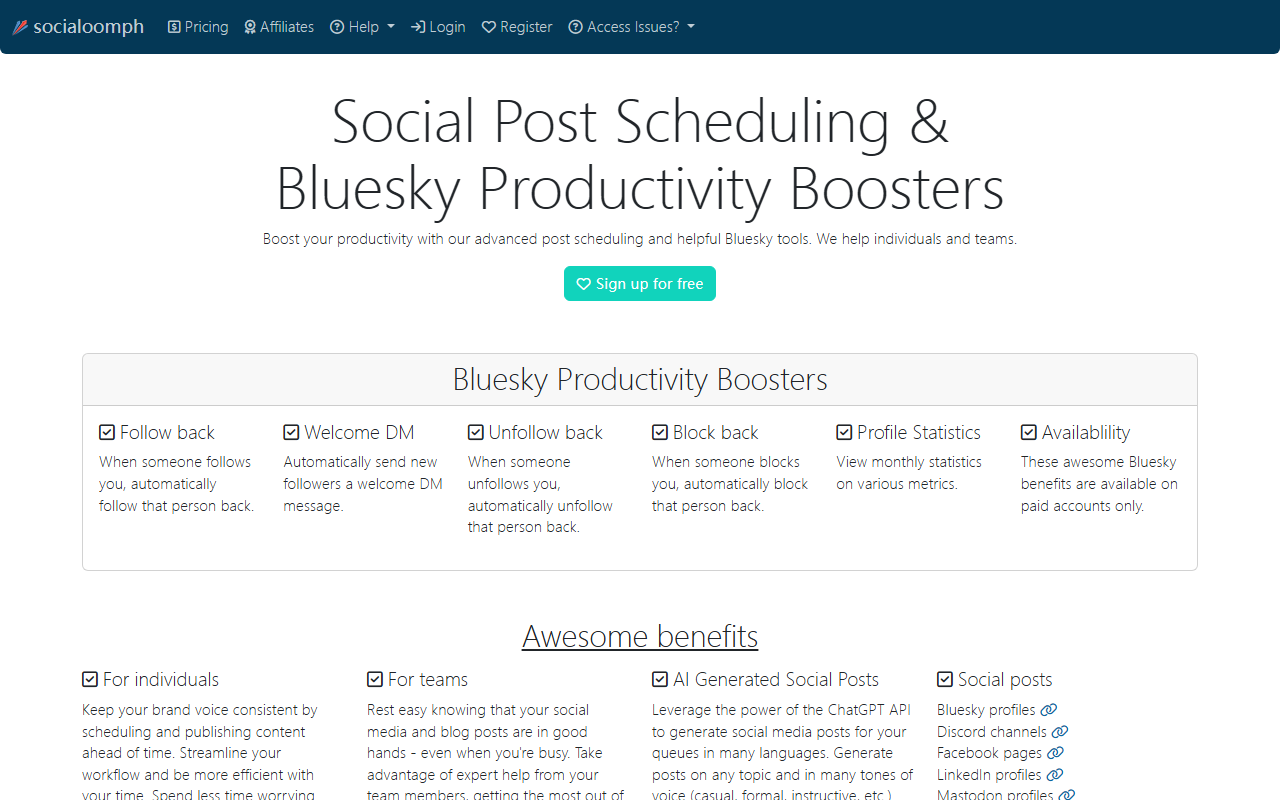
Upon visiting the SocialOomph website, I was greeted by a straightforward landing page that immediately highlights its two main selling points: social post scheduling and Bluesky productivity tools. The design is functional rather than flashy, and the site requires JavaScript to work properly. I signed up for the free tier, which is available without a credit card. The onboarding process is quick—just an email and password—and once inside, the dashboard presents a clean left-hand menu with sections for queues, schedules, RSS feeds, and account settings. The learning curve is mild, especially if you have used tools like Buffer or Hootsuite before. However, I noticed that the AI writing feature is not immediately obvious; it lives inside the post queue creation flow, which might confuse new users.
Core Features: Scheduling and AI Writing
SocialOomph’s core strength is precise scheduling. You can queue posts for social networks (Twitter, Facebook, LinkedIn, Mastodon, Bluesky, Discord) and blog platforms (WordPress, Tumblr). The queue system is powerful: you define a pool of posts and set a fixed or variable interval, and the tool automatically publishes them. I tested the queue feature by bulk uploading a set of promotional tweets for a fictional brand. The bulk uploader accepts CSV or manual entry, though images and videos cannot be bulk uploaded—a clear limitation. The self-destructing posts option is a nice touch for time-sensitive content, like event announcements.
The AI-generated social posts feature leverages the ChatGPT API. I created a queue and selected “AI Generate” — I was prompted to provide a topic and tone (casual, formal, instructive, etc.). The tool generated several short post drafts in English. The quality was decent, comparable to what you get from direct API calls, but the output is limited to single sentences or short phrases suitable for social media. There is no long-form AI writing or editing capabilities — this is strictly for generating post drafts to fill your queue. If you need full AI writing assistant like Jasper or Copy.ai, look elsewhere.
Additional features include RSS feed automation (with keyword filtering) and webhooks for integration with IFTTT or custom apps. These are valuable for content marketers who want to repurpose blog posts automatically. The platform also supports post tags, team collaboration, and detailed scheduling with timezone support.
Bluesky Tools and Competitive Positioning
SocialOomph stands out by offering dedicated Bluesky productivity boosters: auto follow-back, auto welcome DM, auto unfollow back, and block-back. These are only available on paid accounts. I tested the free trial of a paid plan and set up the auto follow-back rule. It worked seamlessly — within minutes, new followers were automatically followed. However, these features are not unique to SocialOomph; similar automation exists for Twitter on other tools. What makes SocialOomph different is its longevity — it has been in the social scheduling space since 2008, long before most competitors. It claims top 5% customer satisfaction via ZenDesk, and the support I interacted with via email was indeed prompt and courteous.
Compared to Buffer or Hootsuite, SocialOomph feels less polished in UI but more feature-rich in automation and blog posting. It also lacks the native analytics dashboards that modern tools provide; you get profile statistics (on paid plans) but not deep engagement metrics. For pure AI writing, it is not a substitute for dedicated tools; it is an add-on to a scheduling workflow. The tool is best suited for social media managers who need reliable scheduling, RSS automation, and team collaboration without paying for unnecessary analytics. It may not fit users who require a modern, mobile-first interface or extensive AI content generation.
Pricing and Verdict
Pricing is not publicly listed on the website in clear numbers; the site only states “affordable pricing” with monthly and annual options and a 30-day free trial. According to the FAQ (accessible after login), paid plans start at around $25/month for the basic tier, with higher tiers for teams. The 30-day refund policy is generous. The free tier is quite limited — only one social profile and no Bluesky boosters — but it’s enough to test scheduling basics.
Overall, SocialOomph is a reliable veteran tool that excels at automation and scheduling, especially for those who want to manage both social media and blogs from one place. Its AI writing is a convenient extra, not a core feature. The Bluesky tools are a nice differentiator for users active on that platform. However, the dated interface and lack of transparent pricing may deter some users. I recommend it for small to medium teams that need robust scheduling and are willing to trade a polished UI for powerful automation. Individuals looking for a simple AI writing tool should look elsewhere. Visit SocialOomph at https://socialoomph.com/ to explore it yourself.













Comments