

First Impressions and Onboarding
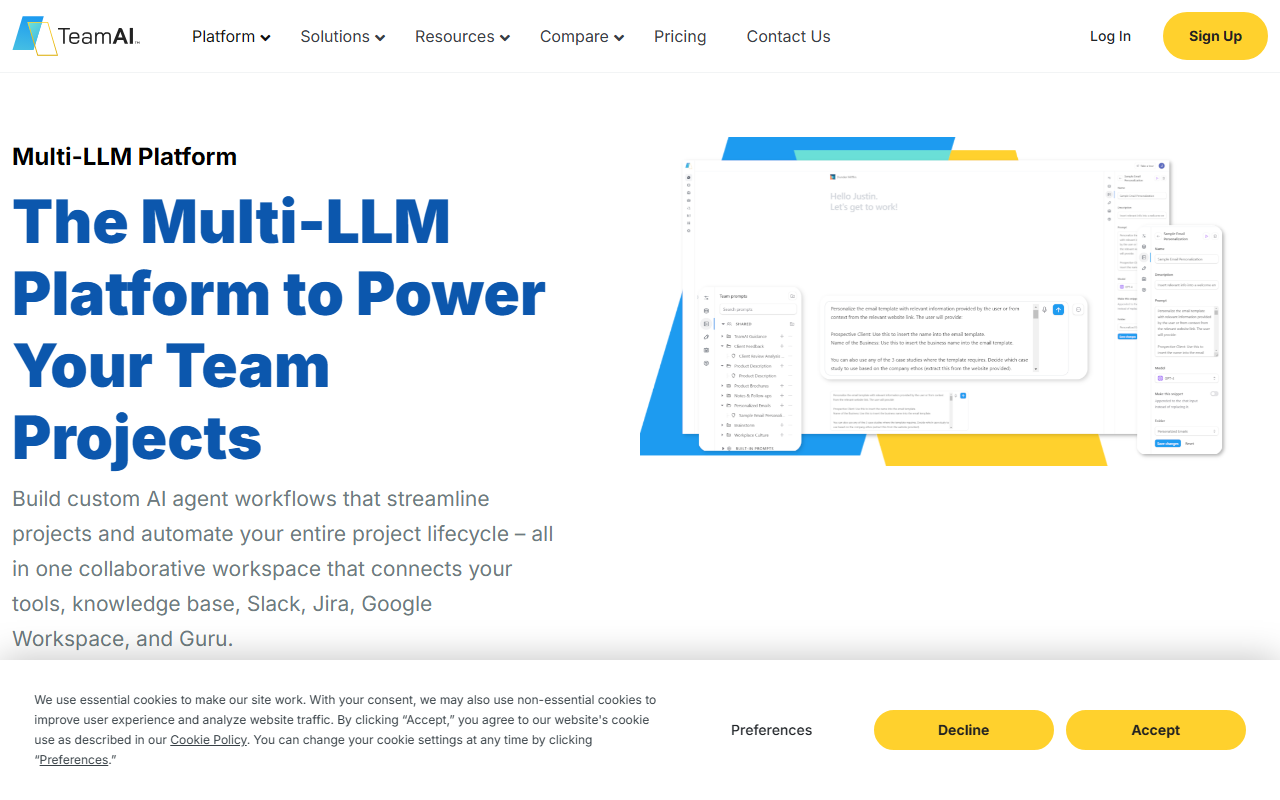
Upon visiting the TeamAI website, the first thing that stands out is the clear emphasis on collaboration. The landing page immediately presents the tagline “Multi-LLM Platform to Power Your Team Projects” and highlights integrations with Slack, Google Workspace, Guru, and Jira. The sign-up flow is straightforward: you can log in or start a free trial. During my exploration, I noticed that the dashboard is designed around projects and workspaces. The onboarding guides you through creating a workspace, adding team members, and connecting your first AI model. The interface is clean, with left-side navigation for chats, knowledge bases, agents, and integrations. The free tier gives a taste of the collaborative chat environment, though some advanced features like custom agents are locked behind paid plans.
Core Features and Integrations
TeamAI’s standout capability is its multi-LLM support. You can switch between models like GPT-4, Claude, and others within the same conversation, which is ideal for task-optimized workflows. For example, you might use a lightweight model for simple Q&A and a more powerful one for complex reasoning. The platform also offers an AI Knowledge Base that supports RAG (Retrieval-Augmented Generation) with citations, allowing you to upload thousands of documents and query them with verifiable sources. I tested the knowledge base by uploading a sample PDF; the retrieval was accurate and returned cited snippets.
The integrations are deeply embedded. The Slack connector lets you trigger AI workflows, ask questions, and receive summaries directly in channels. Google Workspace integration connects Drive, Gmail, Calendar, and Docs—you can chat with Drive files or auto-generate meeting summaries. The Jira integration uses Model Context Protocol (MCP) for creating and updating issues, sprint planning, and backlog prioritization. For sales and support teams, custom AI agents can be built with domain-specific instructions and connected to tools like Guru for verified knowledge. Agent workflows can be multi-step, automating repetitive tasks across projects.
Pricing and Positioning
Pricing is not publicly listed on the website in full detail. The landing page shows a toggle between Monthly and Yearly (15% savings) but does not display dollar amounts. From context clues and industry norms, TeamAI likely offers tiered plans based on the number of users, workspaces, and model usage. They mention “Up to 90% Cost Reduction vs. Per-Seat AI Plans,” which suggests a usage-based or pooled credit model. Competitors like ChatGPT Enterprise or Jasper AI (for marketing teams) offer per-user pricing. TeamAI differentiates by providing a centralized workspace with cross-model access and deep integrations, making it a strong fit for engineering, product, and ops teams that need flexible AI automation. It is less suited for individuals or small teams that only need a simple chat interface, as the learning curve for building agents and connecting tools can be steep.
Verdict and Recommendations
TeamAI’s greatest strength is its all-in-one approach: multiple models, a collaborative chat environment, a knowledge base with RAG, and native integrations with the tools teams already use. The custom agent builder and prompt libraries help standardize AI usage across departments. However, the platform’s ambition also introduces complexity. The agent creation workflow requires some scripting or configuration, and the lack of transparent pricing may frustrate budget-conscious buyers. Additionally, reliance on third-party model APIs means you are subject to their uptime and costs.
For teams already invested in Jira, Slack, and Google Workspace, TeamAI can become the central AI layer that connects these tools. It is ideal for mid-to-large organizations with dedicated operations or IT teams that can manage the setup. Smaller teams or solo users should look elsewhere—perhaps at simpler alternatives like ChatGPT or Claude Pro. If you need a scalable, multi-model platform that keeps your team’s data in one place and automates workflows across projects, TeamAI is worth a trial.
Visit TeamAI at https://teamai.com/ to explore it yourself.













Comments