

First Impressions and Onboarding
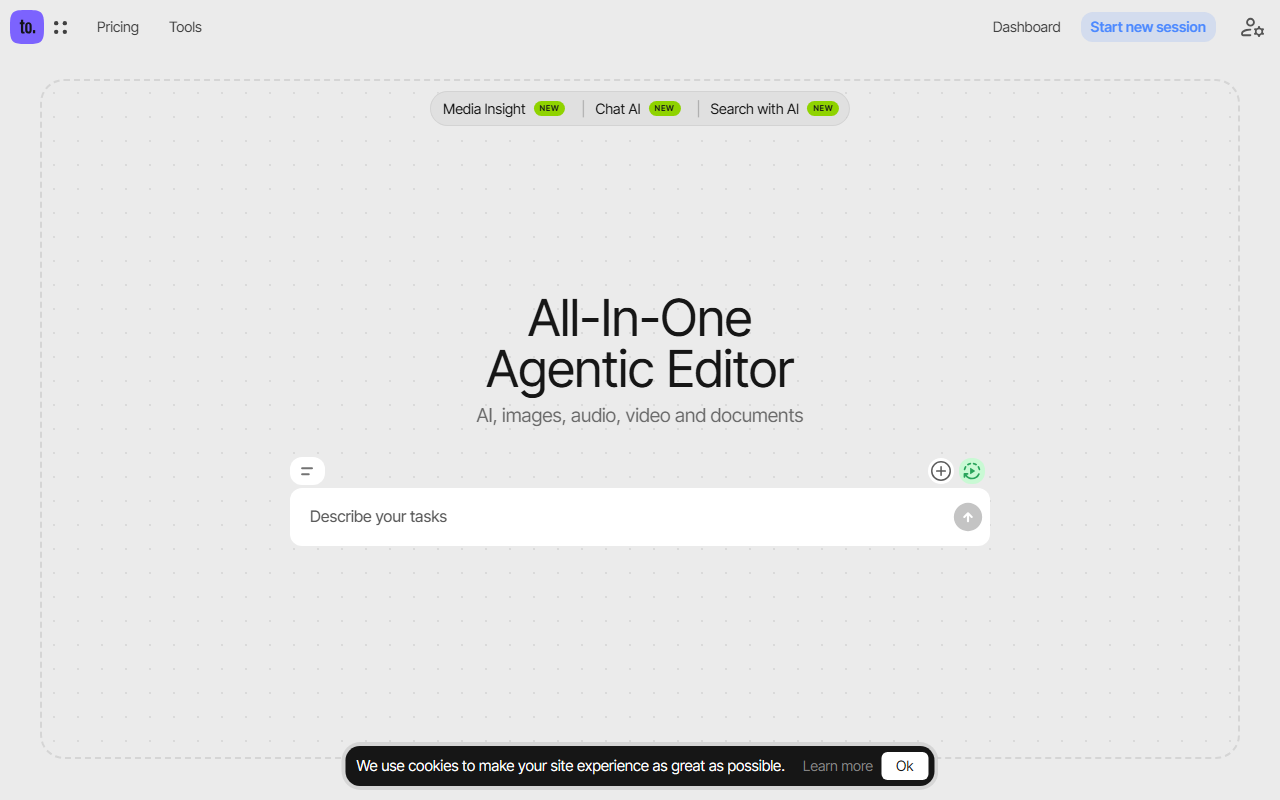
Upon visiting the Ceacle Tools website, I was greeted with a clean, minimalist dashboard. The homepage prominently features a drag-and-drop area labeled "Drop the files here," immediately signaling that this is a tool-agnostic workspace. Below that, tiles for Media Insight, Chat AI, and Search with AI suggest an emphasis on multimodal processing. The navigation bar categorizes tools into AI, Audio, Document, Image, Video, and Web — a logical structure for an all-in-one suite. Registering was straightforward; I signed up with an email and was taken directly to the tool selection view. The free tier appears to be limited but functional: I could test a few image generation and editing tools without payment.
What Ceacle Tools Does and How It Works
Ceacle Tools is essentially an aggregator of AI models — think of it as an AI Swiss Army knife. It integrates models from providers like Claude, OpenAI (GPT-4 and DALL-E), Recraft, ElevenLabs, Perplexity, Gemini, Ideogram, Black Forest Labs (Flux), ByteDance, DeepSeek, and Kling. You get access to image generation, audio transcription, document analysis, video editing, and web scraping — all from one interface. The standout feature is the "Chain your tools and automate your workflow" system: you can create sequences like generate an image, then remove background, then upscale, then convert format. This reminds me of Zapier for AI, but with native tools. The website claims over 50 tools, and while I didn’t count them all, the library is extensive. For example, under Image alone: Generate, Variation, Reimagine, Virtual Try-On, Outpainting, Recolor, Erase, Inpainting, Replace Background, Sketch to Image, Style to Image — each using a different model backend.
Pricing and Model Flexibility
Pricing is transparent and refreshingly simple. The base Ceacle Tools subscription starts at $5 per month (likely for limited usage), but you also pay for the underlying AI models you choose to use. The pricing table lists model-specific subscriptions: Claude ($20/mo), Recraft ($12/mo), OpenAI ($20/mo), ElevenLabs ($5/mo), Perplexity ($20/mo), Ideogram ($8/mo), Kling ($7/mo), and DeepSeek is free. This is a la carte — you only pay for models you need. There is also a one-time payment option mentioned (though the exact price wasn’t shown). For heavy users, this could be cheaper than separate subscriptions, e.g., paying $5 for Ceacle + $20 for OpenAI = $25 vs. $20 for ChatGPT Plus alone, but you get extra tools. The site doesn’t list API details, but given the model integrations, developers can likely access them programmatically. Alternatives include Canva (which has limited AI features on free tier), RunwayML (focused on video), and Clipdrop (pure image editing). Ceacle’s edge is its breadth and workflow chaining.
Strengths, Limitations, and Verdict
Strengths: The unified interface eliminates context-switching. The non-destructive editing — where you can tweak earlier steps in a sequence — is genuinely useful for iterative design. Batch editing for images (inpaint, retouch, format convert) saves hours for content creators. Also, the ability to reuse and share workflows with teammates is great for teams. The free tier lets you test many tools before committing.
Limitations: Performance depends on the model you choose — some may be slower. The $5 base subscription likely covers only low-resolution outputs or limited calls; advanced usage quickly adds up. Also, there is no mobile app as of writing. For a single-use tool like background removal, dedicated services (Remove.bg) might be faster. And because it aggregates third-party models, updates and outages depend on external providers.
Ceacle Tools is best suited for freelancers, small marketing teams, and anyone who regularly edits images, audio, or video and wants to consolidate tools. If you only need one specific AI function, a dedicated tool might be simpler. But for power users who chain multiple tasks, Ceacle delivers impressive value. I’d recommend trying the free tier to see if the workflow resonates.
Visit Ceacle Tools at https://tools.ceacle.com/ to explore it yourself.







Comments