

First Impressions: A Feature-Packed Chrome Companion
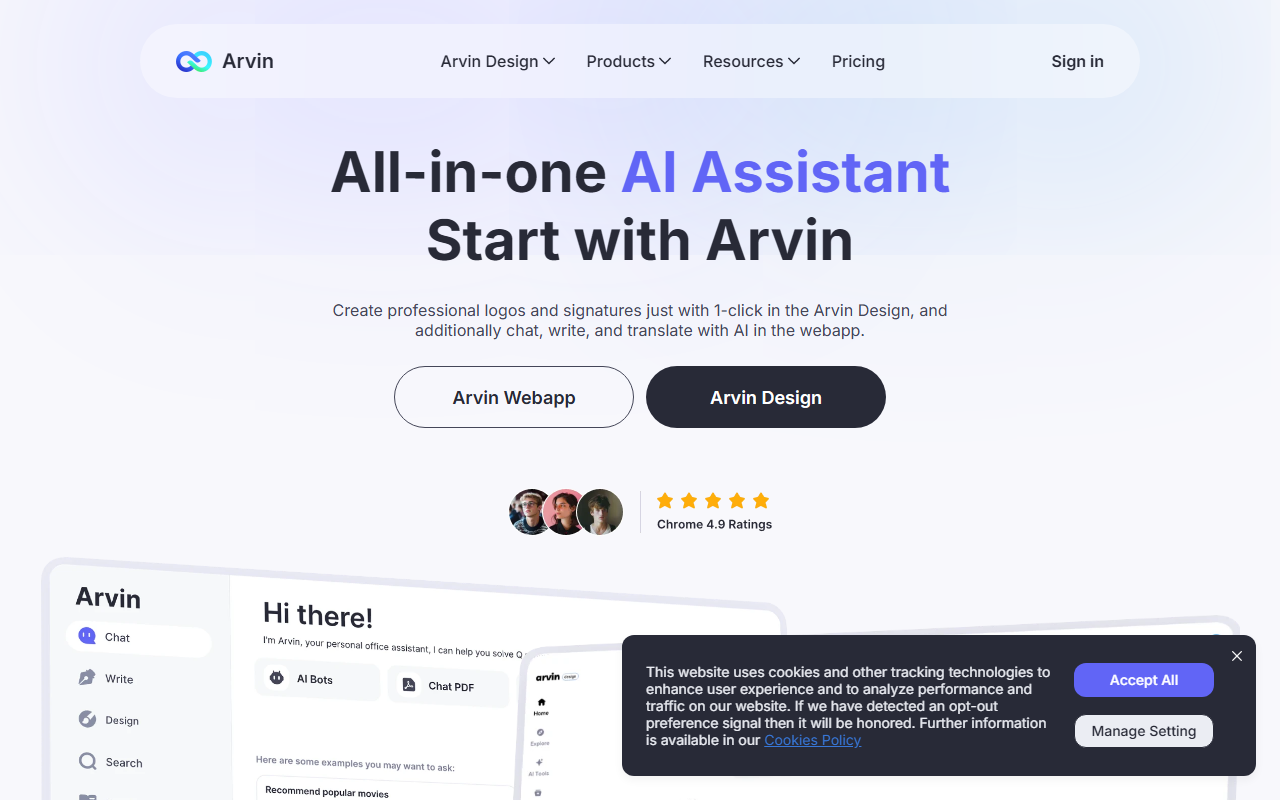
Upon visiting tryarvin.com, I was immediately struck by the sheer density of tools listed in the navigation menu. Arvin AI presents itself not merely as a writing assistant but as an all-in-one browser-side ecosystem. The homepage prominently showcases two products: the Arvin Webapp and Arvin Design, plus a Chrome extension for sidebar access. I installed the extension within seconds, and it placed a tidy icon in my browser toolbar. Clicking it opened a sidebar with quick links to AI Chat, AI Writer, Image Generator, and a set of PDF converters. The onboarding flow was frictionless—no account required to start a free conversation. I appreciated the hotkey (Alt+A) to summon the sidebar instantly, a feature that one user review called out as far handier than toggling between Google and ChatGPT.
The interface is clean, though the sheer number of categories—from Logo Ideas to Prompt Library—feels a bit overwhelming at first glance. Still, the extension's core functionality (chat, write, translate, and search) is front and center, so I never felt lost. I tested the free tier by asking a few questions via the "AI Chat" module; responses came back in under two seconds, and I could clearly see it was using GPT-4o under the hood based on the model mentioned repeatedly on the site.
Core Capabilities: Chat, Write, Design, and Convert
Arvin AI is best understood as a multi-tool for text and image generation. The AI Chat feature supports conversations with uploaded PDFs and images, which I tested by dropping in a dense research paper. It summarized the key findings accurately—a capability many standalone tools charge extra for. The AI Writer offers templates for articles, emails, and even blessing cards. I used the "Article Writer" to draft a 300-word blog outline; the output was well-structured, though it leaned generic. The Grammar Checker and Writing Improver polished my drafts quickly, highlighting awkward phrasing without the heavy-handed suggestions of a dedicated grammar tool.
What truly sets Arvin apart is the "Arvin Design" sub-product. It generates logos, signatures, business cards, and even tattoo designs with one click. I tried the logo generator: I selected "Football Logo Ideas" from the library, chose a template, and within seconds had a high-resolution vector exported. The mockup preview showed the logo on a jersey and a storefront—a neat touch for small business owners who want quick branding assets. Additionally, the image tools (background remover, changer, upscaler) worked reliably on a few test photos. PDF conversions to Word, PNG, and JPG were straightforward, supporting batch uploads up to 10MB each. All these live inside the same sidebar, so I never needed to jump between tabs.
Pricing, Limitations, and Competition
A notable gap: pricing is not publicly listed on the website. The navigation includes a "Pricing" link, but clicking it only leads to a placeholder page. User reviews mention "free daily usage" and that the package is "cost-effective," but concrete numbers remain undisclosed. This opacity may frustrate users evaluating the tool cost vs. value. I suspect the business model relies on a freemium tier (with daily credits) and a paid subscription, but without clear information, it's hard to compare.
Competitors like ChatGPT (native chatbot), Grammarly (dedicated writing assistant), and Canva (design suite) each excel in their niche. Arvin attempts to combine all three, and while the integration is convenient, the depth sometimes suffers. For example, the AI Writer lacks advanced tone settings that tools like Jasper offer. The image generator produced acceptable results, but it was noticeably slower than Midjourney. Additionally, the heavy reliance on the Chrome extension means users on Safari or Firefox may have a degraded experience. The tool is best suited for individuals who want a one-stop shop for light writing, quick design mockups, and routine PDF tasks—students, freelancers, and small business owners will find genuine value. Power users needing deep customisation or enterprise-grade accuracy should stick with specialised alternatives.
Final Verdict: A Versatile but Unfocused AI Toolkit
Arvin AI is a commendable effort to consolidate many AI-driven tasks into a single browser add-on. Its strengths lie in the range of tools—chat, write, design, convert—all accessible from one sidebar. I genuinely appreciated not having to juggle multiple tabs for grammar checking, logo creation, and document conversion. However, the lack of transparent pricing and the occasional shallowness of certain features prevent it from being a top-tier recommendation for professionals. If you are a casual user who wants a Swiss Army knife of AI, Arvin is a solid choice. Give it a try and see if its breadth compensates for its depth. Visit Arvin AI at https://tryarvin.com/ to explore it yourself.













Comments