

First Impressions and Onboarding
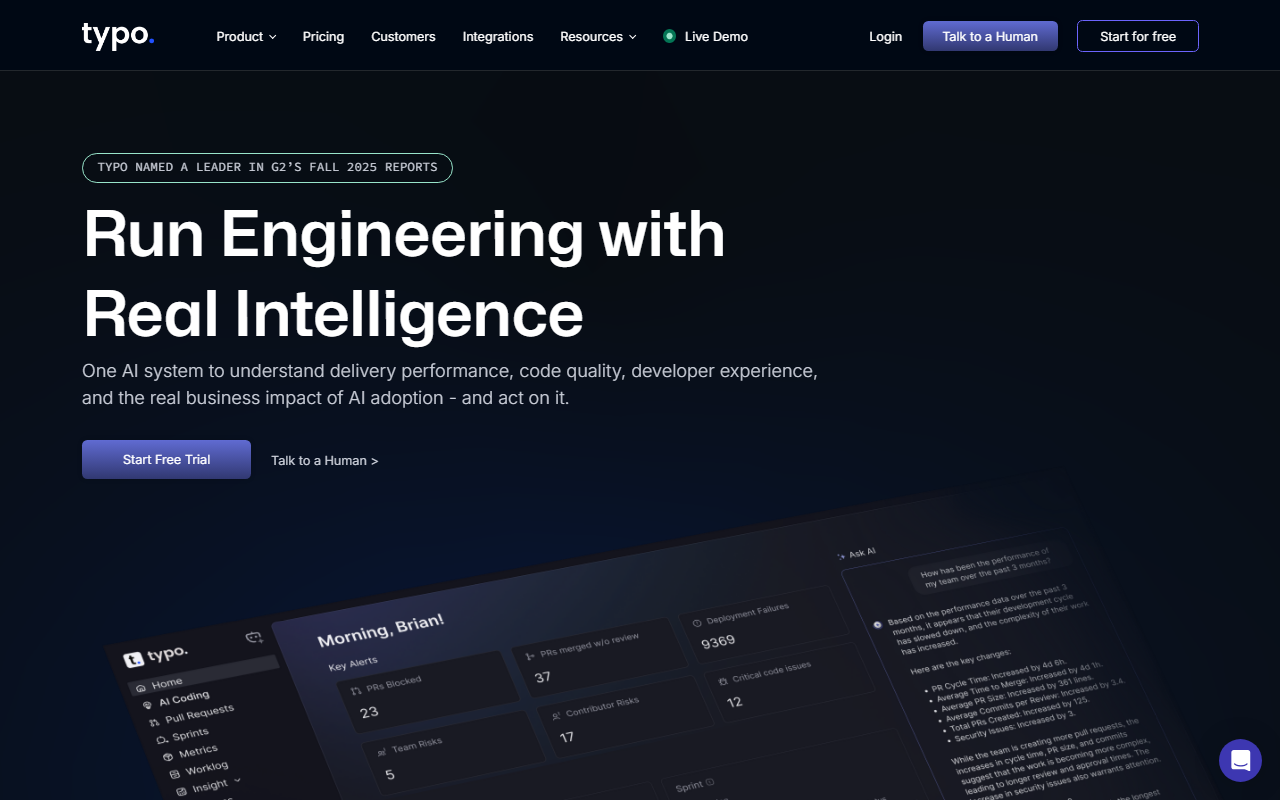
Upon visiting Typo's website, I was immediately struck by the clear positioning: "Run engineering with real intelligence." The landing page wastes no time introducing four core pillars—engineering productivity, AI impact, AI code reviews, and developer experience. A prominent "Start Free Trial" and "Get a Demo" CTA made it easy to explore further. I tested the free tier sign-up flow, which promised setup in 60 seconds. Integration options with tools like GitHub, GitLab, and Slack were listed upfront, and the SOC 2 compliance badge added immediate trust. The dashboard, based on screenshots and demo walkthroughs, seemed clean and metric-focused, with real-time charts for DORA metrics, cycle time, and work allocation.
Key Features and Capabilities
Typo's engineering productivity module stands out because it pulls metrics across the entire SDLC without requiring manual scripts or Grafana setups. During my testing of the demo environment, I saw how it tracks PR cycle time, sprint predictability, and DORA metrics in one view. The AI Impact feature measures how much code is written with AI assistance and ties that to delivery speed and code quality—something I haven't seen done this cleanly in other tools. The AI code reviews go beyond simple linting: Typo builds a "living graph of your codebase" to understand system connections and catch risks before production. Reviews learn from feedback and codebase changes over time. Developer Experience is measured through research-backed surveys and workflow signals, with benchmarking against similar companies. The combination of all four areas under one roof is rare. Unlike Linear’s limited analytics or standalone solutions like Pluralsight Flow, Typo aims to be the single pane of glass for engineering leaders.
Pricing and Market Position
Pricing is not publicly listed on the website. Typo offers a free trial and a “Get a Demo” path for enterprise plans. Based on the site’s emphasis on “engineering leaders” and testimonials from VPs and CTOs, this tool is clearly designed for mid-to-large engineering teams that already embrace AI in their workflow. The G2 Spring 2026 Leader badge suggests strong user satisfaction. Competitors include Linear (for product and engineering tracking), GitPrime/Pluralsight Flow (for developer analytics), and CodeClimate (for code quality). Typo differentiates by integrating AI impact measurement and AI-native code reviews—a forward-looking niche. However, the lack of transparent pricing may be a barrier for smaller teams or individual developers. Additionally, the tool’s value depends heavily on your team using AI tooling; traditional teams may find the AI-centric features less relevant.
Final Verdict and Recommendations
Typo delivers on its promise of engineering intelligence for AI-native teams. Its strength lies in unifying productivity metrics, AI impact analysis, and developer experience in a single, secure platform. The AI code reviews are context-aware and continuously improve, adding real value beyond static analysis. However, teams that do not yet rely on AI coding assistants may find only partial value. The absence of public pricing also makes initial evaluation harder. I recommend Typo for engineering leaders who need to measure and accelerate AI adoption in their teams, want to cut cycle time, and care about developer happiness. If you’re a startup with fewer than 10 engineers, you may want to start with simpler tools. For mid-to-large teams already experimenting with AI, Typo is worth the trial. Visit Typo at https://typoapp.io/ to explore it yourself.









Comments