

First Impressions and Onboarding
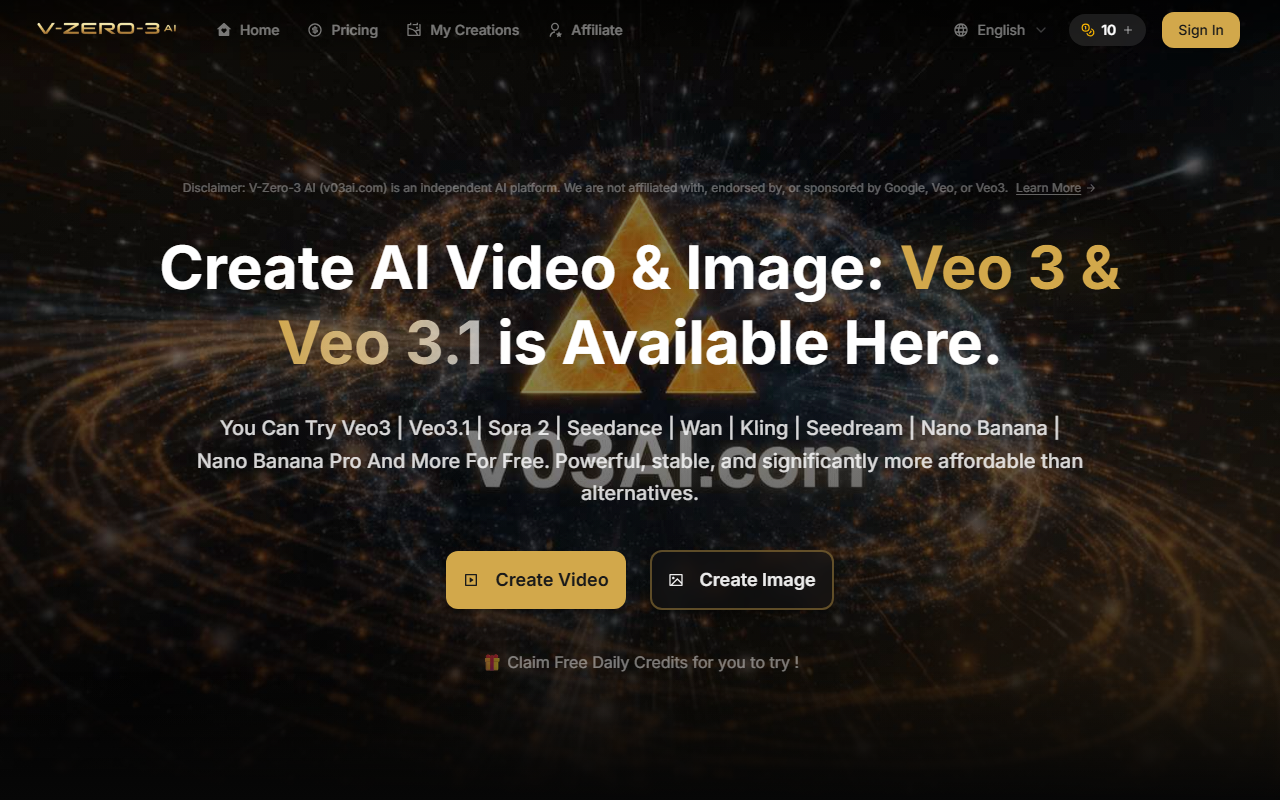
Upon visiting V-Zero-3 AI (v03ai.com), I was greeted with a clean, modern dashboard that immediately let me choose between video and image creation. The landing page prominently displays a disclaimer stating the platform is independent and not affiliated with Google or Veo3—a refreshingly transparent note. After signing in (a quick email verification), I claimed the daily free credit and landed on the main creation interface. The layout is intuitive: a large prompt box with a drop-down to select from a list of models—Veo 3, Veo 3.1, Seedance 2.0, Sora 2, Wan, Kling, Seedream, Nano Banana, and more. Below the prompt, I could toggle between Text to Video, Image to Video, and Text to Image tabs. For testing, I entered a prompt about a serene sunrise over mountains, selected Veo 3 in Fast mode, and chose 8-second duration at 720p. The Generate button required 10 credits, and I had exactly 10 (including my free claim). The generation took about 45 seconds, outputting a decent-quality video with synchronized audio. The dashboard also shows a "My Creations" gallery and tips for reference images, seed control, and audio generation—helpful for new users.
Core Capabilities and Model Access
V-Zero-3 AI's strongest value is its aggregation of multiple state-of-the-art AI models under one roof. Instead of juggling subscriptions to Runway, Pika, and individual model sites, you can switch between Veo 3.1 (for cinematic video with audio), Kling 2.6 (for stylized outputs), or Nano Banana (for image generation) without leaving the platform. During testing, I also tried the Image to Video workflow: I uploaded a stock photo and selected Seedance 2.0 in Quality mode; the result was a smooth, dreamlike animation with ambient sound. The platform supports resolutions up to 4K (requiring extra credits) and offers both Fast and Quality generation modes. A notable feature is the Seed control, which lets you lock a numeric seed for reproducible outputs—useful for iterating on a consistent style. While I didn't test all models extensively, the variety is impressive: Sora 2, Wan, and others give creators flexibility to match their aesthetic or technical needs. However, I observed that the interface doesn't provide model-specific previews or detailed documentation for each model; you rely on the tips section and trial-and-error to understand which model suits a given prompt. Compared to a direct Veo 3 subscription (if available), V-Zero-3 AI adds a layer of abstraction and credit costs but eliminates the need for separate accounts.
Pricing and Value Proposition
Pricing is clearly laid out with three monthly subscription tiers plus a one-time credit purchase option. The Basic plan ($9.90/month) gives 150 credits—enough for about 15 video generations (at 10 credits each) or 150 images. The Pro plan ($19.90/month) offers 350 credits, and the Max plan ($34.90/month) provides 750 credits. There's also a 30% discount when paying annually, and a "One-Time" credit pack for those who don't want a subscription. Notably, the daily free credit (1 per day) lets you test the platform, but it's extremely limited; you can generate one low-resolution video every 24 hours. I appreciate that all plans include commercial usage rights and remove watermarks, which is a big plus for freelancers and small businesses. However, the credit system can feel restrictive if you need heavy experimentation: one 4K video costs 30 credits (10 base + 20 for 4K), so the Max plan would only cover 25 such videos per month. For context, competitors like Runway offer unlimited generations on higher tiers but at a higher monthly cost. V-Zero-3 AI occupies a sweet spot for users who want access to many models without committing to each separately, but heavy users might find the per-credit cost adds up quickly. The platform also lacks a free trial beyond the daily single credit, which might deter serious testing before purchase.
Final Verdict: Who Should Use V-Zero-3 AI?
V-Zero-3 AI is best suited for content creators, marketers, and AI enthusiasts who need to experiment with a variety of video and image models without managing multiple subscriptions. Its unified workflow is genuinely time-saving, and the audio-sync quality on models like Veo 3.1 is impressive for the price point. I would recommend it to freelancers creating social media assets or small business owners needing quick promotional videos. On the flip side, if you require unlimited generations or dedicated access to a single model, or if you're on a tight budget and can't handle per-credit costs, you might be better served by a direct subscription to a specific service (like Runway Gen-3 or Kling's own platform). The platform's biggest limitation is the lack of depth in model documentation and the relatively stingy free tier. That said, for under $20 a month, you get a versatile toolbox that would otherwise require juggling five different accounts. V-Zero-3 AI delivers on its promise of "all the great AI models in one place" with solid performance and commercial licensing. Visit V-Zero-3 AI at https://v03ai.com/ to explore it yourself.













Comments