

First Impressions and Onboarding
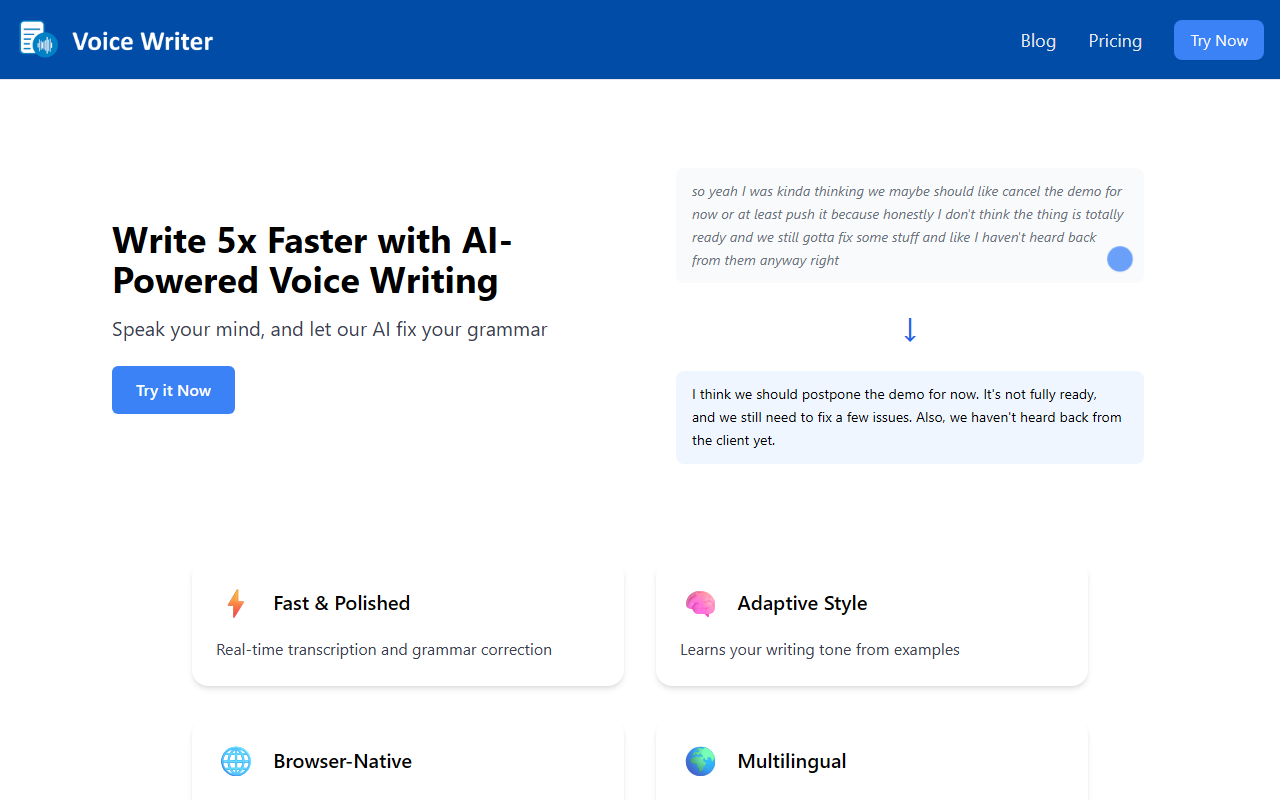
Upon visiting Voice Writer’s site, I was struck by the clean, no-nonsense landing page. The hero section immediately pitches "Write 5x Faster with AI-Powered Voice Writing" and pairs it with a live example of messy speech transformed into polished text. You see a block of run-on words like "soyeahIwaskindathinking..." and then the corrected output: "I think we should postpone the demo for now." This concrete demo makes the value proposition instantly clear. Clicking "Try it Now" takes you to a browser-based tool—no app installation required. The interface shows a large microphone button and a text area. I tested the free tier using my laptop’s built-in mic. Speech recognition kicked in quickly, transcribing my words in real time. Once I stopped speaking, the grammar correction engine rewrote the sentence within a second. The result was clean and professional. The onboarding is frictionless: you start speaking, and the AI handles the rest.
Core Features and Performance
Voice Writer tackles a specific problem: transforming disorganized spoken thoughts into well-structured, grammatically correct written text. It combines automatic speech recognition (ASR) with a grammar‑correction language model (LLM). The site claims "under 300ms streaming latency" for speech recognition and real‑time grammar correction unified with speech—a notable advantage over many competitors that separate the two stages. I found the transcription accuracy impressive even with my slight accent, and the grammar engine preserved my intended meaning while fixing casual phrasing. The tool supports 30+ languages on the Pro tier, but the free tier is limited to English and uses the browser’s built‑in speech recognition. An "Adaptive Style" feature claims to learn your writing tone from examples, though during my brief test I didn’t have time to train it. For writers who frequently draft emails, blog posts, or social media content, this workflow could genuinely save hours. Unlike tools such as Otter.ai or Descript, which focus on meeting transcription or video editing, Voice Writer is laser‑focused on turning speech into clean copy you can paste anywhere—Gmail, Notion, Google Docs. The browser‑native approach means it works wherever you type.
Pricing and Privacy
Pricing is refreshingly straightforward. There is a free tier that includes basic AI grammar correction, browser‑based speech recognition, and English‑only support. For power users, the Pro tier costs $10 per month or $80 per year (billed annually), and includes premium speech recognition, support for 20+ languages, customizable grammar correction, and one‑click tone adjustment. A 14‑day free trial is available, and you can keep using the free features indefinitely after the trial ends. No subscription lock‑in—pay as you go. The site also offers a Chrome extension for using Voice Writer on any website. On the privacy front, the team states that the microphone only listens while the app is open and while you are actively speaking. Data is stored securely and may be used to improve the models. They work with third‑party providers that follow strict security standards. While not as privacy‑focused as fully offline tools, this is a reasonable approach for a cloud‑based service. The team includes Bai Li, a PhD in NLP, and Elaine Ye, an ex‑Amazon software engineer, which adds credibility.
Who Should Use Voice Writer?
Voice Writer is best suited for anyone who thinks faster than they type: content creators, busy executives, students with heavy writing loads, or professionals drafting long emails and reports. It’s also excellent for people with RSI or other typing difficulties. The tool’s real‑time, unified pipeline gives it a edge over competitors like Speechnotes or Google Docs voice typing, which lack instant grammar correction. However, it has limitations. The free tier’s reliance on the browser’s built‑in speech recognition means accuracy drops in noisy environments or with heavy accents. The adaptive style feature requires intentional training, and the tool currently lacks offline mode—an internet connection is mandatory. If you need full‑fledged document editing with formatting or collaboration, this isn’t a replacement for a word processor—it’s a dictation and polishing layer. For most everyday writing tasks, though, Voice Writer is a solid, affordable productivity booster. I recommend trying the free tier to see if the workflow fits your style. Visit Voice Writer at https://voicewriter.io/ to explore it yourself.













Comments