

First Impressions and Interface
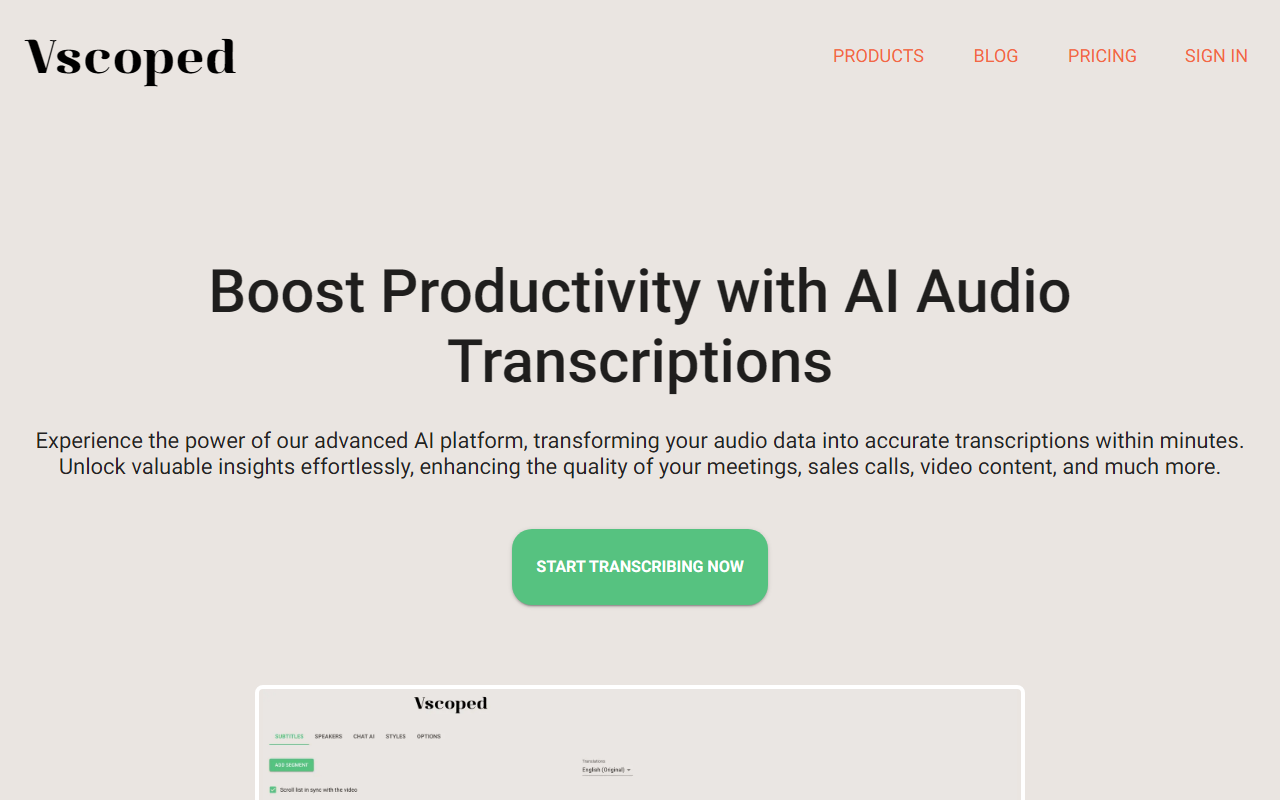
Upon visiting the Vscoped website, I immediately appreciated the clean, minimalist design. The homepage clearly states its core value: transcribe audio and video in minutes with 95%+ accuracy across 90+ languages. The call-to-action buttons for starting a free trial and viewing pricing are prominently placed, and there is no requirement to enter a credit card upfront. The dashboard (I accessed it through the free tier) is intuitive, offering a simple drag-and-drop upload area. The onboarding flow guided me through the three-step process—upload, AI transcribe, edit and export—which sets clear expectations. When testing the free tier, I uploaded a short MP4 clip of a recorded podcast. The AI transcription took roughly a minute for a 10-minute file and returned text with speaker labels and correct punctuation. The editor interface allowed me to review and adjust timestamps, and the export options included SRT, ASS, and embedded subtitles. Everything felt responsive and well-organized.
Core Features and Capabilities
Vscoped offers more than basic transcription. Its AI engine claims 95%+ accuracy, and in my test, it accurately captured technical jargon and different speakers. Beyond transcription, the platform includes audio translation into 130+ languages, which is a standout feature. The Chat AI tool is particularly innovative: after transcription, you can ask questions about the content, generate meeting minutes, summaries, or action items. For example, I uploaded a recorded business meeting, and Chat AI produced a concise summary with key decisions in seconds. The tool also supports subtitle export for video creators, making it easy to embed captions. Under the hood, the platform likely leverages a combination of deep learning models (similar to OpenAI Whisper), but Vscoped does not explicitly state the underlying technology. It does offer API access? Not mentioned on the site, but the Custom plan suggests team or high-volume solutions. Integrations? No direct third-party integrations are listed, but you can export to common formats. The data retention varies by plan (7 to 90 days), which is reasonable for casual users but limited for archival needs. In terms of language support, 90+ for transcription and 130+ for translation is impressive, covering most widely spoken languages. The free tier includes limited usage, allowing you to test before committing.
Pricing and Value
Vscoped offers transparent pricing with three tiers, all including a 3-day free trial and cancel anytime. The Micro plan at $3.99 per month includes 60 minutes of transcription, video and subtitle exports, 10,000 translation characters, and 1,500 Chat AI tokens. The Hobbyist plan at $7.99 per month bumps that to 150 minutes and 25,000 translation characters. The Professional plan at $15.99 per month offers 400 minutes and 75,000 translation characters. Pay-as-you-go rates apply after the included quota: $0.10 per minute for transcription on Micro (lower on higher plans), $0.01 per 100 translation characters, and $0.04 per 1,000 Chat AI tokens. Compared to competitors like Otter.ai (which starts at $16.99 per month for 1200 minutes but lacks translation) or Rev.com (pay-as-you-go at $0.25 per minute with no Chat AI), Vscoped is competitively priced for users who need multilingual support and AI-assisted analysis. The lack of a lifetime free tier beyond limited usage may deter casual users, but the low entry cost makes it accessible. One notable limitation is the absence of a fully free plan—only a 3-day trial and limited free tier (likely a few minutes). For high-volume users, the Custom plan likely offers volume discounts. The pricing page also mentions pay-as-you-go rates for overages, which is flexible.
Who Should Use Vscoped?
This tool is best suited for content creators, journalists, researchers, and business professionals who regularly transcribe multilingual audio and need quick insights via the Chat AI feature. For instance, podcasters can generate show notes, translators can get draft subtitles, and meeting attendees can receive automated summaries. Students recording lectures might find the translation feature useful. However, Vscoped is less ideal for users needing deep integrations with tools like Zoom, Slack, or Notion, as those are not present. Additionally, if you require extremely high accuracy for specialized domains (e.g., medical or legal jargon), you may want to compare with manual services. The data retention of up to 90 days on the Professional plan may also be insufficient for long-term archival. Overall, Vscoped delivers solid value with its unique combination of transcription, translation, and AI chat in one affordable package. The 3-day trial lets you verify accuracy for your own use cases. I recommend starting with the Hobbyist plan if you transcribe a few hours per month.
Visit Vscoped at https://vscoped.com/ to explore it yourself.













Comments