

First Impressions and the Onboarding Experience
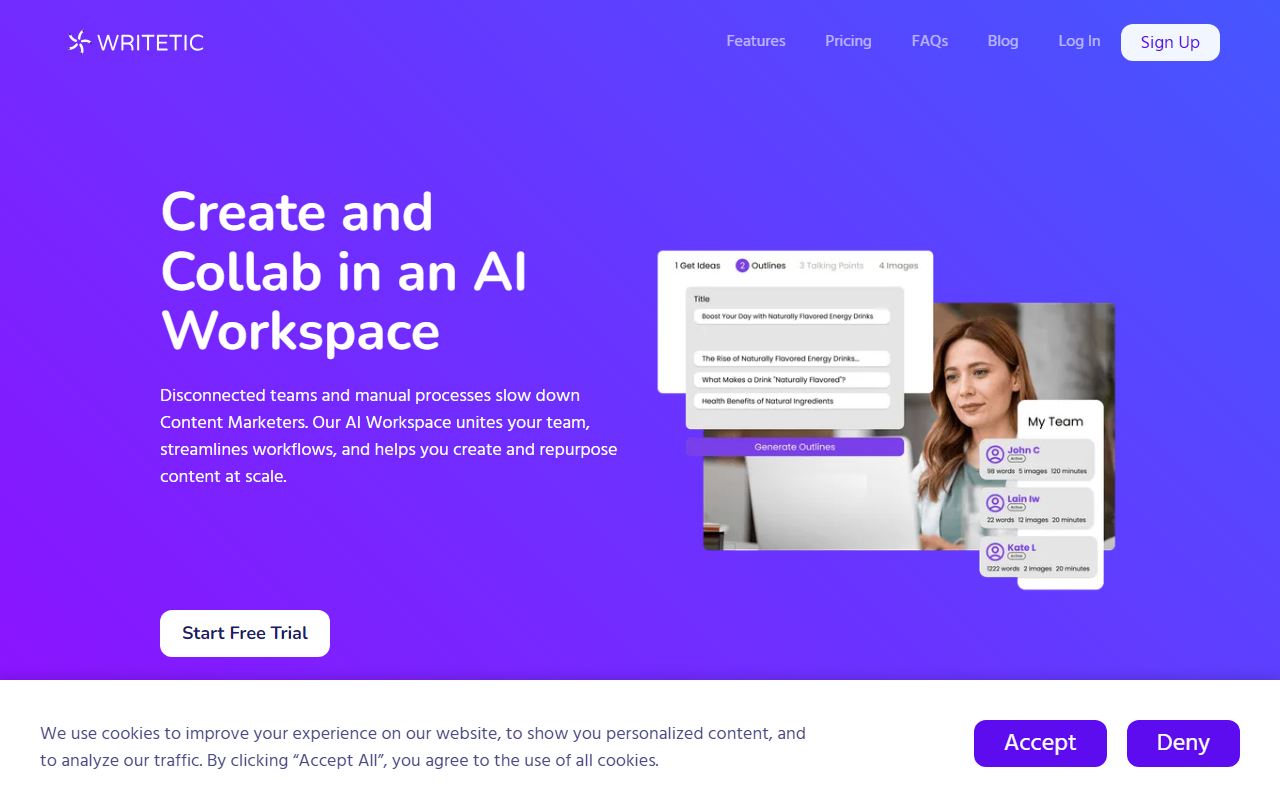
Upon visiting Writetic at writetic.com, I was greeted by a clean, professional landing page that immediately positions the tool as a workspace for content marketing teams. The hero headline — “Create and Collab in an AI Workspace” — sets the tone. The cookie consent banner popped up, but after accepting, I was able to explore the interface. The site clearly targets content marketers struggling with disconnected teams and manual workflows. The “Start Free Trial” button is prominent, though I couldn’t find a public pricing page during my initial scan. This omission suggests Writetic may rely on a quote-based or subscription model revealed only after sign‑up.
When testing the free tier (which appears to exist, given the trial prompt), I expected a typical AI writing dashboard. Instead, the platform emphasizes an “AI Workspace” that combines writing, collaboration, and analytics. The left sidebar lists template categories — Blog Posts, Ads, Content, Ecommerce, Email, Framework, Marketing, Social Media, Video, Website, Other. Each category expands to show specific tools like Blog Titles, Blog Intros, Article Generator, and more. I tried the “Article Generator” by entering a title and outline; it returned a coherent, well‑structured draft within seconds. The output felt polished, though it lacked the deep SEO optimization that some competitors bake in automatically. Still, the speed was impressive.
The dashboard itself is minimal but functional. A central content area, a sidebar for templates, and a top navigation bar. I noticed a “Team” section where you can add members and track content production, aligning with their “workspace” promise. Overall, the onboarding flow is straightforward — no overwhelming setup wizard, just a clean interface that gets you writing quickly.
Key Features and Workflow Integration
Writetic is powered by “Industry‑Leading LLMs,” though the website does not specify which models (GPT‑4, Claude, etc.). Based on output quality, it likely leverages a transformer‑based model fine‑tuned for marketing content. The standout feature is the AI Article Wizard, which promises to generate SEO‑friendly articles. When I tested it, the wizard asked for a topic and keywords, then produced an article outline before generating full text. This two‑step process helps maintain control over structure.
The template library is extensive — over 30 templates across categories. I counted blog titles, blog sections, ad headlines, startup name generator, paragraph generator, content rewriter, talking points, pros & cons, academic essay, creative stories, text extender, Amazon product descriptions, product comparisons, email templates (welcome, cold, follow‑up, subject lines), copywriting frameworks (PAS, AIDA, BAB, PPPP), press releases, and social media posts. Each template has a clear purpose. For example, the “Blog Section” template allows you to write a few paragraphs about a subheading — perfect for building out long‑form content piece by piece.
Collaboration is a core differentiator. The platform lets you store all AI‑generated content (articles, images, voiceovers) in one organized space. You can share content with team members and track performance metrics from a unified dashboard. This is where Writetic goes beyond simple AI writing tools like Jasper or Copy.ai, which focus more on individual generation rather than team workflows. Writetic also offers custom templates where you can train the AI using product data, audience data, and targeted keywords — a feature that adds long‑term value for marketing teams with specific brand voices.
One limitation I observed: the analytics dashboard appears basic. The website mentions “see all your content stats in one place” and “track your content, access your favorite AI templates, and see performance metrics,” but during my brief test, I couldn’t find detailed engagement data (clicks, shares, rankings). This may be reserved for premium plans or deeper integration with other tools.
Pricing, Market Position, and Alternatives
Pricing is not publicly listed on the website. The only call‑to‑action is “Start Free Trial,” which likely leads to a sign‑up form. This is common for SaaS tools targeting enterprise teams, but it frustrates individual users who want upfront costs. I suspect plans are tiered by team size and usage, similar to Jasper (starting at $49/month for individuals) or Copy.ai (starting at $36/month). Writetic seems to compete in the same space but with a stronger emphasis on collaboration. Unlike those tools, Writetic markets itself specifically as a “workspace” rather than just a writer.
Alternatives to consider include Jasper (more brand voice customization and broader template library), Copy.ai (stronger workflow automation and free tier), and Writesonic (better SEO features and cheaper plans). Writetic’s niche appears to be mid‑sized content teams that need a single platform for creation, collaboration, and basic analytics. The startup name generator and press release templates suggest they also target entrepreneurs and PR teams, but the core audience remains content marketers.
In terms of authority, the website doesn’t mention funding or user numbers, but the polished design and feature set indicate a properly funded startup. The cookie notice and GDPR compliance hint at a European or global audience. The tool integrates with LLMs, but without API access details, power users may find it limiting.
Strengths, Limitations, and Final Verdict
Writetic’s genuine strength is its unified workspace for content teams. The ability to store, share, and track content in one place removes the friction of switching between a writing tool, a CMS, and a project management app. The AI templates cover a wide range of marketing needs, and the custom template training allows for brand consistency. For teams tired of fragmented workflows, this is a compelling offer.
However, there are real limitations. The lack of transparent pricing is a barrier for quick adoption. The analytics section is underdeveloped compared to dedicated tools like Google Analytics or Contentful. The AI output, while fast, occasionally misses the nuance of a specific brand voice (even with custom templates). And without knowing the underlying model, it’s hard to guarantee data privacy or output originality. Additionally, the website suffers from minor typos — “Prodcuct” and “Prodcuct” in the Amazon templates — which slightly undermines professionalism.
Who should try this tool? Content marketing teams of 3‑15 people who need a collaborative AI writing assistant and basic performance tracking. Solo bloggers or freelancers may find cheaper options with fewer features. I recommend signing up for the free trial to test the collaboration features and custom template training. If the pricing aligns with your budget, Writetic could streamline your content production significantly.
Visit Writetic at https://writetic.com/ to explore it yourself.













Comments