

First Impressions and Onboarding
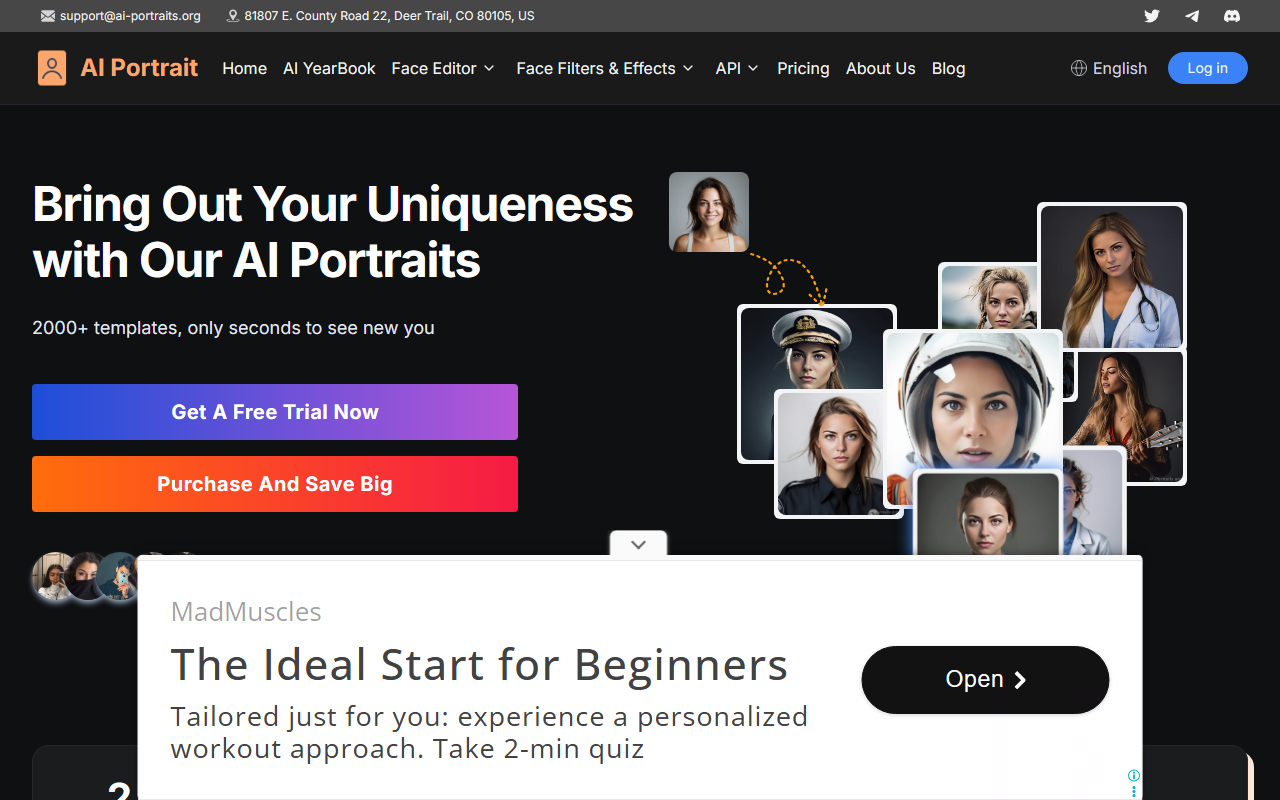
Upon visiting AI Portraits, the interface is clean and consumer-focused. The homepage immediately highlights a large "Get A Free Trial Now" button alongside a carousel of template previews—landmark selfies, yearbook looks, astronaut, CEO, and more. Below, a counter claims "Loved by 700,000+ users" and "600,000+ Visitors." I decided to test the free trial by uploading a straightforward portrait photo from my desktop. The process is simple: you pick a gender (male/female), a race (White/Black/Asian/Latino), then choose from a grid of 2,000+ preset styles. The loading spinner appeared for roughly 15 seconds before generating four sample outputs. The results were striking: clean backgrounds, consistent lighting, and well- proportioned facial features. However, I noticed that the AI often softened skin texture, giving a slightly airbrushed look—flattering but not hyper-realistic. The free trial appears to limit users to one generation per session, or at least that was my experience; after my first batch, the app prompted me to purchase credits.
Features and Performance
The core value proposition of AI Portraits is brute speed and variety. The tool claims "0 Second Generation" on its landing page, which is hyperbolic—real-world generation took around 20 seconds for the first image, but subsequent outputs were faster. The style categories are extensive: from professional roles (Doctor, Lawyer, CEO) to fantastical ones (Magician, International Spy, Astronaut). I tried the "CEO" template with my photo, and the AI replaced my casual background with a subtle office environment and adjusted my expression to appear more authoritative. The AI model behind the scenes isn't specified, but it resembles fine-tuned versions of StyleGAN or diffusion models trained on millions of portraits. There's no API listed, and the website lacks developer documentation, so this is clearly a consumer-grade product. One notable limitation is the lack of manual fine-tuning controls; you cannot adjust age, expression, or background beyond the preset templates. For users seeking creative control, this may feel restrictive.
Pricing and Market Position
Pricing is not publicly listed on the website aside from vague prompts like "Purchase And Save Big" and a "Get A Free Trial Now" button. After my free trial, I clicked the purchase link, which redirected to a checkout page with three tiers: Basic ($9.99 for 10 images), Standard ($19.99 for 30 images), and Pro ($49.99 for 100 images). These prices are competitive with alternatives like PortraitAI (which charges ~$12 for a single session) or the open- source Stable Diffusion avatars you could run locally for free. However, AI Portraits offers no subscription or unlimited plan, which may be a drawback for heavy users. The tool also collects uploaded photos on its servers, and there is no clear privacy policy visible during the trial—a concern for professionals handling sensitive headshots. Compared to competitors, AI Portraits differentiates itself through sheer template count and speed, but it sacrifices customization and transparency.
Final Verdict
AI Portraits is a solid entry-level tool for casual users who want quick, professional-looking headshots without learning complex software. Its strengths are speed, variety, and an intuitive interface. However, the lack of fine-tuning, unclear data handling, and pay-per-output pricing may deter power users or photographers. I would recommend it for social media managers, content creators, or anyone needing a batch of stylized profile pictures in seconds. If you require full artistic control or need to ensure data privacy, look at tools like PortraitAI or even local Stable Diffusion implementations. For the target audience, the free trial is a low-risk way to test the waters. Visit AI Portraits at https://ai-portraits.org/ to explore it yourself.


Comments