

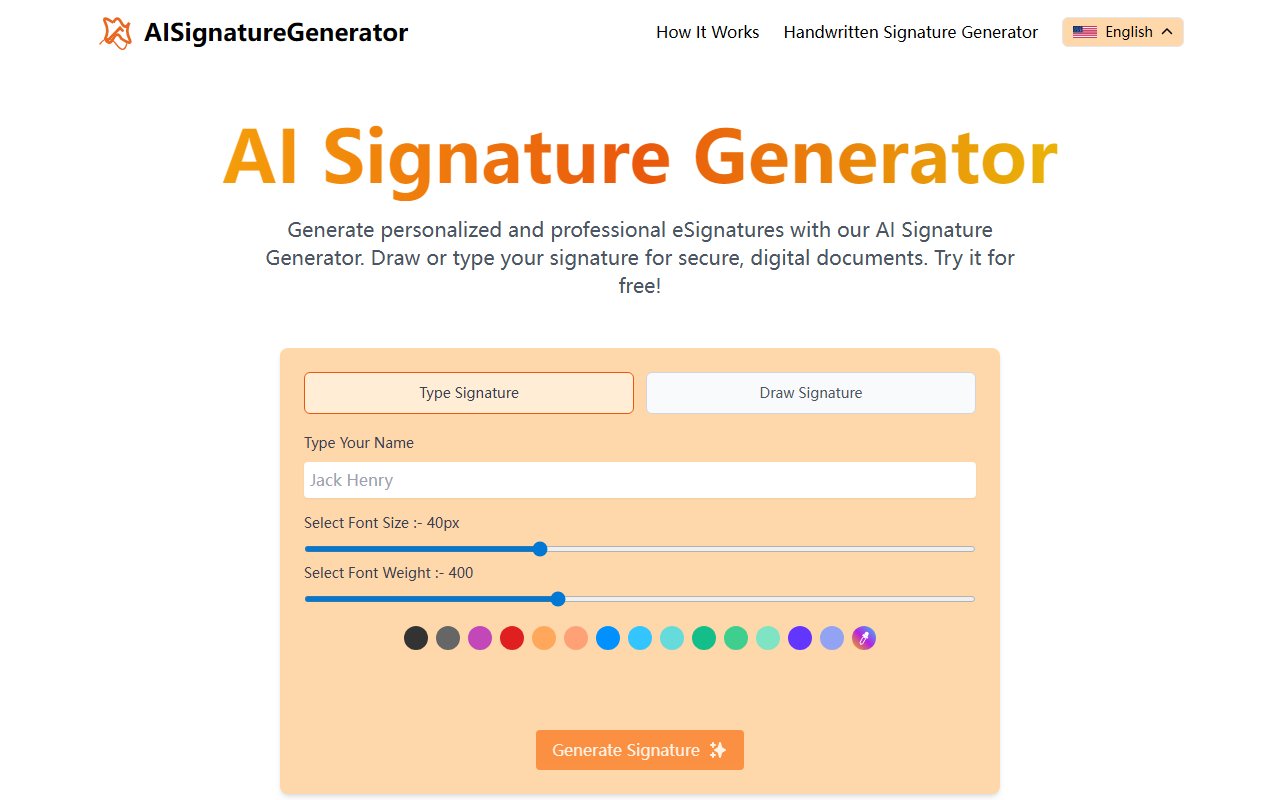
First Impressions: A Streamlined, Free Tool
Upon visiting AI Signature Generator, the interface immediately impressed me with its simplicity. The homepage presents two clear options: Type Signature and Draw Signature. I chose to type my name first. The font size and weight sliders offered granular control, and I could preview the signature instantly. The whole experience felt snappy, with no account required. The tool boasts 'Completely Free' and 'Unlimited Downloads,' which I verified during testing — no pop-ups or hidden paywalls. A gallery of famous signatures (Gandhi, Buffett, Monroe) serves as inspiration, though these are pre-rendered examples rather than user-generated.
How It Works: Quick Generation, Limited Customization
Generating a signature is straightforward. After entering a name, the AI (actually a font-based rendering engine) applies a cursive style, adjustable via font size (up to 100px) and weight. You can also draw with your mouse or finger on touch devices. The output is a PNG image that you can right-click to save. There is no built-in PDF or Word integration, despite the site claiming you can 'upload your PDF to sign.' In reality, the tool only generates the signature image; you must manually paste it into your document using another app. This is a significant limitation compared to dedicated e-signature platforms like DocuSign or HelloSign, which allow direct signing with audit trails. Also, the 'AI' label is misleading — there is no machine learning personalizing styles; it is essentially a digital calligraphy template.
Pricing, Privacy, and Limitations
The tool is genuinely free — no pricing tiers, no watermarks, no download caps. Privacy is a strong point: the website states that signatures are not stored on servers; everything happens in your browser using JavaScript. I verified by checking network traffic; no images were uploaded. However, the tool lacks any account system or history, so you cannot retrieve a previously generated signature. For heavy users, this is a drawback. Additionally, the signature styles are limited to the built-in fonts; you cannot upload your own handwritten signature or adjust tilt/spacing. The FAQ says it is suitable for legal documents, but I would caution against using a simple image for contracts that require cryptographic e-signatures recognized by eIDAS or ESIGN Act.
Who Should Use AI Signature Generator?
This tool is best for individuals who need a quick, free signature image for casual use: email signatures, social media, or personal documents. Freelancers or small business owners who handle low-volume, non-critical documents may find it sufficient. For anyone needing legally binding signatures with verification, security, and integrations, look to alternatives like DocuSign (paid) or SmallPDF’s e-signature feature (freemium). AI Signature Generator is a lightweight tool that does exactly what it promises — generate a signature image — but it is not a full e-signature solution. If you want real AI that learns your handwriting style, you’ll be disappointed. But if you just need a decent cursive signature in seconds, it’s a great, free option.
Visit AI Signature Generator at https://ai-signaturegenerator.com/ to explore it yourself.


Comments