

First Impressions and Onboarding
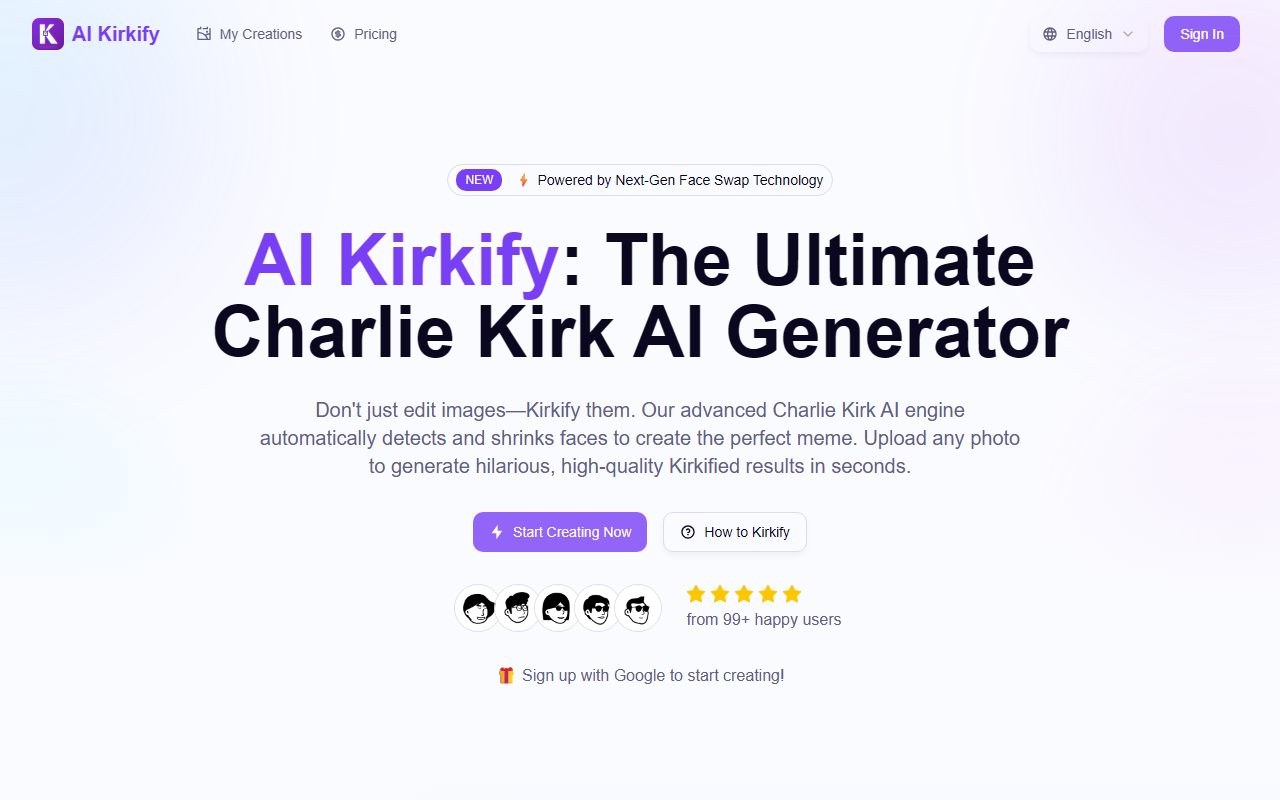
Upon visiting AI Kirkify, I was greeted by a bold, meme-centric landing page that immediately communicates its singular purpose. The tagline "Don't just edit images—Kirkify them" sets a playful tone. The interface is clean: a hero section with a "Start Creating Now" button, a "How to Kirkify" section, and a "99+ happy users" badge. I clicked the button and was prompted to sign up with Google. After a quick OAuth, I landed on the generator page. The layout is simple: an upload area on the left, a preview on the right, and a "Kirkify Now" button. I uploaded a portrait photo of a colleague (with permission). The AI processed it in about 3 seconds and returned a hilarious shrunken face with surprisingly natural skin blending. The result was watermark-free and in high definition. The free tier grants 20 credits—enough for several attempts. I appreciated that no credit card was required. The site also provides a 4-step guide and a FAQ section, which shows thoughtful onboarding. However, I noticed the "GPT Image 2" branding is ambiguous; there's no clarification if this is a custom model or an integration with a larger AI.
How the AI Kirkify Engine Works
The core technology is a specialized face detection and swapping model trained specifically on the proportions of Charlie Kirk's notorious "tiny face" meme. The website claims it uses "Next-Gen Face Swap Technology" and mentions "GPT Image 2," though it doesn't specify the underlying architecture. The AI automatically detects facial landmarks using a smart face lock, then applies a precise ratio-based shrinkage based on what they call the "Golden 'Tiny' Ratio." It also employs smart texture blending to seamlessly match the shrunken face with the original skin tone. During my test, the output looked disturbingly realistic in a comedic way. The tool supports JPG, PNG, and WebP formats. I also tried a group photo; as the FAQ warns, only the most prominent face is processed. Rendering was fast—under 5 seconds for a high-res image. There is no mention of an API or bulk processing. This is intentionally a one-trick pony, but it executes that trick extremely well.
Pricing, Limitations, and Alternatives
AI Kirkify offers a free tier with 20 credits, which is generous for a trial. However, pricing for additional credits is not publicly listed on the website. There is a banner advertising "GPT Image 2 is Live! Enjoy Limited-Time 50% OFF!" but clicking it leads to a sign-in prompt rather than visible price tables. This lack of transparency is a drawback. Users likely must create an account to see plans. In terms of alternatives, general face swap tools like Reflex or FaceApp can produce similar effects but require manual editing. The closest competitor might be manual Photoshop tutorials for the Charlie Kirk meme. AI Kirkify's advantage is specialization: it produces authentic results without any skill. Limitations include: single-face processing only, no video support, and the humor may not appeal to all audiences. For commercial use, the FAQ states generally yes, but warns about Charlie Kirk being a public figure—legal caution is advised.
Who Should Use AI Kirkify?
This tool is perfect for meme enthusiasts, social media managers, and anyone wanting to quickly create viral "tiny face" content. It requires zero editing ability and delivers high-quality, watermark-free images in seconds. Who should skip it? Professionals needing batch processing, video face swaps, or more general AI image generation will find it too narrow. Overall, AI Kirkify delivers exactly on its promise: a fast, fun, and effective way to generate Charlie Kirk memes. The free trial makes it risk-free to test. I recommend it for a laugh, especially if you're active on meme-heavy platforms like Twitter or Reddit. However, the unclear pricing and single-use focus mean it's not a versatile tool.
Visit AI Kirkify at https://aikirkify.com/ to explore it yourself.


Comments