

First Impressions and Onboarding
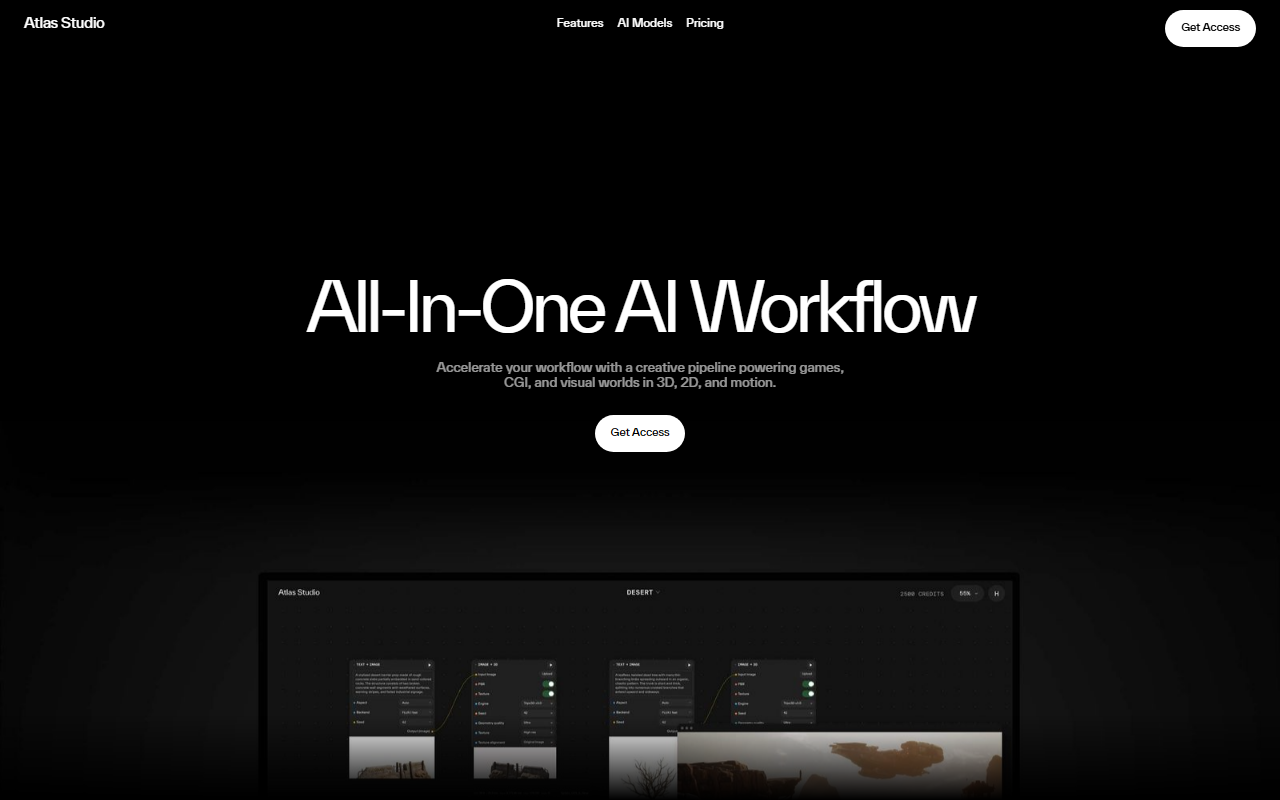
Upon visiting the Atlas website, I was greeted by a sleek, dark-themed interface that immediately signals a professional, asset-focused tool. The homepage prominently showcases three style examples—Sci-Fi Desert Scene, Cute & Stylized Game, and Thriller Game—giving a clear sense of the platform’s creative range. The call-to-action is simply “Get Access,” which suggests a private beta or enterprise access model. I did not find an obvious free tier or trial on the site, but the company does mention an “AI agent gets you started” and a feature called “AI Assist” that turns ideas into workflows with no prior experience needed. This hints at a guided onboarding process for new users, though I was not able to test it directly without signing up. The documentation and press kit links indicate a mature offering geared toward serious production pipelines.
Core Features and Workflow Integration
Atlas AI Studio positions itself as an all-in-one creative pipeline for games, CGI, and visual worlds in 3D, 2D, and motion. The three headline features stand out: Moodboard to 3D, Kitbash Creator, and AI Assist. The moodboard-to-3D feature promises to convert reference boards into production-ready 3D assets “in record time,” which is a significant time-saver for environment artists and concept designers. The Kitbash Creator generates sets of objects with complete stylistic consistency—ideal for populating scenes quickly. AI Assist acts as a workflow generator, allowing novices to translate ideas into actionable pipelines without deep technical knowledge.
On the technical side, Atlas integrates with Unreal Engine and Blender, two pillars of game and VFX production. It also supports video workflows and claims to offer “every AI model you’ll ever need” for 2D, 3D, video, and audio within one platform. While the website does not name specific models (such as Stable Diffusion or GPT-based backends), the emphasis on vertical integration suggests a proprietary orchestration layer. The inclusion of Google Cloud as a partner (endorsed by Jack Buser, Global Director for Games at Google Cloud) adds credibility, implying scalable infrastructure and enterprise-grade reliability.
Pricing and Market Positioning
Pricing is not publicly listed on the website. The only pricing-related elements are the “Get Access” buttons, which likely lead to a sales inquiry or a demo request form. This positions Atlas as a premium, likely subscription-based tool aimed at studios rather than individual hobbyists. The testimonials from industry leaders—Tommy Alvarez of Parallel (immersive content), Joseph Burnette of Square Enix (technical director), and Jack Buser of Google Cloud—reinforce the enterprise focus. Competitors in the AI design space include Scenario (game asset generation), Leonardo AI (2D/3D asset creation), and Meshy (3D model generation). Unlike many of these, Atlas emphasizes an end-to-end workflow from moodboard to final asset, integrated directly into game engines like Unreal, rather than offering standalone model generation. This makes it particularly suited for production teams that need consistency and speed across a whole project.
Strengths, Limitations, and Final Verdict
Strengths: Atlas’s biggest asset is its all-in-one approach—combining moodboard input, kitbash generation, and AI assistance into a pipeline that plugs into Unreal and Blender. The endorsements from Square Enix and Google Cloud lend significant authority. The platform promises to accelerate creative iterations “in minutes, not weeks,” which could be a game-changer for studios facing tight deadlines.
Limitations: The lack of public pricing and a self-serve trial is a barrier for small teams and independent creators who want to evaluate the tool before committing. The website also lacks concrete examples of output quality (screenshots or demos) beyond styled concept images. Additionally, the “all AI models” claim is vague—without specific model information, it is difficult to assess whether the tool supports the latest generative advancements or is locked into older versions.
Final Verdict: Atlas AI Studio is best suited for game development studios, CGI houses, and visual effects teams that need a seamless, integrated AI pipeline from concept to production-ready 3D assets. If you are a solo creator or a small shop, you may find the lack of transparent pricing and the enterprise-oriented access model frustrating. However, for teams already working in Unreal or Blender and looking to dramatically shorten their asset creation cycle, Atlas appears to be a powerful contender. I recommend requesting a demo to see if the platform lives up to its ambitious promises. Visit Atlas at https://atlas.design/ to explore it yourself.






Comments