

First Impressions: A 3D-First AI Image Generator
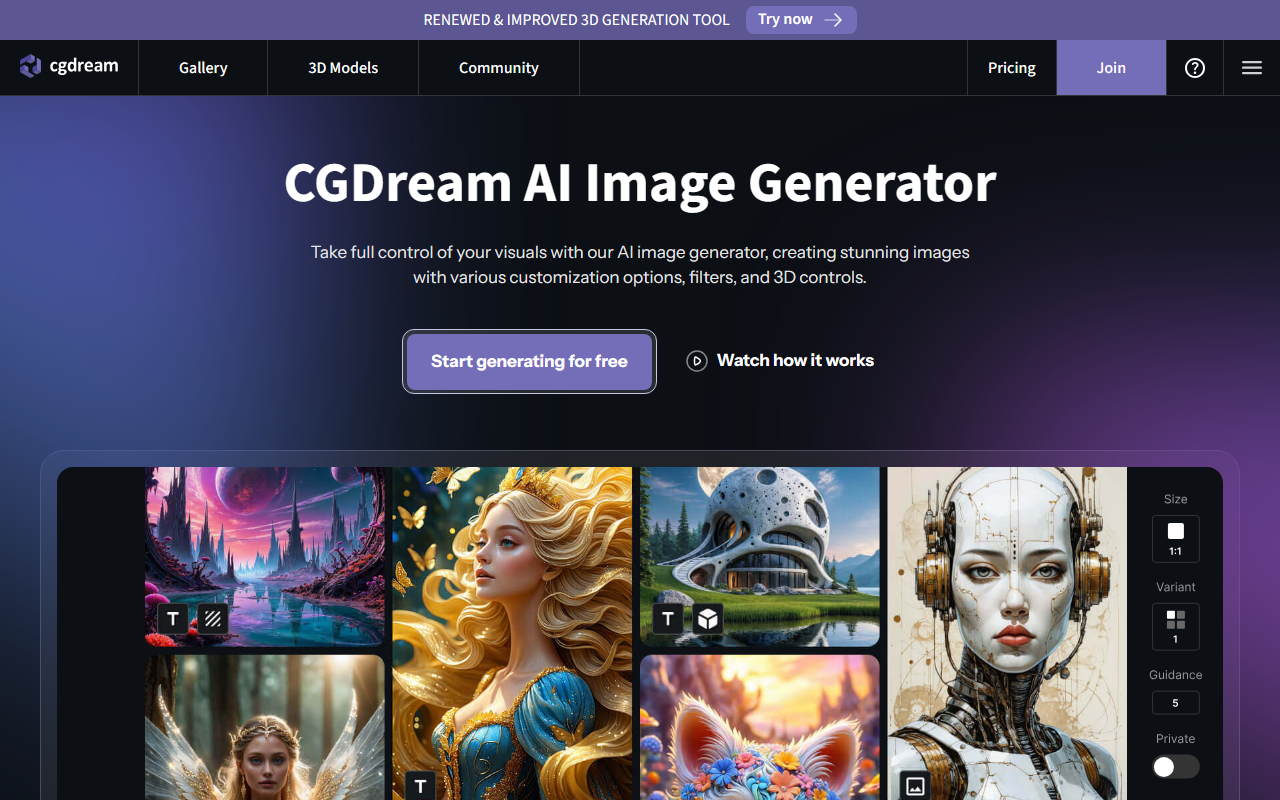
Upon visiting the CGDream website, the first thing I noticed was the prominent call-to-action for a “Renewed & Improved 3D Generation tool.” Unlike most AI image generators that start with a simple text box, CGDream immediately signals its 3D capabilities. After clicking “Go to App,” I was greeted by a clean dashboard with three main tabs: Text to Image, Image to Image, and 3D Generation. The 3D viewer widget is front and center — you can rotate, zoom, and pan a base 3D shape before any generation, which is a workflow I haven’t seen in other tools. The onboarding is minimal but intuitive; tooltips explain how to combine text prompts with a 3D pose reference. I uploaded a simple cube, typed “steampunk robot,” and the generated image preserved the cube’s proportions while adding detailed steampunk textures. That level of structural control is rare in free-tier AI tools.
Core Features: Text, Image, and 3D Unified
CGDream is powered by Flux Dev and Flux Pro, models developed in partnership with Black Forest Labs. These models are optimized for prompt adherence and style fidelity. The tool offers standard text-to-image and image-to-image generation, but its standout feature is AI 3D Model Generator: you can turn text prompts into 3D models or convert any uploaded image into a 3D mesh. The 3D Rendering tool then lets you render that model from any angle with adjustable perspective. I tested the image-to-3D conversion by uploading a photo of a chair; within 30 seconds, the tool produced a rough but usable 3D model that I could re-render in different environments. Additionally, the Filter library boasts 300+ LoRA styles, and the inpainting brush works cleanly for local edits. The Image Upscaler handled a low-res 512×512 output and sharply doubled the resolution without artifacts. All these features are accessible directly in the browser — no local software required.
Performance, Pricing, and Market Position
When testing the free tier, I generated five images using text-to-image with a prompt like “cyberpunk alley at night, neon reflections.” Each generation took 10–15 seconds for 1024×1024 output. The results were impressively coherent, though the Flux Dev model sometimes struggled with fine hand details — a common limitation. The free plan is generous: you get a daily credit allowance (no watermarks as far as I could see), but faster generation and higher resolution are locked behind paid plans. CGDream’s pricing is not explicitly listed on the homepage, but the FAQ mentions “paid plans with broader possibilities.” Compared to Midjourney (stronger artistic style) and Stable Diffusion (open-source but requires technical setup), CGDream positions itself as a user-friendly hybrid that uniquely combines 2D and 3D workflows. The built-in 3D controls make it a valuable tool for game asset prototyping, product visualization, and rapid concept art. However, if your priority is photorealistic natural scenes, you may find Flux Pro less refined than dedicated photorealistic models. CGDream also hosts AI Art Challenges via Discord, which adds a community layer missing from many competitors.
Overall, this is a solid choice for designers who need to iterate between 2D and 3D without switching platforms. The free tier is worth exploring to see if the 3D controls fit your workflow. Visit CGDream at https://cgdream.ai/ to explore it yourself.





Comments