

First Impressions and Onboarding
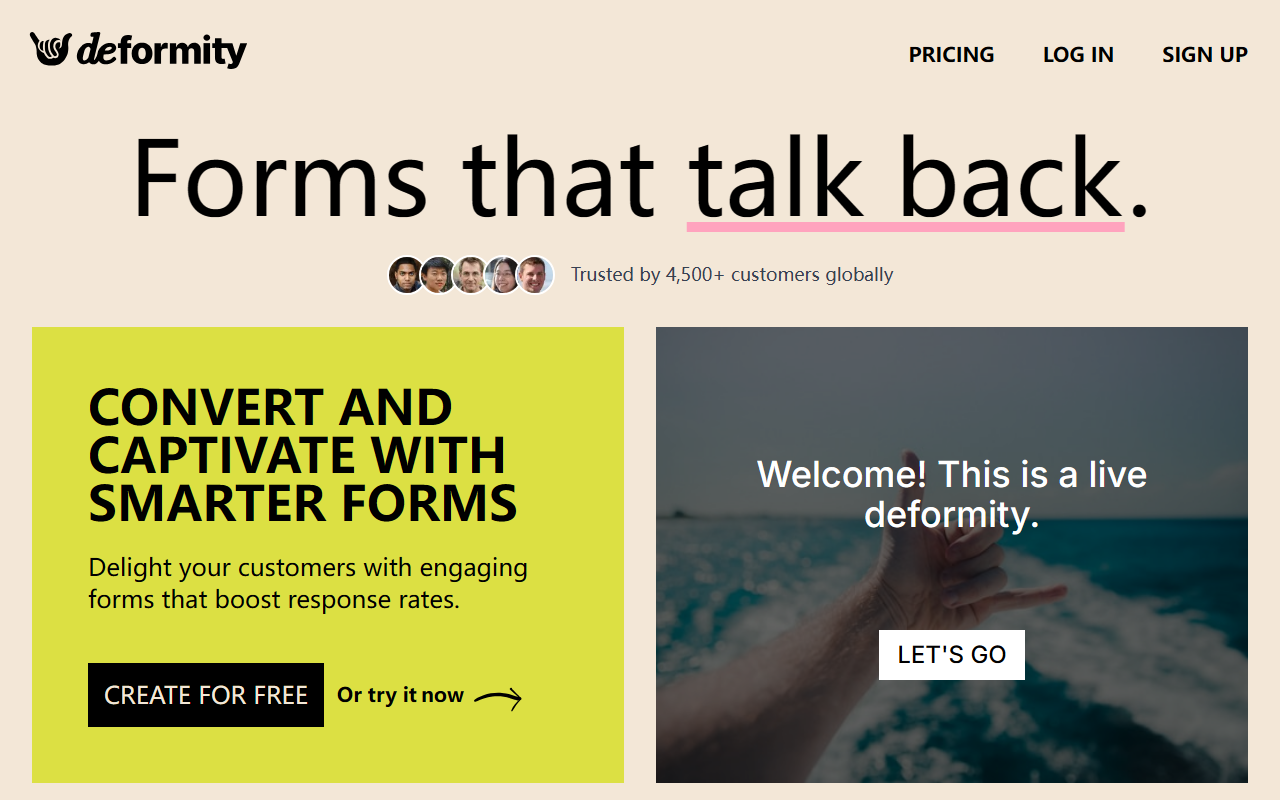
Upon visiting deformity.ai, the first thing that strikes you is the bold claim on the hero section: “Online forms that actually talk back.” The site immediately demonstrates its value proposition with a live interactive form embedded on the page—a rarity among form builder homepages. Clicking the “Try it here” button launches a short conversational flow that adapts based on your responses, giving you a tangible feel of the product before you sign up. The dashboard design is clean and modern, with a left sidebar for forms, templates, and integrations, and a main canvas where you can toggle between AI-assisted and classic manual building. I tested the free tier by creating a simple lead capture form. The AI mode generated a multi-step conversational flow with branching logic in under 10 seconds—just by typing a prompt like “collect name, email, and preferred contact time.” The onboarding is smooth, with tooltips guiding you through the logic builder and design settings. No code is required, and the builder works equally well on mobile and desktop.
Core Features and AI Capabilities
Deformity’s standout feature is its hybrid approach: you can let the AI generate the entire form or handcraft each question. The AI uses natural language processing to interpret your form’s goal and then generates a dynamic, adaptive flow. For example, when I set a condition like “If the respondent selects ‘No’ for budget, skip the pricing questions,” the system instantly created the logic without any drag-and-drop confusion. The platform supports 120+ languages automatically, which is a huge plus for global businesses. Integrations are robust: direct connections to Google Sheets, Slack, Discord, and Zapier (which unlocks 7,000+ apps). I connected a test form to Google Sheets in two clicks—no authentication hiccups. Advanced features include submission period limits, hidden values, e-signatures, file uploads, and NPS scales. The response time is impressively fast; the AI processes inputs in near real-time, keeping respondents engaged. For teams that need both AI and manual control, Deformity offers the best of both worlds without forcing a single workflow.
Pricing and Market Positioning
Pricing is not publicly listed on the website, which is a notable limitation for quick evaluation. The site emphasizes a free tier (“Create for free”) but does not specify what the free plan includes or what paid tiers cost. This lack of transparency may frustrate budget-conscious buyers. Competitors like Typeform and Jotform offer clear pricing pages with monthly caps. Deformity positions itself as a smarter, more conversational alternative to those tools, especially for teams that want AI-generated logic and multilingual support out of the box. The platform claims 4,800+ customers globally, a decent user base for a relatively new tool. The inclusion of a testimonial from Ryan Hoover (Product Hunt founder) adds social proof. However, the site also includes a cheeky deletion request from a past user—showing honest growth. For enterprises, the priority support and advanced features (e.g., hidden values, submission limits) suggest it rivals higher-end tools, but without pricing transparency, it’s hard to say where it lands.
Who Should Use Deformity and Final Verdict
Deformity is best suited for marketers, product managers, and small-to-medium businesses that need to create adaptive forms quickly—lead gen, quizzes, feedback surveys, or research flows—without writing code. Its AI strengths shine when you want sophisticated branching and localization without manual effort. Larger teams with complex CRM workflows will appreciate the webhook and Zapier integrations. However, if you simply need a basic contact form with minimal logic, Deformity may feel overengineered. The lack of transparent pricing is a real drawback; you cannot evaluate cost-effectiveness upfront. Strengths include genuine AI-powered adaptation, 120+ languages, and 7,000+ integrations. Limitations are the opaque pricing and the fact that the AI is optional—so users who never turn it on lose the core differentiation. Overall, Deformity delivers on its promise of conversational, intelligent forms. I recommend it for any team looking to replace static forms with dynamic interactions and who are willing to test the free tier to gauge value. Visit Deformity at https://deformity.ai/ to explore it yourself.


Comments