

First Impressions and Onboarding
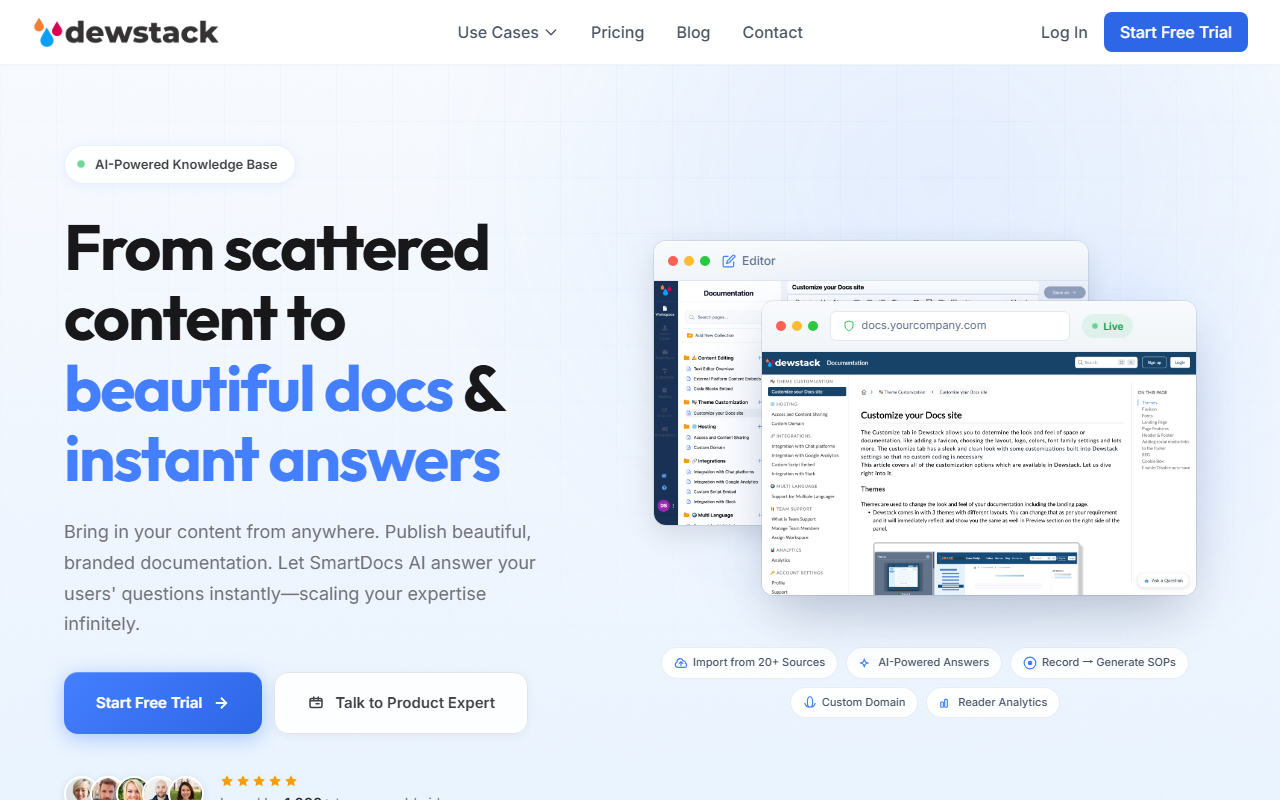
Upon visiting Dewstack's website, the pitch is clear: take scattered content from tools like Notion, Google Docs, Confluence, and GitHub, and turn it into a polished, searchable knowledge base. The dashboard greets you with a clean layout: a left sidebar for navigation, an import center, and a preview of your docs. I started a free trial (no credit card required) and was walked through a three-step setup: import content, customize the branding, and let SmartDocs AI answer questions. The import wizard supports over 20 sources—I connected a test Notion workspace in seconds. The editor itself feels snappy, with a WYSIWYG approach that mirrors tools like Notion or GitBook. What stood out immediately is the "Live" toggle on the top-right corner, letting you publish instantaneously to a custom domain like docs.yourcompany.com. For a first-time user, the learning curve is minimal; tooltips guide every action.
Core Features: SOPs, AI Answers, and the Browser Extension
The true differentiator here is the combination of an AI-powered knowledge base with automated SOP creation. I tested the Browser Extension (Chrome) by recording a simple login workflow. The extension captures screenshots at each step, timestamps them, and then feeds the sequence to its AI to produce a step-by-step SOP. Within 90 seconds, I had a well-formatted markdown document titled "Login_Procedure_SOP.md" ready to import into the editor. The auto-captured screenshots were accurate, though I noticed it missed one minor click—still, it saved me at least 30 minutes of manual documentation. The SmartDocs AI chatbot lives in the lower-right of the published docs. I asked it "How do I import from Confluence?" and it returned a concise answer with a citation link to the relevant section in my docs. The source citations are a huge trust booster—unlike generic chatbots that hallucinate, Dewstack's AI stays grounded in your own content. I also explored the Reader Analytics dashboard, which shows search queries, content health scores, and AI insights like "Your 'password reset' doc has low engagement." For teams managing large volumes of documentation, this data is gold. Version History and Team Collaboration are present but basic—you get real-time editing and role assignments, but no inline comments yet.
Pricing and Market Positioning
Pricing is not publicly listed on the website; only a free trial is offered. This is common among B2B SaaS tools that tailor plans to team size and volume. Likely, paid tiers start after the trial, but without transparent numbers, budget-conscious teams may hesitate. In the market, Dewstack competes with Document360 and Guru, but its unique angle is the automated SOP generation via screen recording—a feature neither of those directly offers. It also overlaps with Notion's AI Q&A and Confluence's Atlas, but Dewstack positions itself as a purpose-built documentation hub rather than a general wiki. The claim of "1,000+ teams worldwide" suggests solid early traction, though I could not verify user retention or churn rates. For context, similar tools like Archbee offer real-time collaboration with lower AI emphasis, while Dewstack leans heavily into AI-first interactions.
Verdict and Recommendations
Dewstack shines for teams that need to quickly transform messy internal docs into customer-facing knowledge bases or training manuals. The browser extension and SmartDocs AI are genuine time-savers, especially for creating SOPs without manual writing. However, there are limitations: the AI chatbot occasionally returns overly verbose answers, and advanced users may miss deeper customization of the AI's tone or response length. Also, the import syncing is not fully automatic—you need to trigger re-imports for updated content. I recommend this tool to operations managers, technical writers, and customer support leads who already use tools like Notion or Confluence and want to republish their content with AI search. For single authors or very small teams, the free trial is worth a spin, but you should ask about pricing before committing. If you prioritize a wide range of integrations and instant AI answers without manual recording, Dewstack is a strong contender. Visit Dewstack at https://dewstack.com/ to explore it yourself.






Comments