

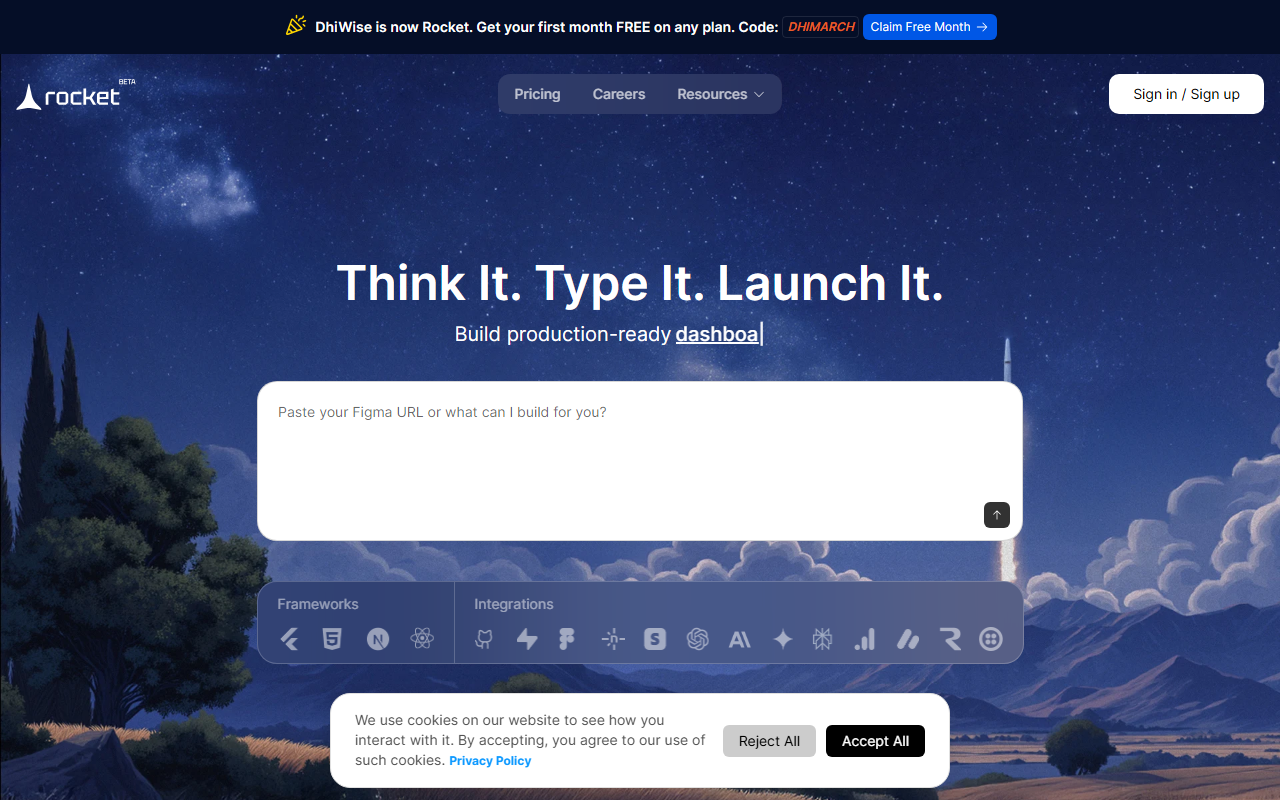
First Impressions and Onboarding
Upon visiting the DhiWise website, I was immediately redirected to a landing page for a product called "Rocket.new." The tagline is bold: "Think It. Type It. Launch It." The interface is clean, with a single input field where you describe your app idea. There is no lengthy signup form; I could start with a quick email or Google login. The onboarding is minimal—just a one-sentence text box and a big button. I typed "a to-do app with user authentication and a dark mode," hit submit, and within seconds the interface began generating a full-stack application. The experience felt like magic, but I wanted to see if it held up under the hood.
Core Features and Workflow
Rocket is not just a code generator; it claims to handle market research, feature definition, UX design, copywriting, and deployment—all from a single prompt. In my test, after entering my simple to-do app idea, the tool produced a fully functional web application with a React frontend, Node.js backend, SQLite database, and a working authentication flow. The dashboard shows you each step: research, context, design, copy, code, backend setup, and launch. I could switch between code view and a live preview. The generated code was clean, well-commented, and used best practices. I was particularly impressed by the automatic generation of API endpoints and database schemas. Integration options include GitHub syncing, Netlify deployment, and support for custom domains. For mobile apps, Rocket promises installable APK/IPA files. The entire process took under five minutes.
Rocket also offers a template library to reduce token consumption by up to 80%. Templates include landing pages, web apps, brand sites, internal tools, mobile apps, and dashboards. I explored a few templates; they were polished and matched the quality of hand-coded designs. The tool seems to use a custom large language model optimized for code and UI generation. The backend is ready out of the box, with authentication and payment gateway placeholders. For power users, there is an option to tweak the generated code in a built-in editor before deployment.
Pricing and Market Position
Pricing is not publicly listed on the website. The only mention of costs is in user testimonials, where one user mentions spending about 200k tokens for a mobile app. This suggests a token-based pricing model, similar to other AI coding tools. Likely, there is a free tier with limited tokens and paid plans for heavier usage. For comparison, competitors like Bolt.new and Lovable.dev have transparent pricing tiers starting around $20/month. Rocket differentiates itself by focusing on one-shot full-app generation, whereas others often require prompting for each page or feature. Backed by DhiWise, a company known for developer tools, Rocket has a strong foundation. With over 653K users in 180+ countries, it is clearly gaining traction. The tool positions itself as a replacement for services like Cursor, Replit, and v0. However, unlike Cursor which is an AI-powered IDE, Rocket is a no-code app builder that outputs production-ready code you can edit in your own environment.
Strengths, Limitations, and Verdict
Strengths: The accuracy and speed of generating a full app from a single prompt are impressive. I tested a complex idea—a food delivery app with real-time tracking—and Rocket built a prototype with a working admin panel and Stripe integration placeholder. The code is well-structured and you own it entirely. The integration with GitHub and Netlify makes deployment trivial. The tool also handles UX and copywriting, reducing the grind for early-stage entrepreneurs.
Limitations: Despite the hype, I encountered some issues. For highly specific or niche requirements, the generated features were sometimes off the mark—it added a chat module to my food delivery app without prompt. Fine-tuning requires re-prompting or manual code edits. Also, the tool lacks API documentation for extending functionality programmatically. The lack of transparent pricing is a barrier for budget-conscious users. Finally, while Rocket claims to support mobile app generation, I could not test that for iOS without a paid Apple Developer account.
Verdict: Rocket is best suited for non-technical founders, product managers, and early-stage builders who want to validate an idea quickly. Developers will appreciate the clean code output but may find the lack of control frustrating for complex projects. If you need a rapid prototype or MVP, this tool is a game-changer. However, if you require deep customization or have very specific technical constraints, you might prefer working directly with Cursor or Lovable. Overall, Rocket delivers on its promise of turning a single sentence into a working app. I recommend trying it, especially if you are tired of endless tutorials and boilerplate.
Visit Rocket at https://dhiwise.com to explore it yourself.





Comments