

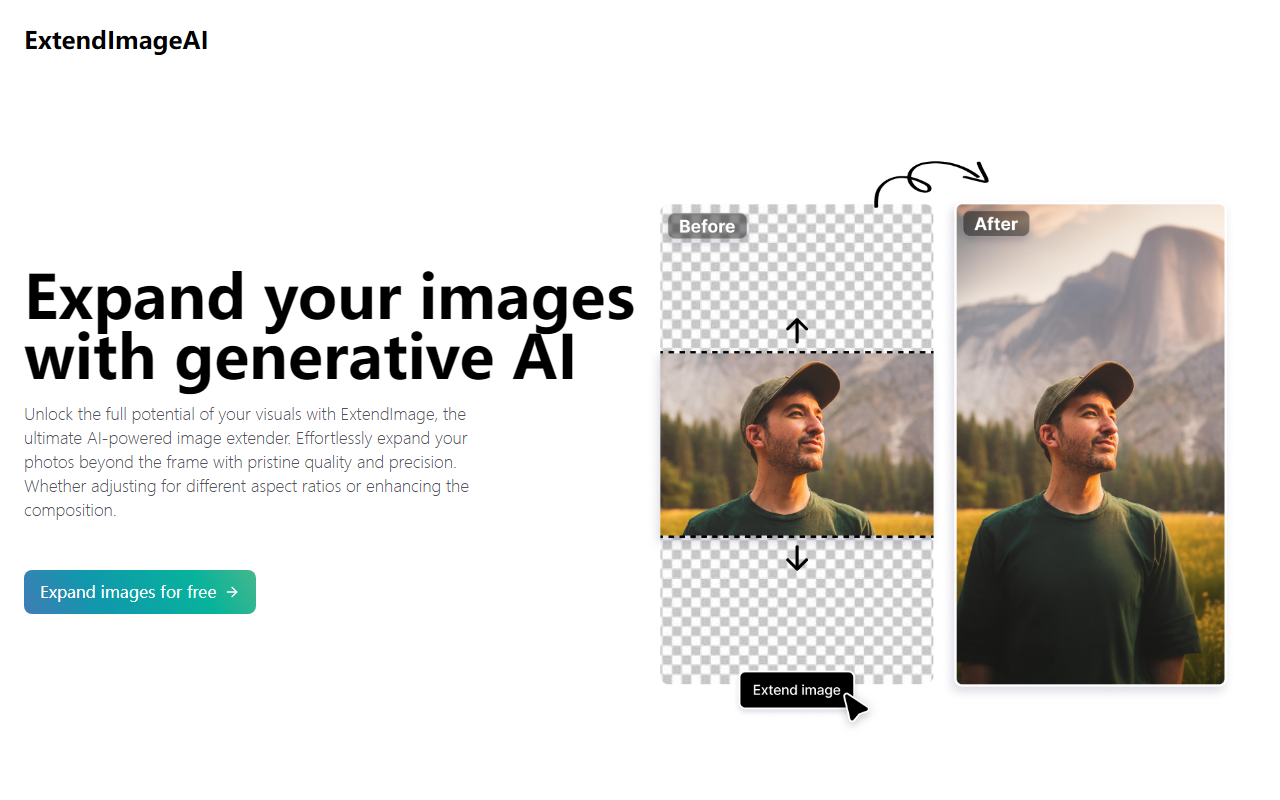
First Impressions and Onboarding
Upon visiting ExtendImageAI, I was greeted with a clean, minimal interface. The landing page clearly explains the core value proposition: expanding images beyond their original frame using generative AI. I clicked on the call-to-action button labeled “Expand images for free,” which led me directly to the image upload tool without requiring an account—a refreshingly frictionless start. The editor loads quickly and presents a single image upload area with options to select aspect ratio (e.g., 1:1, 16:9) or enter custom dimensions. A freeform lasso tool also sits on the left panel, hinting at more targeted expansion capabilities. The onboarding was intuitive; I uploaded a 1200x800 pixel test photo to see how the AI handles extending a landscape shot into a square format.
Core Features and Workflow
The primary feature is Magic Expand, which uses generative models to fill in missing areas around the original image. After uploading, I chose a 3:2 aspect ratio to widen the scene. The AI instantly produced three variations, each seamlessly blending the new content with the existing photo. The results were striking: the extended sky and ground matched the original color palette and texture remarkably well. I also tested the freeform selection tool by drawing an area on the side of the image and clicking “Expand.” The AI filled that specific region while leaving the rest untouched. This precision is ideal for correcting awkward framing or adding context to a zoomed-in subject. The tool generates up to four options per session on the free tier. Each expansion takes about 20 seconds, and downloading the final image is straightforward—just a right-click or the download button. The end output retains the original resolution, so no quality loss occurs.
Strengths and Limitations
ExtendImageAI excels at speed and quality for basic image expansion. The seamless blending of generated content into the original frame is its strongest asset, outperforming many generic AI upscalers I’ve tried. It requires no manual masking or prompt engineering, making it accessible to non-designers. However, the tool has notable limitations. It offers no control over the style or content of the expansion beyond the freeform shape—you cannot guide the AI to add specific objects or change the scene composition. The free tier limits resolution and number of outputs (maybe 3-4 per upload). Furthermore, pricing is not publicly listed on the website beyond “try for free,” which raises transparency concerns. Alternatives like Runway ML’s Image to Image and Adobe Photoshop’s Generative Fill provide more granular control and integration with advanced workflows, albeit with steeper learning curves and subscription costs.
Who Should Use ExtendImageAI?
This tool is best suited for social media managers, small business owners, and casual photographers who need quick, high-quality image expansion without technical hassle. If you frequently adjust photos for Instagram carousels or banner ads and value speed over deep customization, ExtendImageAI is a solid choice. However, professional editors requiring precise control over generated elements or batch processing should look toward dedicated software like Photoshop or Runway. In its current form, ExtendImageAI fills a specific niche—fast, one-click image expansion with excellent visual coherence. I recommend at least trying the free version to see if it meets your needs. Visit ExtendImageAI at https://extendimage.ai to explore it yourself.


Comments