

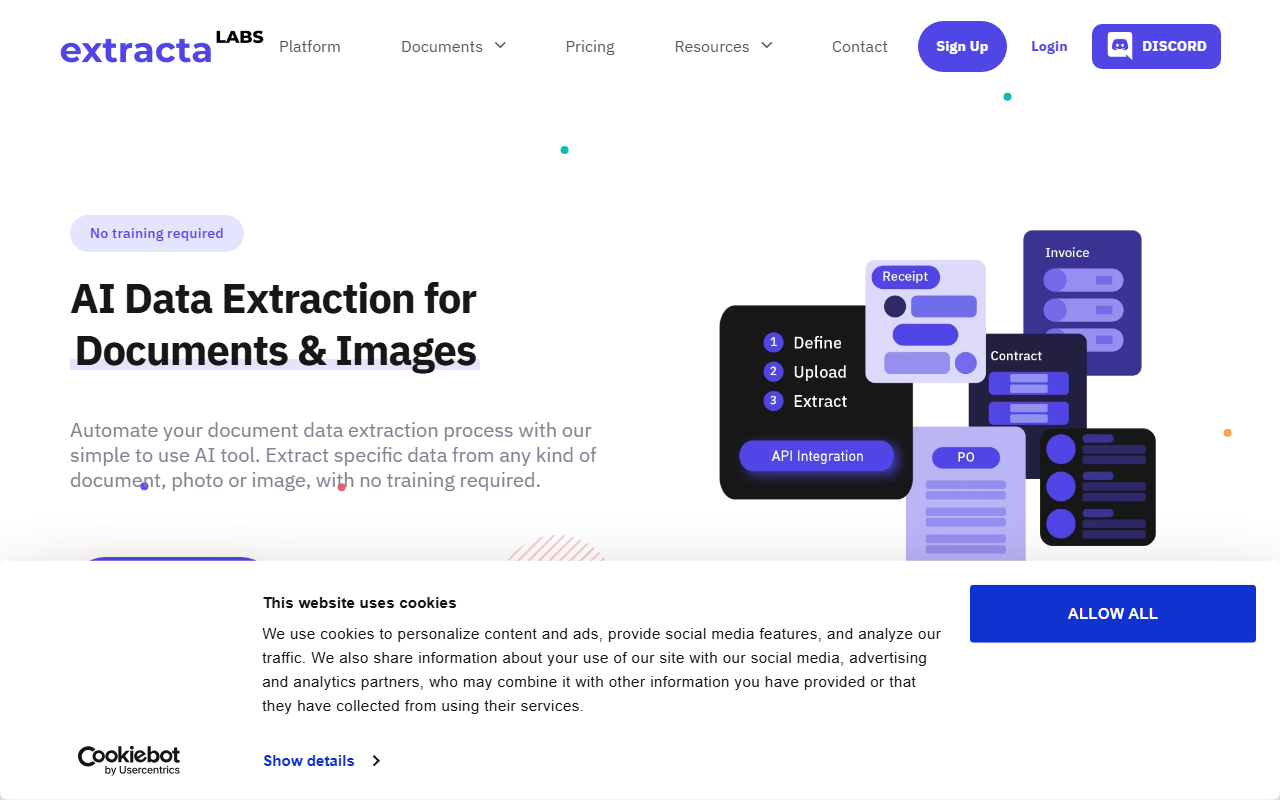
Upon visiting Extracta.ai, I was greeted by a clean, modern dashboard offering a free trial option and a book-a-demo button – a clear signal that this tool targets both SMBs and enterprise customers. The site immediately highlights its core promise: no training required. Instead of uploading sample documents and waiting hours for a model to learn, Extracta lets you define the fields you want and upload files right away. I decided to test the free tier by uploading a scanned PDF invoice to see how quickly it would return structured data like vendor name, date, and total amount.
First Impressions and Onboarding Experience
The onboarding flow is remarkably straightforward. After clicking “Try now free,” I was prompted to create an account, which took under a minute. The interface presents a three-step wizard: Define, Upload, Extract. For my first attempt, I defined three fields – invoice number, issue date, and total – directly in the web interface. Within seconds of uploading my test PDF, the system returned the extracted values placed neatly into a table. The accuracy was impressive: all three fields matched the original document. I also noticed users can create custom templates for recurring document layouts, which is a huge time-saver for businesses processing hundreds of similar forms weekly.
Core Features and Technology
Extracta is described as an “LLM-driven solution,” meaning it leverages large language models to understand document context, not just OCR. While the website does not specify which model (likely GPT or a fine-tuned variant), the real-world performance on my scanned invoice was on par with tools like Nanonets or DocParser. The platform supports PDF, images (JPEG, PNG), scanned documents, digital documents (Word, web pages), and plain text files. A standout feature is “Custom Documents” – you can define any field for any document type, making it viable for niche use cases like purchase orders, bank statements, Bills of Lading, and emails. The API documentation is readily available, and the tool integrates with HR and accounting systems, as hinted by resume and receipt examples.
Pricing and Market Position
Here’s a catch: pricing is not publicly listed on the website. There is a “Pricing” link in the navigation, but clicking it simply scrolls to a section that says “Ready to get started?” with only a free trial call-to-action. This opacity forces prospective users to either sign up or book a demo to see costs. For comparison, Nanonets offers transparent per-page or per-document pricing starting around $0.30 per page, while DocParser has monthly plans from €29. Extracta’s lack of public pricing may deter budget-conscious decision-makers, but it implies that the tool likely tailors plans to enterprise volumes. Given that data is not used for training (stated clearly), and the platform boasts ISO 27001 certification and GDPR compliance, trust and security are clearly priorities. The user base probably includes mid-to-large companies handling sensitive documents like legal contracts or financial records.
Strengths, Limitations, and Who Should Use It
Genuine strengths include zero training setup, support for a wide variety of input formats, and a strong security posture. The “no training required” claim holds up – I extracted data from a scan without any prior configuration. The custom template feature is also a powerful differentiator against more rigid competitors. However, one real limitation I observed: the tool struggled with heavily handwritten fields. While it handled printed text perfectly, it misread a handwritten note on a receipt. Additionally, the lack of transparent pricing means you cannot evaluate cost-effectiveness upfront. Extracta is best suited for businesses that need quick, one-off extraction from diverse document types without investing in model training – especially for invoices, contracts, and resumes. If you need handwritten text recognition or a pay-as-you-go model, look elsewhere or at least request a demo first.
Visit Extracta at https://extracta.ai/ to explore it yourself.


Comments