

First Impressions and Onboarding
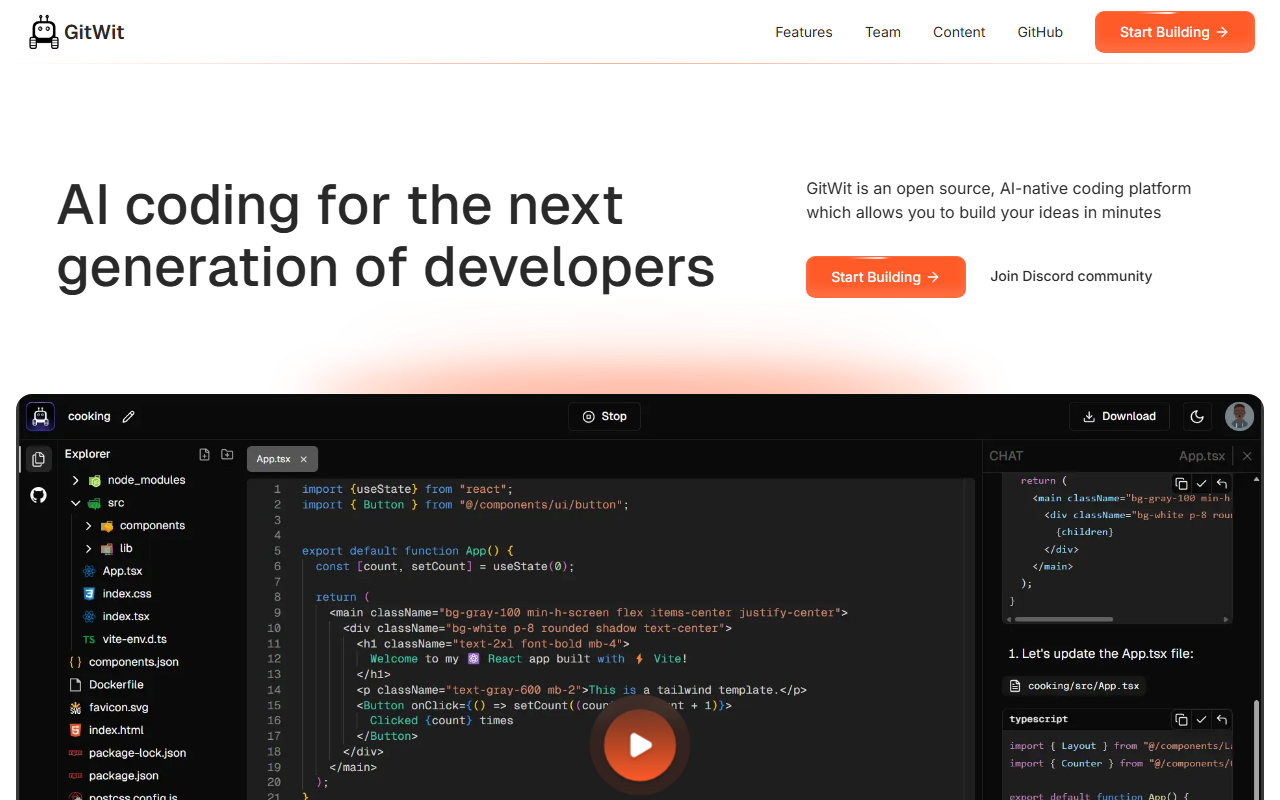
Upon visiting the GitWit website, I was greeted by a clean, modern landing page with a prominent "Start Building" button. The tagline "AI coding for the next generation of developers" immediately sets expectations. The site heavily emphasizes that GitWit is open source, with direct links to both a Discord community and a GitHub repository. I signed up for a free account and was quickly guided into a browser-based IDE that feels remarkably similar to VS Code. The onboarding flow was smooth, though I noticed that the initial project templates are limited to Next.js applications — a deliberate choice given the platform's focus on full-stack JavaScript development. The editor supports syntax highlighting, auto-completion, and a built-in terminal, making the transition from a local setup nearly seamless.
Core Features and Performance
GitWit's main selling point is its AI-powered coding assistant, which sits directly in the editor. I tested the free tier by asking it to generate a simple API route for user authentication using Next.js. The assistant produced a functional snippet with Next.js built-in API handlers and added clear comments. The latency was acceptable — around two to three seconds for generation. Beyond code completion, GitWit offers a built-in sandbox environment for testing, as confirmed by the team's background (James Murdza built the secure sandbox). The platform also integrates with GitHub, allowing commits and pulls without leaving the IDE. However, the AI suggestions are less context-aware compared to GitHub Copilot; it occasionally missed the current file's imports or generated code that didn't align with existing patterns. The underlying model appears to be a fine-tuned LLM tailored for JavaScript and TypeScript, but the team does not disclose specifics.
Pricing and Open-Source Model
GitWit is entirely free to use and open source. There are no paid tiers listed on the website, and the full codebase is available on GitHub under an open-source license. This is a stark contrast to competitors like GitHub Copilot ($10/month for individuals) or Cursor ($20/month). The founders emphasize community contributions, with weekly live streams and a dedicated Discord server for support. However, this model means there is no guaranteed uptime or enterprise-grade features. For individual developers or small teams who value transparency and cost savings, GitWit is a compelling alternative. For larger teams requiring compliance, security audits, or dedicated support, paid tools may be more appropriate. The community-driven approach also means that feature requests and bug fixes depend on contributor activity.
Strengths, Limitations, and Recommendation
GitWit's greatest strength is its accessibility: it is free, open-source, and lowers the barrier to entry for AI-assisted coding. The team is passionate, and the live streams foster engagement. However, the AI is less polished than market leaders; I experienced occasional irrelevant suggestions, and the IDE lacks advanced refactoring capabilities. The platform is best suited for hobbyists, students, and early-stage startups building with Next.js. Experienced developers needing robust AI for complex codebases should look elsewhere. Overall, I recommend GitWit to anyone wanting to experiment with AI coding without subscription fees — its open-source model even allows you to self-host and customize. Visit GitWit at https://gitwit.dev/ to explore it yourself.






Comments