

First Impressions and Core Capabilities
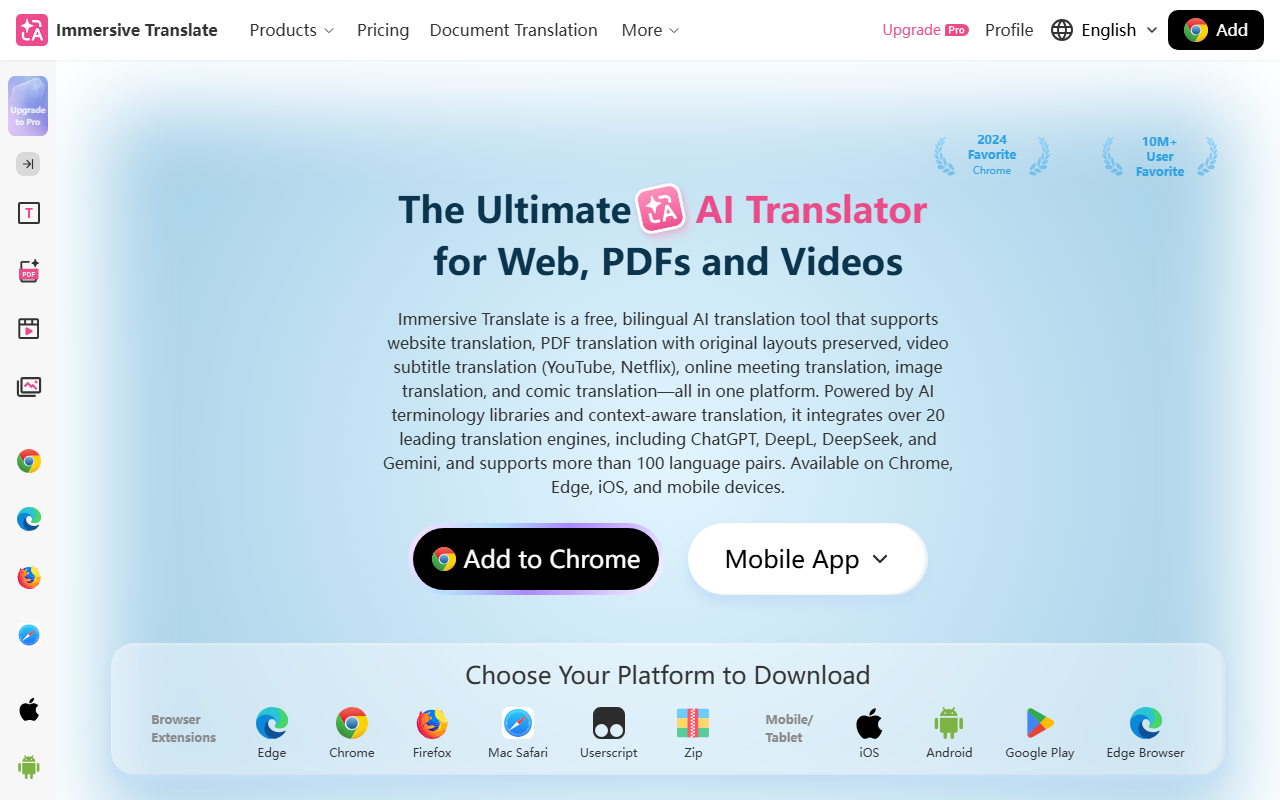
Upon visiting the Immersive Translate website, I was immediately struck by its focus on bilingual, layout-preserving translation. The dashboard clearly presents five main translation modes: Text, Document, Video, Image, and Extension. The tool is primarily a browser extension, available for Chrome, Edge, Firefox, and Safari, with mobile apps for iOS and Android. I installed the Chrome extension and tested it on a few foreign-language websites. The side-by-side vertical bilingual layout is genuinely innovative—it places the translation directly to the right of the original text without overlapping or altering the page structure. This design minimizes reading disruption, which is a significant improvement over traditional overlay translations. During my test on a Japanese news site, the translation appeared almost instantly, and the paragraph alignment was near-perfect. The tool supports over 100 language pairs and claims integration with more than 20 translation engines, including ChatGPT, DeepL, DeepSeek, and Gemini. I could switch engines in the settings, though the default combination worked well for my use case.
What Sets Immersive Translate Apart
Immersive Translate goes far beyond simple webpage translation. It handles PDF files while preserving original layouts, which I verified by uploading a scanned academic paper. The OCR in the free tier handled the text extraction adequately, and the bilingual output maintained the figures and column structure. Video subtitle translation is another standout feature: I tested it on a YouTube lecture with Japanese audio, and the real-time English subtitle overlay was both accurate and well-timed. The tool even claims to translate videos without existing subtitles using speech recognition—I didn't test this extensively, but the feature is promising. Image translation supports both local uploads and one-click translation of images embedded in web pages. The inpainting technology ensures that translated text replaces the original without leaving awkward spaces. For manga and comic fans, the dedicated comic translation mode handles bubble-shaped text and right-to-left layouts. These capabilities make the tool incredibly versatile for students, researchers, cross-border professionals, and content creators. The learning center and blog provide useful tutorials, which I used to understand the video translation workflow better.
Pricing, Limitations, and Who Should Use It
Pricing is not publicly listed on the website beyond an “Upgrade to Pro” button. During my testing, the free tier felt generous: unlimited webpage translations, a reasonable number of PDF pages per month, and full access to the video subtitle feature. Occasional watermark or usage caps may appear after heavy use, but the exact limits are not documented. A key limitation is that translation quality depends on the underlying engine; sometimes switching from DeepL to ChatGPT produced noticeably different results. The extension requires internet connectivity for all translations—no offline mode. Additionally, while the side-by-side layout is excellent, it can break on complex dynamic web apps (e.g., interactive dashboards). For most general browsing, document reading, and video watching, Immersive Translate is exceptionally reliable. It is best suited for anyone who frequently consumes foreign-language content: students studying abroad, developers reading documentation in English, or multilingual teams conducting meetings. It is less ideal for users who need offline translation or who require guaranteed consistency without the ability to manually select engines. Compared to Google Translate, Immersive Translate offers better layout fidelity and more options for document and video translation. DeepL excels in pure text quality but lacks the browser-based layout innovation.
In the crowded landscape of AI translation tools, Immersive Translate earns its place by prioritizing the reading experience and supporting a wide range of media. Its 10 million+ user base and positive community feedback on platforms like Chrome Web Store reinforce its reliability. For a free tool with such depth, it is well worth exploring. Visit Immersive Translate at https://immersivetranslate.com/ to explore it yourself.


Comments