

First Impressions and Onboarding
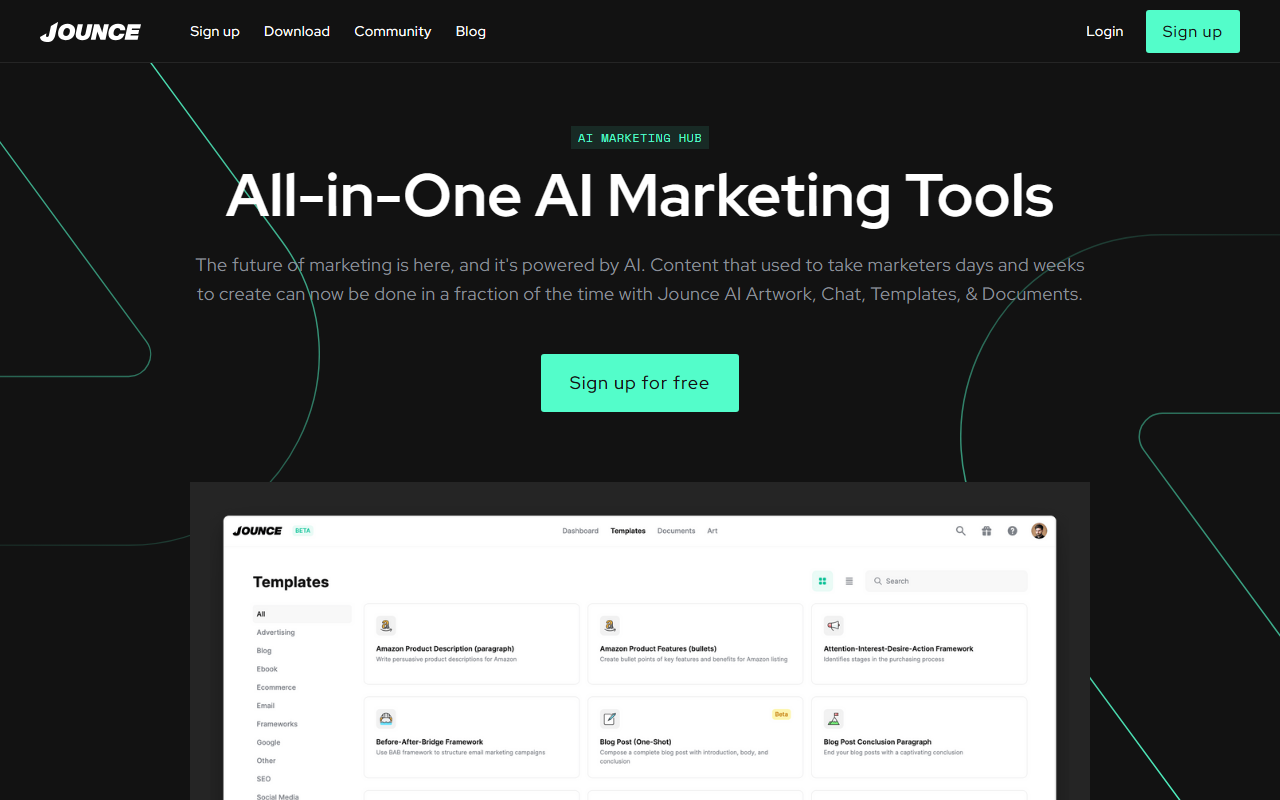
Upon visiting Jounce at jounce.ai, I was greeted by a clean, modern dashboard that immediately highlights its tagline: “Free AI Copywriting & Art for Marketers.” The signup process is straightforward—just an email and password or Google OAuth—and within minutes I had access to the workspace. The interface is divided into three main sections: AI Chat, AI Art, and AI Documents, plus a library of over 70 marketing templates. The dark mode toggle was prominent, a nice touch for late-night writers. I started with the free tier, which offered a generous number of generations (though the exact limit isn’t disclosed upfront). The onboarding walkthrough, a short video and tooltip sequence, made it easy to understand the flow: click a template, input a prompt, and choose your output.
Features and Workflow
Jounce bills itself as an all-in-one marketing hub, and during testing I found the template library to be genuinely useful. Categories include Blogs, Social Media, Emails, Websites, Ecommerce, Ads, Headlines, and Campaign Strategy. I selected the “Blog Outline” template, typed a brief prompt about “benefits of AI for small businesses,” and within seconds received three variations. Each option was formatted with headings, bullet points, and a suggested flow—something that would have taken me at least 30 minutes manually. The AI Documents editor is where you refine the output; it includes built-in spell check, grammar correction, and automatic formatting. I also tried the AI Art generator, which produced passable images for social media graphics, though they lacked the polish of dedicated tools like DALL·E or Midjourney. Notably, Jounce offers unlimited team members on all plans, a standout feature that removes the per-seat pricing common in competitors like Copy.ai or Jasper. This makes it a strong choice for collaborative marketing teams, especially those on a budget.
Pricing and Limitations
Pricing is not publicly listed on the website. The homepage prominently promotes a free signup, and during my research I found mentions of a “Pro” plan, but exact costs are hidden behind an account registration. This lack of transparency is a drawback for serious buyers who want to compare budgets upfront. Based on user reviews and the FAQ, it appears Jounce operates on a freemium model with limited monthly credits and a paid tier for unlimited generations and priority support. While the free tier is generous enough for light tasks, heavy users will quickly hit a wall. Additionally, I noticed the AI can sometimes produce generic or overly promotional copy, especially for niche industries. The knowledge cutoff of the underlying model is not disclosed, but outputs felt current enough for general marketing needs. For enterprise-level features like custom brand voice training or API access, Jounce falls short compared to tools like Jasper or Writesonic.
Who Should Use Jounce?
Jounce is best suited for solo marketers, small business owners, and content creators who need a fast, easy-to-use AI writing assistant without breaking the bank. The unlimited team members feature is a game-changer for small agencies or internal marketing departments that want to collaborate without adding costs. However, if you require advanced AI control—such as fine-tuning tone, integrating with your CRM, or generating long-form research documents—you might be better served by a more mature platform like Copy.ai or NeuralText. Jounce is a solid entry-level tool that delivers on its promise of speed and simplicity, but it still has room to grow in terms of customization and transparency. Visit Jounce at https://jounce.ai/ to explore it yourself.






Comments