

First Impressions and Onboarding
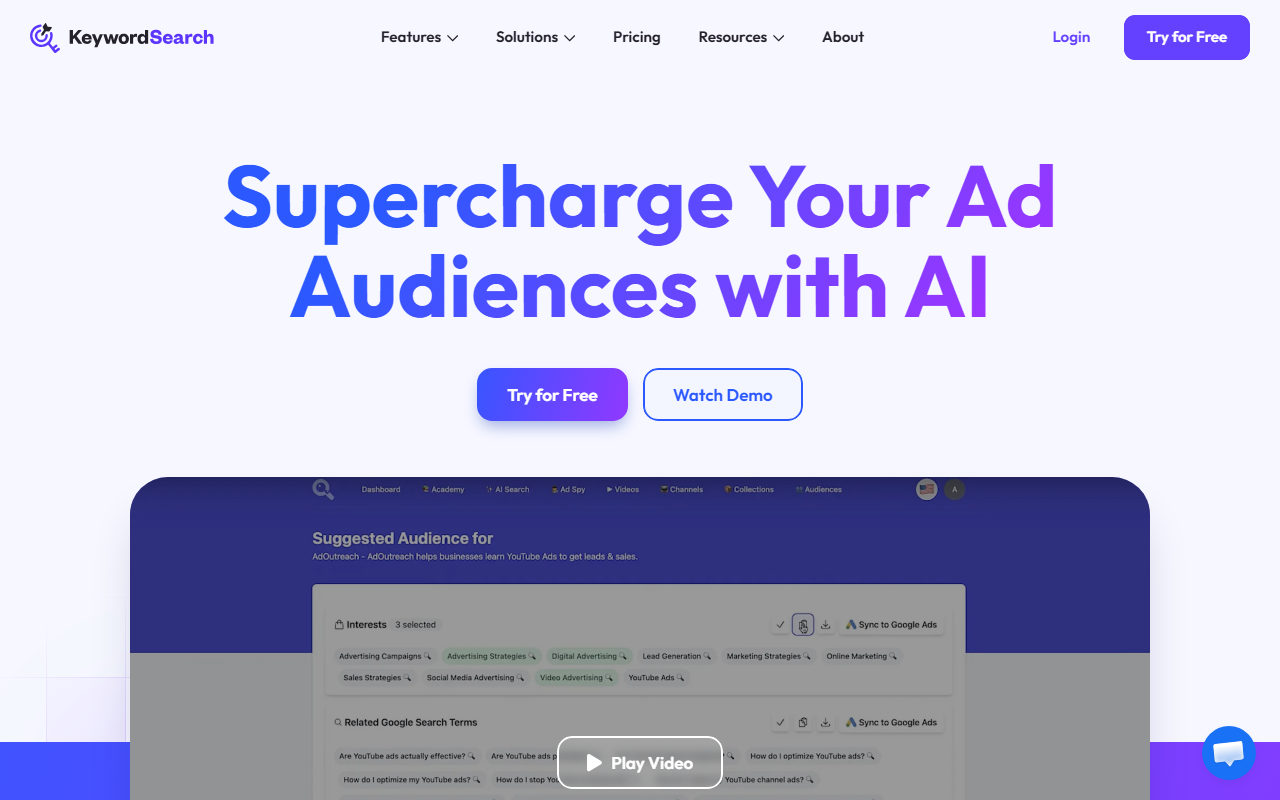
Upon visiting KeywordSearch's site at https://keywordsearch.com/, I was greeted with a clean, modern dashboard that immediately focuses on its core value proposition: supercharging ad audiences with AI. The homepage prominently displays a “Try for Free” button and a “Watch Demo” video, making it easy to jump into the product. The onboarding flow is straightforward—after a quick sign-up, you’re asked to describe your business, ideal clients, or campaign goal. I tested this by typing “fitness equipment for home gyms.” Within seconds, the AI Audience Builder returned a list of targeted audience segments, including interests like “home workout routines” and “dumbbell exercises.” The entire process felt snappy, and the interface guides you through each step without overwhelming you with options.
Core Features and What They Deliver
KeywordSearch offers four main tools under its AI suite, all designed to streamline ad targeting and content optimization. The AI Audience Builder is the star feature: it analyzes your business and audience data to uncover hidden patterns, then suggests high-performing audiences for Google and YouTube ads. What impressed me is the one-click sync to Google Ads—I could take an AI-generated audience and push it directly to my campaign without manually recreating it. The YouTube Ad Spy provides access to a database of over 100,000 YouTube ads, complete with stats and targeting insights. I searched for “fitness supplement ads” and instantly saw competitor strategies, including keywords they target. The Keyword Topic Auto Expansion is positioned as a YouTube copilot for content creators, offering video ideas, titles, tags, and descriptions. While less relevant for pure advertisers, it adds value for channel growth. The team claims an average time of 2.6 minutes from concept to synced ad audience—a claim I found believable after my test.
Pricing, Integrations, and Market Position
Pricing is not publicly listed on the website, which is a notable omission. The site only states “Try for Free,” but doesn’t show tiered plans or costs. This could be a barrier for budget-conscious users who want upfront transparency. For integrations, KeywordSearch syncs effortlessly with Google Ads and YouTube Ads, but no mention of Facebook, LinkedIn, or other platforms. In terms of market position, KeywordSearch differentiates itself from broader AI writing tools (like Jasper or Copy.ai) by focusing specifically on ad audience creation. Compared to audience intelligence platforms like Adbeat or SpyFu, KeywordSearch is more streamlined and AI-driven, but lacks the depth of manual research features. The tool has over 15,000 users and 700k YouTube subscribers, indicating a strong community, especially among content creators and marketers.
Strengths, Limitations, and Final Verdict
KeywordSearch’s genuine strength lies in its speed and simplicity. The AI Audience Builder saves hours of manual research, and the one-click sync is a game-changer for busy advertisers. The YouTube Ad Spy feature adds competitive intelligence that rivals more expensive tools. However, there are real limitations: the lack of transparent pricing may frustrate potential users, and the tool’s focus on Google/YouTube means advertisers using Facebook or TikTok will need separate solutions. Additionally, the AI outputs are only as good as the input description—if you’re vague, the audiences may be broad. During testing, I found that refining the business description produced significantly better results. Overall, KeywordSearch is best suited for small businesses, marketers, and agencies running Google and YouTube ad campaigns who want to save time and improve ROI. If you rely heavily on other ad platforms, look elsewhere or use this as a complementary tool. Visit KeywordSearch at https://keywordsearch.com/ to explore it yourself.




Comments