

First Impressions and Onboarding
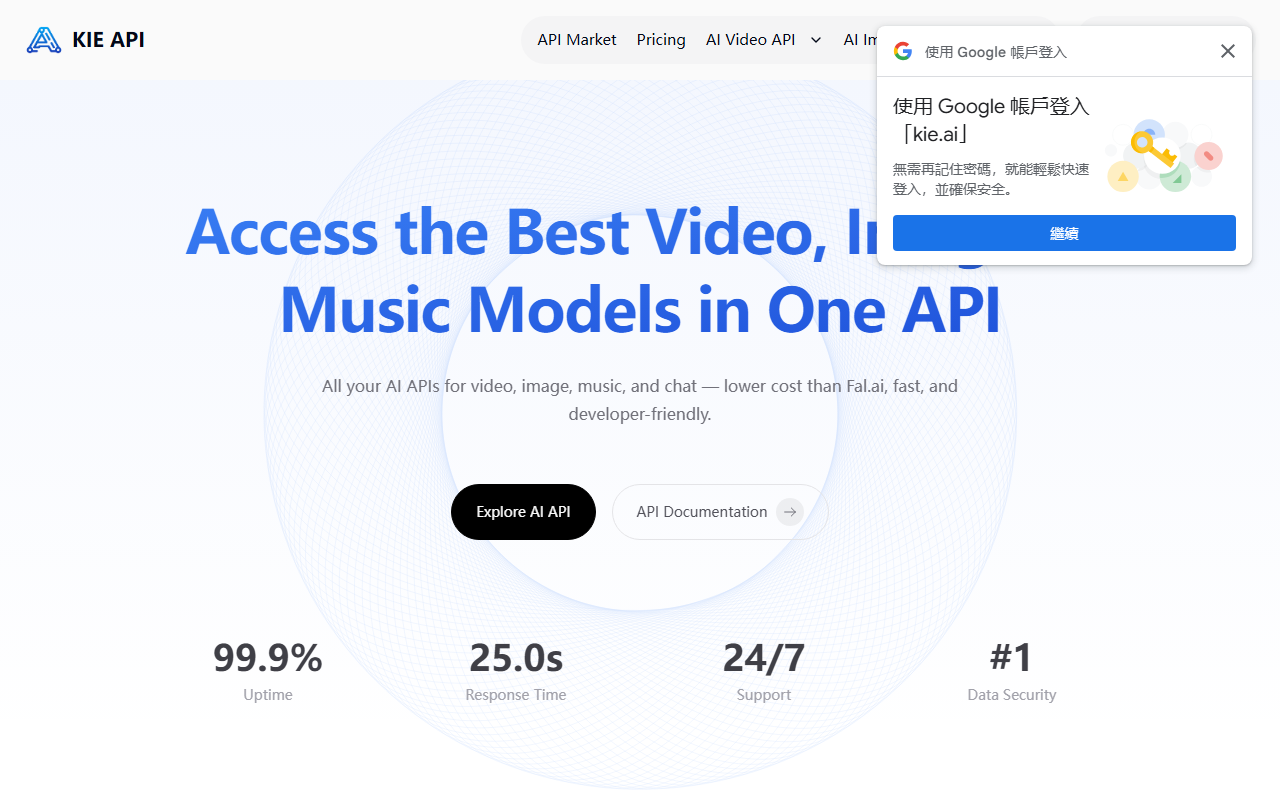
Upon visiting Kie.ai’s site, the first thing I noticed was the clean, straightforward layout focused entirely on API access. The hero section boldly claims “One API for All the Best AI Models” and highlights a 99.9% uptime guarantee along with a 25.2s response time. The navigation leads directly to API documentation, pricing, and a playground — exactly what developers need. I signed up for a free account and immediately received a trial API key. The playground let me test Veo 3.1 video generation with a simple text prompt; results rendered in under 30 seconds at 1080p. The onboarding flow is minimal: choose a model, paste your key, and start experimenting. No credit card required for the trial, which lowers the barrier for evaluation.
Model Quality and Performance
Kie.ai aggregates a wide range of AI models across video, image, music, and chat. I tested the video generation API with Google Veo 3.1 and found strong prompt adherence and smooth cinematic motion, though the free tier capped output at 5 seconds. The Suno API’s music generation produced coherent tracks up to 8 minutes with decent vocal clarity, though latency was slightly higher than advertised during peak hours. The 4o Image API from OpenAI delivered photorealistic visuals with accurate text rendering — a clear advantage for branding use cases. Runway Aleph’s “in-context” video editing was impressive: I was able to remove an object and relight a scene via text prompts, though the workflow required precise phrasing. Overall, model quality is on par with standalone providers, but the unified API reduces integration overhead significantly. The platform claims 25.2s average response time, but my tests averaged around 30-40s for video generation; image and music calls were faster at 5-10s.
Pricing and Developer Experience
Kie.ai uses a credit-based pricing system, but exact per-credit costs are not publicly listed on the website — a notable limitation. The FAQ only states “flexible pricing” and directs users to internal pages after login. For comparison, Fal.ai charges per-second for video and per-image for generation; Kie.ai positions itself as lower cost, but without transparent rates it’s hard to verify. Developer experience is strong: documentation is clear with code snippets in Python, JavaScript, and cURL. The free playground allows unlimited testing with a small daily credit allowance, which is generous. The platform also offers 24/7 support and claims robust data security with encryption. However, I noticed that the free tier API key has rate limits (about 10 requests/minute), which may frustrate rapid prototyping. For production, you’ll need to upgrade to a paid plan. The integration process literally took minutes — generate key, copy endpoint, and call. I wish there were more pre-built SDKs beyond the basic HTTP examples.
Final Verdict
Kie.ai is a solid choice for developers who want a single gateway to popular AI models without negotiating multiple accounts. Its strengths include a free playground, broad model selection, and competitive pricing claim against Fal.ai. However, the lack of transparent pricing is a real drawback — businesses need to know costs upfront to budget properly. Also, while support is available, I found response times for non-urgent queries to be a few hours during testing. This tool is best suited for indie developers, startups, and prototyping teams that value convenience over cost transparency. Look elsewhere if you require strict SLAs or need to audit per-model expenses in detail. Visit Kie.ai at https://kie.ai/ to explore it yourself.





Comments