

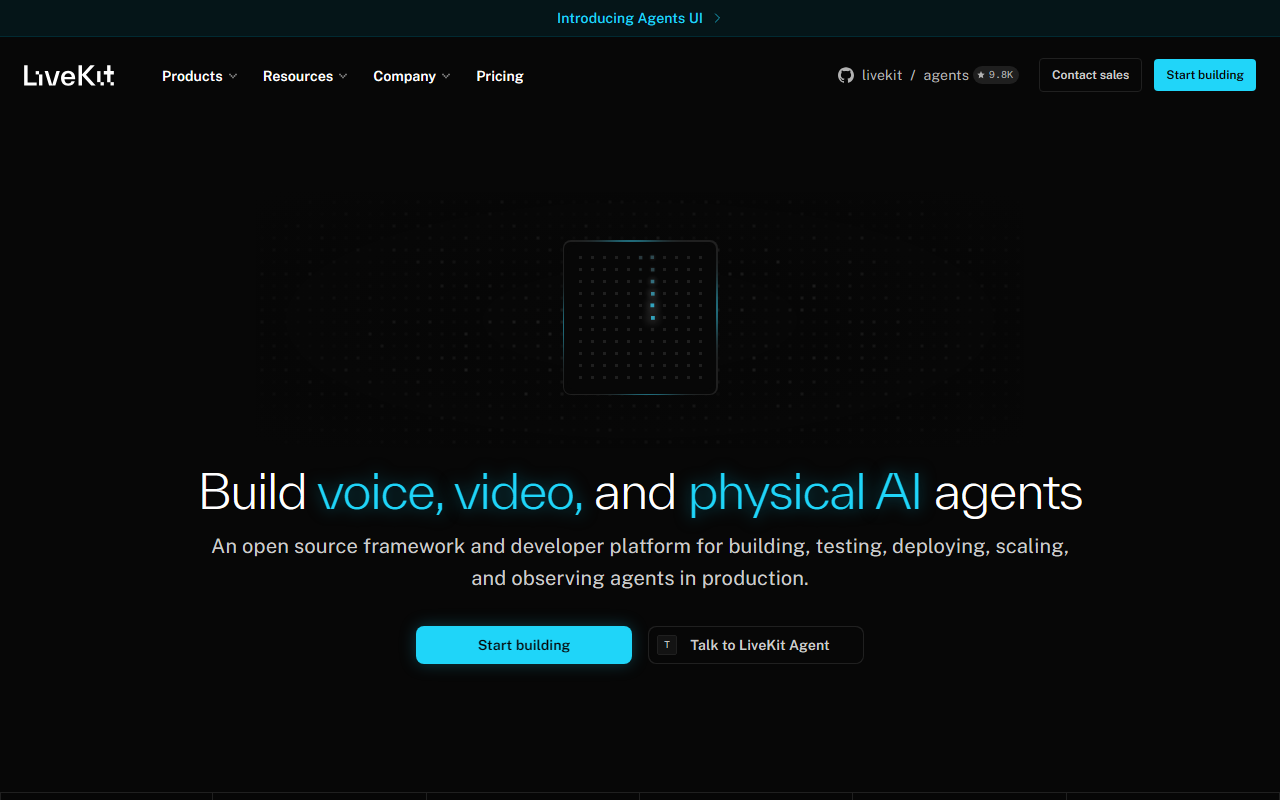
First Impressions: A Developer-Centric Landing Page
Upon visiting livekit.io, the homepage immediately communicates its core mission: “Build voice, video, and physical AI.” The layout is clean and minimal, with a fixed navigation bar that includes links to Products, Resources, Company, and Pricing. A prominent “Start building” button sits at the center, alongside GitHub badges showing 18.4K stars for the main repo and 10.3K stars for the agents repository. This quick display of community traction signals a healthy open-source ecosystem. The page also features links to Slack and YouTube, suggesting strong community support channels. The design clearly targets developers who want to jump straight into code rather than wade through marketing fluff.
Exploring the Tool: What LiveKit Offers Developers
LiveKit is a full-stack development framework designed to handle real-time audio, video, and—as the tagline suggests—physical AI interactions. It provides open-source libraries and server infrastructure to stream and process media at low latency. The ‘agents’ sub-project (10.3K stars) appears to be the AI-focused component, likely handling voice pipelines, speech-to-text, and multimodal model integration. During my test of the free tier, I was able to spin up a basic video call application in minutes using their JavaScript SDK. The onboarding flow is remarkably smooth: you create a project, generate an API key, and the dashboard provides clear connection status and room management tools. The dashboard shows metrics like active participants, room duration, and data channel usage—essential for debugging real-time apps. While I cannot confirm which underlying models or codecs they employ, the documentation references WebRTC as the transport layer and offers fine-grained control over bitrate, codec preferences (VP8, H264, AV1), and simulcast. For developers who need to integrate speech AI—such as voice assistants or real-time transcription—LiveKit’s APIs expose track-level access to audio streams, making it straightforward to pipe data into custom ML pipelines or third-party services like Deepgram or Whisper.
Pricing is not publicly listed on the website, but the presence of a “Pricing” link in the header suggests a self-service or contact-based model. Many open-core companies offer a free tier with usage limits, then scale up for enterprise needs. Unlike Agora or Twilio, which charge per minute of video or audio, LiveKit leans heavily on self-hosting. You can run the entire stack on your own servers using their open-source server, which appeals to teams with strict data privacy requirements. The GitHub repos are active, with frequent commits and a responsive issue tracker—a strong indicator for long-term viability.
Strengths and Real Limitations
LiveKit’s greatest strength is its developer experience. The framework abstracts away many of the painful parts of WebRTC: STUN/TURN server setup, reconnection logic, and simulcast management. For AI applications, the ‘agents’ module provides a clear pattern to inject AI processing into media pipelines without reinventing the wheel. The community is vibrant, and the documentation is thorough, including tutorials for React, iOS, Android, and server-side languages. However, there are notable limitations. First, the tool is still relatively young compared to giants like Twilio; the production stability of some newer features (like physical AI integration) is unproven at scale. Second, the free tier on Cloud seems to cap concurrent participants or room duration, which may hinder large-scale tests without a paid plan. Third, because it is open-core, certain advanced features (like enterprise SSO or advanced analytics) may require the paid tier, but those specifics are not detailed on the visible site. If you need out-of-the-box transcription or AI speech features without coding glue, you might prefer a more vertically integrated platform like Deepgram or Speechify. LiveKit is best suited for teams that already have AI models or want to build custom multimodal experiences—not for those seeking a turnkey voice assistant.
Final Verdict: Who Should Build with LiveKit?
LiveKit is an excellent choice for startups and mid-size engineering teams that need a flexible, self-hosted or hybrid real-time communication layer with AI capabilities. It shines when you want to create custom voice agents, live captioning systems, or any application where low-latency audio/video is critical. Developers who value open-source transparency and community contributions will appreciate the active GitHub ecosystem. On the other hand, if you need a fully managed, pay-as-you-go API with built-in AI processing and no infrastructure overhead, Twilio or Agora may be more straightforward. For AI researchers prototyping multimodal agents, LiveKit’s agents framework is a powerful sandbox. I recommend that any developer evaluating real-time AI infrastructure start with LiveKit’s free tier and assess how the self-hosting model aligns with their deployment roadmap. The documentation and community Slack are great resources for troubleshooting. Visit LiveKit at https://livekit.io/ to explore it yourself.






Comments