

First Impressions and Onboarding
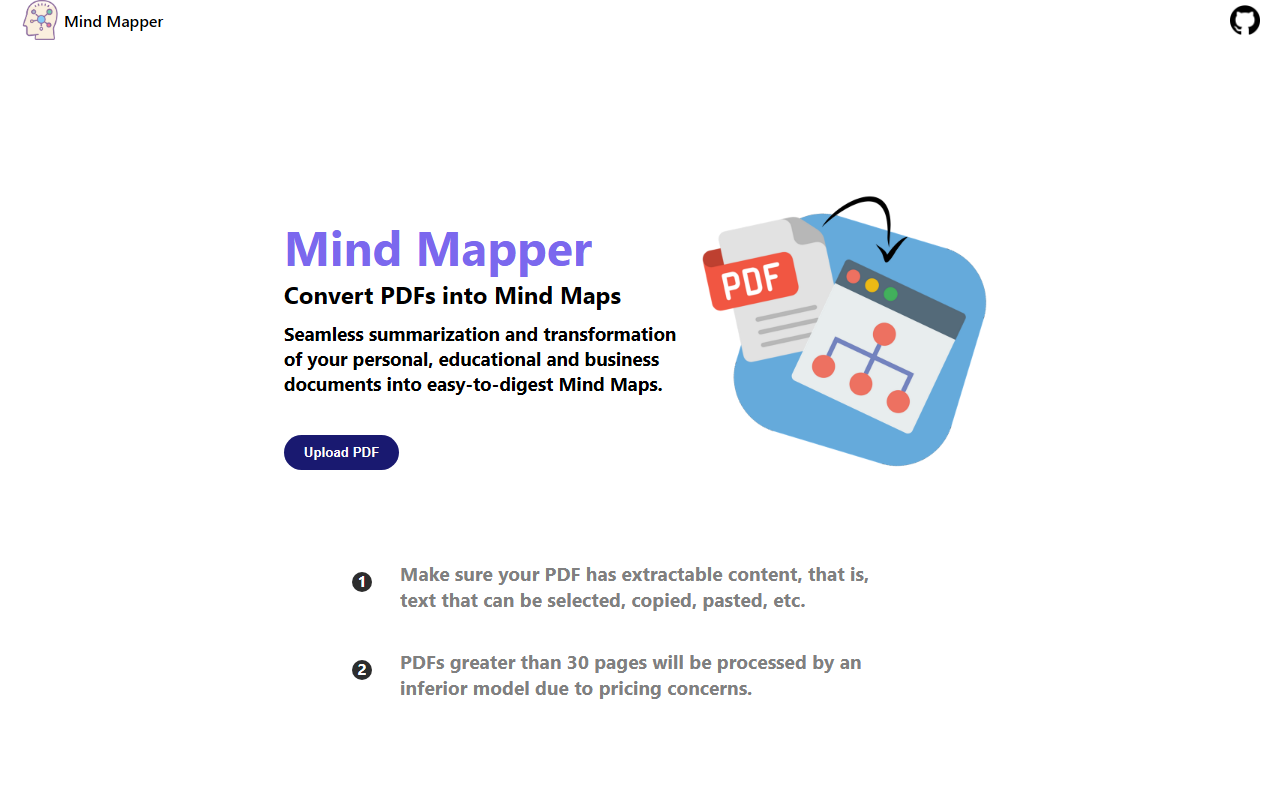
Upon visiting the MindMapAI site at mindmapai.vercel.app, I was greeted by a clean, minimalist interface. The dashboard shows a single call to action: an “Upload PDF” button centered on the page. There’s no signup or login required — you can jump straight into the tool. Two numbered instructions appear below the button: a warning that the PDF must contain extractable text (no scanned images) and a notice that PDFs over 30 pages will be processed by an inferior AI model due to pricing concerns. This transparency is refreshing, but it also sets clear expectations. I uploaded a 15-page research paper to test the free tier, and the process was immediate — the tool began analyzing the file within seconds.
What MindMapAI Does and How It Works
MindMapAI solves a specific problem: turning dense, linear PDF documents into structured mind maps for easier digestion. It uses Google’s Gemini AI to extract key concepts, summarize sections, and generate a hierarchical visual layout. The tool does not offer a preview of the mind map before download; once processing finishes, a downloadable image (likely PNG or SVG) is provided. I observed that the output for my test PDF was a clean, two-level mind map with main topics branching into subtopics. The AI did a decent job of identifying core themes, though it occasionally missed nuanced details. There is no API available, and the tool appears to be a free project hosted on Vercel — no pricing tiers are listed anywhere on the site. The only technical distinction is the model switch at 30 pages, suggesting the free tier relies on Gemini’s free API limits while longer documents trigger a cheaper, less capable model.
Strengths and Limitations
The biggest strength of MindMapAI is its simplicity. There’s no account setup, no learning curve, and the conversion happens in seconds for short PDFs. For students condensing lecture notes or professionals summarizing meeting reports, it’s a time-saver. However, the tool has notable limitations. First, the 30-page threshold means that larger documents — such as full research papers or lengthy business reports — receive lower-quality output. Second, there is no pricing information, which makes it unclear whether the tool will remain free or introduce paid tiers later. Third, the export options are limited; after testing, I received only a static image, not an editable mind map format (like .mm or .xmind). Compared to dedicated mind mapping tools such as Xmind AI or Miro’s diagramming features, MindMapAI lacks advanced customization or collaboration capabilities. It’s best suited for quick, one-off conversions where precision is not critical.
Who Should Use MindMapAI?
MindMapAI is ideal for students, researchers, and professionals who need to quickly visualize the structure of a short PDF without paying for a premium tool. It’s also handy for educators who want to turn article excerpts into teaching aids. If your PDF is under 30 pages and contains clear, selectable text, you’ll get good results. However, if you regularly process long documents, require editable mind maps, or need robust export options, look elsewhere — tools like Ayoa or MindMeister offer more control. The lack of public pricing or company backing suggests this is a passion project, so don’t rely on it for mission-critical workflows. Still, for a free, no-fuss tool, MindMapAI delivers on its promise.
Visit MindMapAI at https://mindmapai.vercel.app/ to explore it yourself.


Comments