

First Impressions and Onboarding
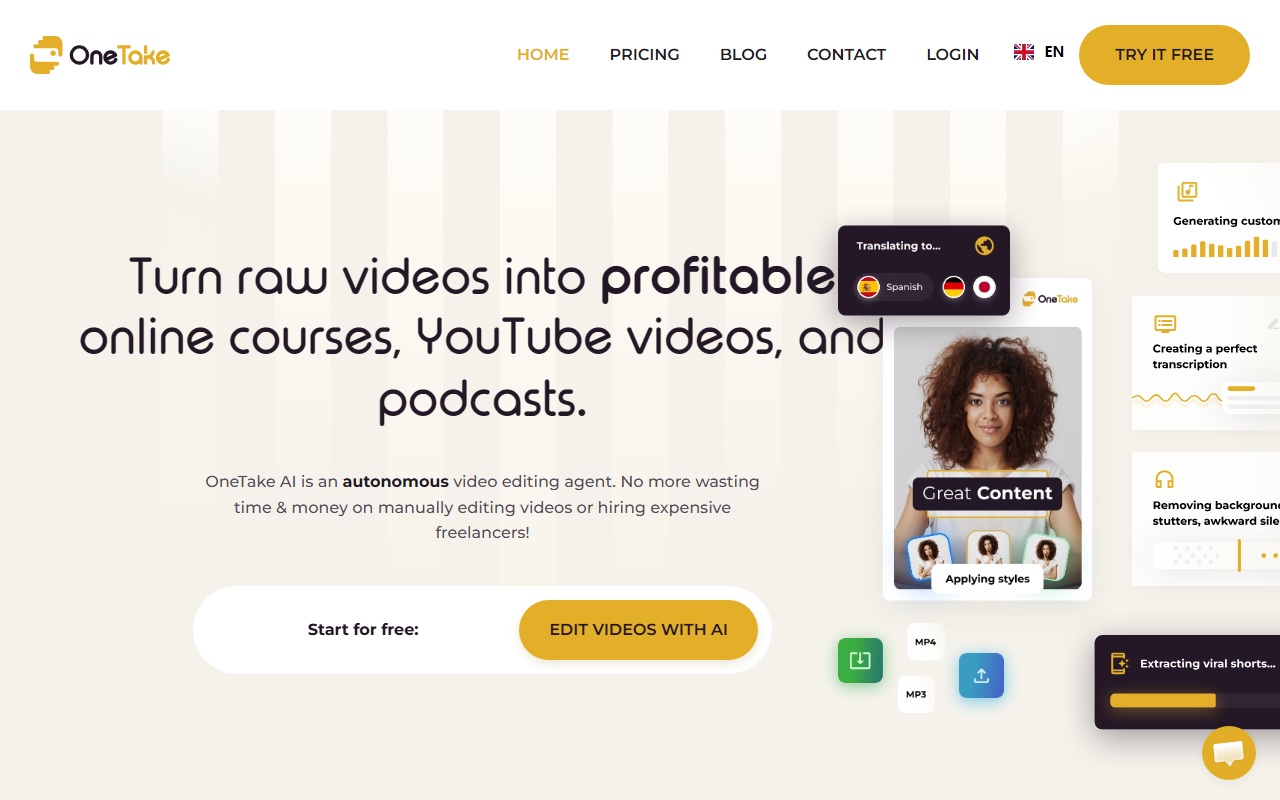
Upon visiting nuro.video, I was greeted by a clean, modern interface that immediately pushes you to “Start for free.” The landing page focuses on the product’s core promise: turn raw videos into online courses, YouTube content, and podcasts with minimal effort. I clicked the CTA and was walked through a quick sign-up process that required only an email and a password. No credit card was asked for the free tier.
The dashboard is straightforward. A central upload button invites you to drag and drop raw video or audio files. I tested the free tier by uploading a 10-minute Zoom recording I had lying around. The AI processed it in about two minutes—impressively fast. The interface then displayed a side panel where I could preview the edited output, tweak styles, or ask for changes via a chat box. This “conversational editing” feature is exactly what OneTake AI advertises: you type feedback like “shorten the intro” or “add background music,” and the agent updates the timeline accordingly.
Key Features and How They Work
OneTake AI bundles several AI-powered tools into one workflow. The system first transcribes your video with high accuracy, even handling industry jargon and acronyms. I was impressed that it automatically highlighted key points and added structured titles. Next, translation and dubbing become available: you choose a target language, and the AI clones your voice, re-dubs the video, and lip-syncs the result. It’s not perfect—I noticed slight mismatches on fast speech—but for a one-click solution, it’s remarkable.
The tool also removes background noise and enhances voice clarity. My Zoom recording had a constant hum; after processing, the audio sounded studio-ready. The custom music feature composes a royalty-free track based on the video’s tone and rhythm. I let the AI pick one, and it matched the upbeat nature of my content well. For short-form content, OneTake can automatically extract viral moments from long-form videos, cropping them into vertical shorts for TikTok and Instagram Reels. I tested this on a 20-minute webinar replay; it identified three punchy segments, each under 60 seconds, and rendered them without any manual trimming.
Pricing and Market Position
Pricing is not publicly listed on the website. The free tier offers limited processing time and watermark-free exports only up to a certain duration. For full access, you likely need to contact sales or choose a paid plan after the trial. This is common for SaaS tools targeting professionals, but it would be helpful to see transparent pricing upfront.
In the market, OneTake AI competes with tools like Descript and Riverside.fm. Unlike Descript, which offers a full timeline-based editor, OneTake leans entirely on its autonomous agent—you give high-level instructions, not granular edits. Riverside specializes in recording but lacks standalone AI editing. OneTake positions itself as an all-in-one post-production assistant, especially valuable for course creators, coaches, and solo content makers who want professional results without hiring editors.
Strengths, Limitations, and Recommendation
Strengths: The sheer speed and automation are the biggest wins. A raw recording can be turned into a polished course or podcast in minutes. Conversational editing reduces the learning curve to near zero. The translation and dubbing capability, while not flawless, opens up global audiences effortlessly.
Limitations: Control is sacrificed for convenience. Advanced editors will miss the ability to fine-tune each cut. The AI sometimes misinterprets nuanced instructions—I asked it to remove a long pause, and it also deleted a sentence I wanted to keep. Also, the free tier’s constraints may frustrate power users before they commit to a subscription.
Who should try it: Course creators, coaches, and YouTubers who produce long-form content regularly and want to scale their output without a team. If you prefer manual control or work with highly complex edits, stick with traditional editors or Descript. Overall, OneTake AI delivers on its promise for its target audience— turn raw footage into market-ready videos with minimal friction.
Visit Nuro at https://nuro.video/ to explore it yourself.


Comments