

First Impressions: A Builder That Feels Like Notion Meets Canva
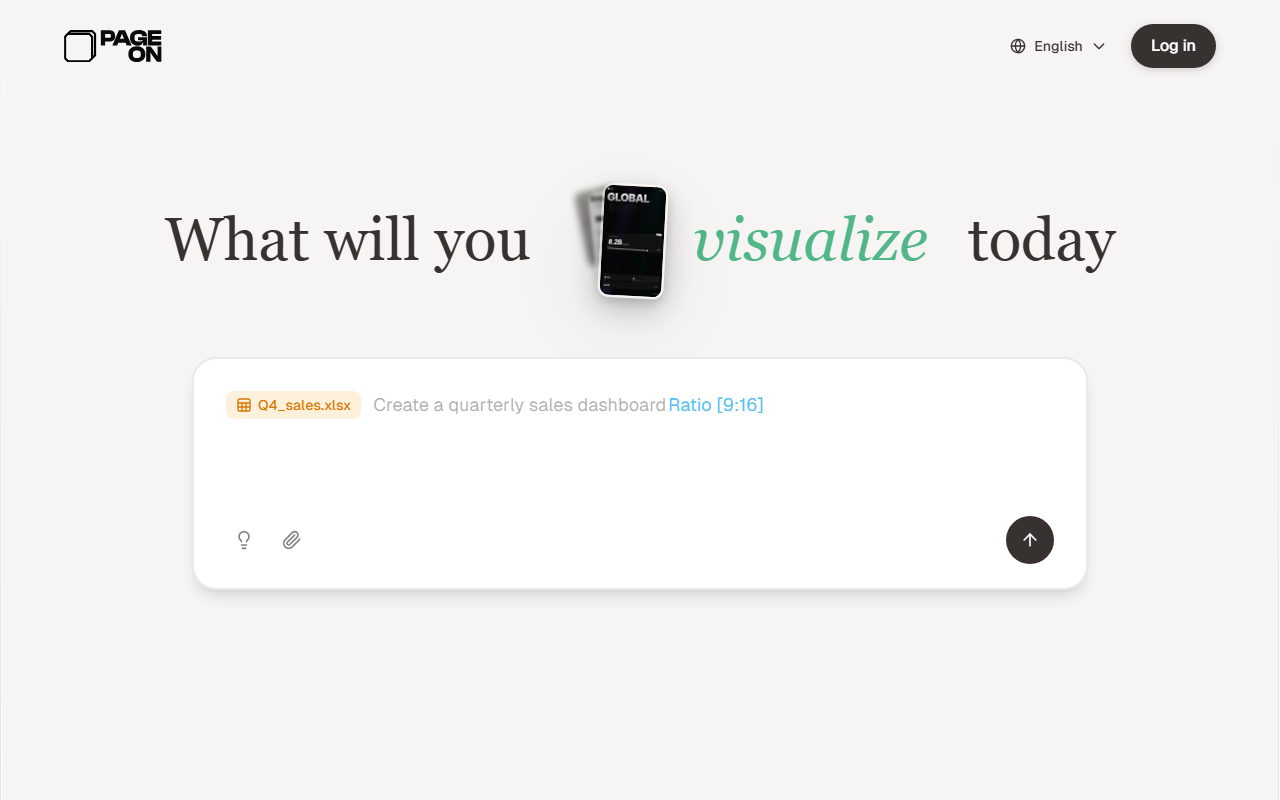
Upon visiting PageOn.AI, I was greeted by a playful hero section that asks, "What will you present today?" with a sample prompt to convert a YouTube video into slides. The dashboard is clean but packed with choices: over a dozen template styles (McKinsey Blue Grid, Agency Split Minimal, Brand Sequoia Heritage) each with adoption counts like 4.2k or 5.9k, signaling community trust. I clicked the free tier sign-up and was immediately able to start a new file. The editor resembles Lego-like modular blocks: drag-and-drop plus slash commands to add text, media, interactive charts, or maps. The AI agent (a persistent side panel) asked me to describe my goal, then generated a complete slide deck structure with relevant visuals. I chose a template called "Startup Pitch Split" and was impressed by how fast it adapted to my brand palette (I uploaded a logo).
What stands out is the interactive layer. I embedded a Plotly chart that my audience can hover and explore, and added a YouTube video that plays directly inside the slide. The map block let me plot fictional sales territories with pop-up details. This is far beyond what static tools like PowerPoint or Google Slides offer.
Deep Dive: Key Features and Underlying Technology
PageOn.AI markets itself as "The Notion for Visuals," and the comparison fits. The AI agents handle research, structure, and design—similar to Gamma or Beautiful.ai—but with an emphasis on interactivity. The technology appears to use proprietary AI with integrations for web search and asset retrieval (they claim "Deeper Search & Citations"). I tested the brand consistency upload: I supplied a URL of a website, and AI extracted colors and fonts in under two seconds. In the Pro plan, you can export to PDF, PPTX, and images, and unlock unlimited files and AI usage.
One notable limitation: the free plan limits you to a single file, which is restrictive for trial purposes. Also, while interactive charts and maps are unique, they require some manual data entry; I had to input CSV-style data for a bar chart, which felt slightly clunky. Collaboration is mentioned in the FAQ but not elaborated—no team workspaces or real-time co-editing visible on the pricing page.
- AI Agent: Generates slides from a text goal or URL; can adopt existing style.
- Modular Blocks: Text, media, interactive charts, maps, SVG animations, code blocks.
- Brand Consistency: Upload logo, URL, or describe vibe; applies to all content.
- Export Options: PDF, PPTX, image (Pro). No HTML export.
Pricing, Comparisons, and Who Should Use It
Pricing is transparent and competitive. The Free plan costs $0 but only allows one file and usage caps on AI features. The Annual Pro at $7.49/month ($89.99 billed yearly) is the best value, matching the price of Gamma Pro ($8/month) and undercutting Beautiful.ai (starts at $12/month). Monthly Pro is $9.99. Unlike Canva (free with more storage), PageOn.AI focuses entirely on interactive storytelling rather than general design.
Compared to Gamma, PageOn.AI's interactive maps and live data charts give it a clear edge for data-heavy presentations. However, Gamma offers more mature collaboration and a larger template library. For those who need beautiful static slides, Canva is more versatile. PageOn.AI is best for marketing professionals, startup founders, and educators who want to build data-rich, engaging decks without coding. It is less suited for teams that require real-time multi-user editing or for users who only occasionally make simple slides.
Verdict: Strengths, Limitations, and Final Recommendation
Strengths: The interactive charts and maps are genuinely unique in the AI presentation space. Brand consistency is seamless and fast. The modular block approach (inspired by Notion) reduces the learning curve. Pricing is fair for the feature set.
Limitations: The free tier is too restrictive (one file) to fully evaluate the tool. Collaboration features are vague; no real-time co-editing or workspace sharing is clearly explained. Import from existing PPTX files is not mentioned. The interface sometimes lags when embedding heavy media.
Overall, PageOn.AI is a promising tool that takes AI presentations a step further toward interactive documents. I recommend it to anyone who regularly creates data-driven pitch decks or educational content. If you only need static slides, stick with Canva or Google Slides. But if you want your audience to click, explore, and engage, give PageOn.AI a spin.
Visit PageOn.AI at https://pageon.ai/ to explore it yourself.





Comments