

Overview: What Is Pixalto and What Problem Does It Solve?
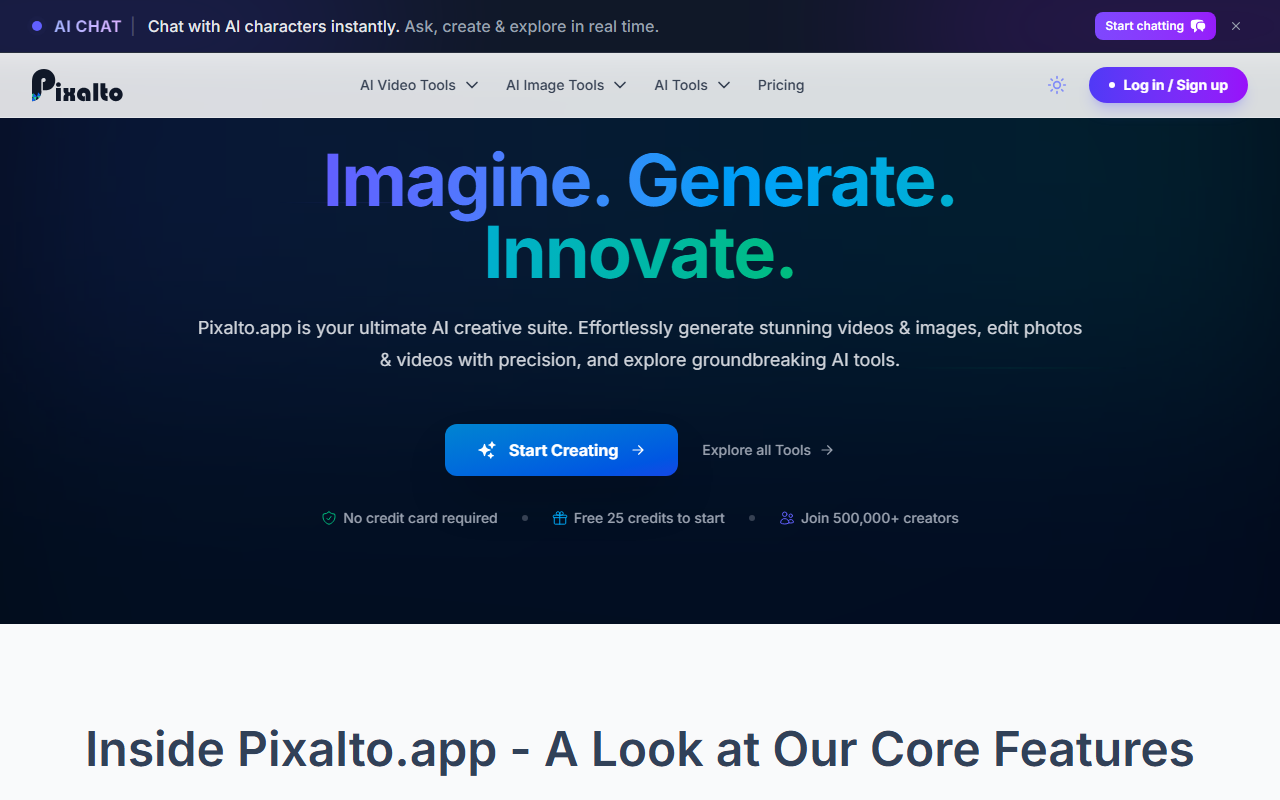
Upon visiting Pixalto, I was greeted by a clean, modern interface that immediately pitches a simple value proposition: “Imagine. Generate. Innovate.” The platform is billed as an ultimate AI creative suite, bundling a wide range of generative and editing tools into one dashboard. Unlike dedicated single-purpose tools, Pixalto aims to be a Swiss Army knife for content creators—covering AI text-to-video generation, image creation, face swapping, background removal, object erasing, avatar studio, and even video cloning. For creators who need a variety of AI-powered assets without juggling multiple subscriptions, this is an attractive concept.
The dashboard displays a sidebar listing dozens of tools: Background Remover, Face Talk, Face Enhancer, Face Swap, Image Style Transfer, AI Image Generator, AI Logo Generator, AI Video Generator, UGC Video Cloning, and more. The platform claims to serve over 500,000 creators and offers 25 free credits with no credit card required. While I couldn't test every tool during a free trial (25 credits go quickly), the sheer number of options suggests a focus on breadth. The underlying technology is not explicitly stated, but the presence of a “AI Engine” section hints at proprietary models or fine-tuned open-source models.
Tools and Features: A Deep Dive Into the Creative Arsenal
During my testing, I used the free 25 credits to try the AI Video Generator and the AI Image Generator. The video generator works as described: you input a text prompt and the tool outputs a short video clip. The quality was decent—comparable to early versions of Runway or Pika—but the output was limited in resolution and length. The image generator produced stylized, coherent images from text, though not as sharp as Midjourney. The most unique features, however, are in the video-specific tools: AI Video Face Swap and UGC Video Cloning. These let you swap faces in video clips or clone UGC-style videos without reshoots. I found the face swap surprisingly realistic for a browser-based tool, though the preview processing took around 30 seconds.
Other noteworthy tools include Face Talk (makes static photos speak), AI Animation Generator (turns images into animations), and Object Eraser. The platform also offers a Video Background Remover and Image Expander. One missing piece I noticed: no mention of an API for developers, and pricing beyond the initial 25 free credits is not publicly listed on the website. This is a limitation for potential power users who need to budget. Integration with popular platforms like Canva or Adobe is also absent, but for a web-only tool, the workflow is straightforward.
Strengths and Limitations: Honest Assessment
Strengths: Pixalto's biggest advantage is its comprehensiveness. Having over 30 tools under one roof saves time and money compared to subscribing to separate services. The free tier (25 credits) allows genuine testing without commitment. The UI is intuitive—each tool has a clear “Try Tool” button and a consistent interface. I also appreciated the lack of watermarks on outputs (though I only had 25 credits to confirm). For quick, viral-style content—like social media videos or product photos—Pixalto is fast and accessible.
Limitations: The platform is clearly aimed at casual creators rather than professionals. Output quality for video generation lags behind dedicated leaders like RunwayML Gen-2 or Pika Labs. Credit consumption per generation is unclear; I used 5 credits for one video (likely pricing per second). The absence of transparent pricing beyond the free tier is a red flag for serious users. Additionally, the website feels slightly bloated with repeated tool listings (e.g., “Background Remover” appears three times in the “Endless Creativity” section). This suggests the tool library may be curated but not deeply integrated. For advanced editing, you'd still need Photoshop or DaVinci Resolve.
Who Should Use Pixalto? Final Recommendation
Pixalto is best suited for content creators, social media managers, and small business owners who need a quick, all-in-one suite for generating visuals and editing media. If you want to create a talking avatar for TikTok, remove a background from a product photo, or generate a short promotional video without learning complex software, Pixalto is worth a try. However, professionals seeking cinematic-quality video or high-resolution prints should look elsewhere—competitors like RunwayML, HeyGen, or even Canva's AI tools offer more robust solutions. Pixalto's lack of transparent pricing beyond the free trial is a limitation, so I recommend testing your typical workflow with the 25 credits before committing to a paid plan. Visit Pixalto at https://pixalto.app/ to explore it yourself.





Comments