

First Impressions and Pricing
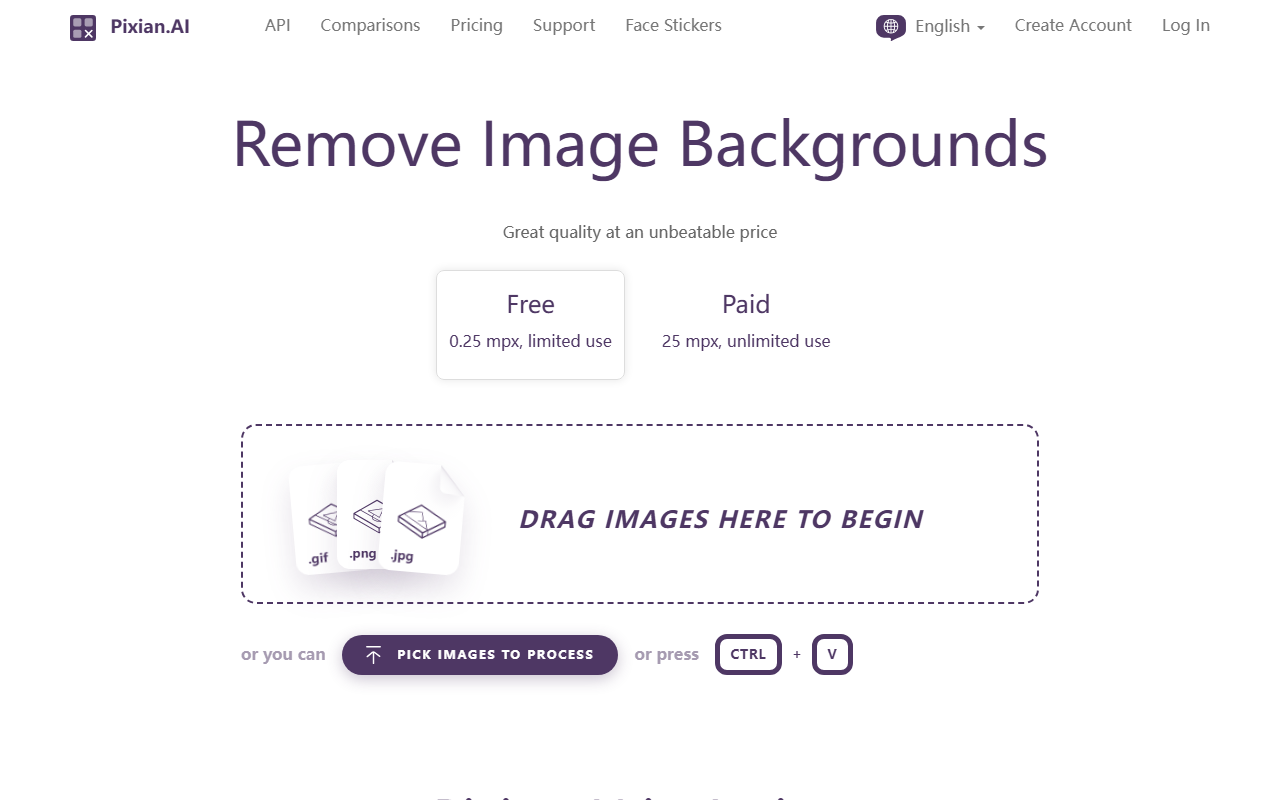
Upon visiting Pixian.AI, you are greeted with a clean, no-fuss interface. The headline promises "Remove Background from Image, Free, No Signup" — and it delivers exactly that. I dragged a test image onto the page within seconds, and the processing began without asking for an email or account. This frictionless onboarding is a refreshing change from many competitors that force you to register before even seeing results.
The pricing model is refreshingly transparent. Two tiers are listed: a Free tier that handles images up to 0.25 megapixels (250,000 pixels) with limited use, and a Paid tier at 25 megapixels for unlimited use. Exact prices aren't shown on the homepage, but the site points to a dedicated Pricing page. The company's philosophy is that "their margin is our opportunity" — they position themselves as a low-cost alternative to services like remove.bg. For developers and businesses processing high volumes, Pixian.AI could offer substantial savings.
User Experience and Workflow
The workflow is straightforward: drag and drop an image, or paste one using Ctrl+V. I uploaded a 1 MB photo of a person in a cluttered room. The processing took about 3 seconds. The result showed the subject isolated with a transparent background, with fine hair detail preserved remarkably well. Below the result, you can adjust background color (transparent, white, or custom hex), file format (JPEG or PNG), JPEG quality, crop margins, and result size. Advanced options allow precise control over dimensions and alignment.
Pixian.AI also integrates nicely with other tools in its ecosystem. The "Actions" dropdown lets you optimize on Recompressor.com, trace to SVG on VectorMagic.com or Vectorizer.AI, create face stickers, or edit on ClippingMagic.com. This suite approach is clever: once the background is removed, you can immediately refine or repurpose the image without leaving the Pixian interface. The dashboard also includes presets for Ecommerce defaults, saving time for online sellers.
During testing, I appreciated the batch download feature ("DOWNLOAD ALL") and the clear error messages when network issues arise. The free tier's 0.25 MP limit means you can only preview small images, but for a quick test it's sufficient.
Quality and Performance
Pixian.AI uses a custom AI model trained on a large dataset of people, objects, artworks, and even AI-generated images from Stable Diffusion. The company provides comparison charts against an unnamed competitor (likely remove.bg) with impressive numbers: on "Objects, Other Backgrounds" and "Artworks, Scans, Logos," Pixian.AI scored 108.7% and 119.9% respectively relative to the competitor's baseline of 100%. These subjective scores suggest the tool excels at non-human subjects. For people in studio shots, the competitor scored 100% to Pixian's 94.8%, so it's slightly behind on classic portrait removal but still strong.
Pixian.AI claims to handle hair and fur well, and my test confirmed decent performance. The model also works on AI-generated images from Stable Diffusion, which is a growing need. The latency is acceptable — most images process within a few seconds. The API is well-documented, and migration from remove.bg is claimed to be easy: just change the endpoint and API key. This makes it a viable replacement for existing integrations.
However, the free tier is a genuine limitation. With only 0.25 MP, you cannot process typical modern smartphone photos (which are often 12 MP or more). You would need the paid tier for any real-world use. Additionally, the website's interface, while functional, feels somewhat dated and could benefit from better visual feedback during processing.
Who Should Use Pixian.AI?
Pixian.AI is best suited for developers and businesses that need reliable, low-cost background removal at scale. The API, easy migration from remove.bg, and competitive pricing make it an attractive backend solution for e-commerce platforms, batch image processing, or SaaS integrations. The free tier is useful for testing and small projects, but anyone needing regular high-resolution output will need the paid plan. Casual users who occasionally remove backgrounds from large photos should look elsewhere, as the free tier's size limit is too restrictive and the paid tier may feel overkill for infrequent use. Competitors like remove.bg or Adobe Photoshop's background removal might offer more polished interfaces or better free options. For those prioritizing value and API simplicity, Pixian.AI is a solid choice. Visit Pixian.AI at https://pixian.ai/ to explore it yourself.






Comments