

First Impressions and Onboarding
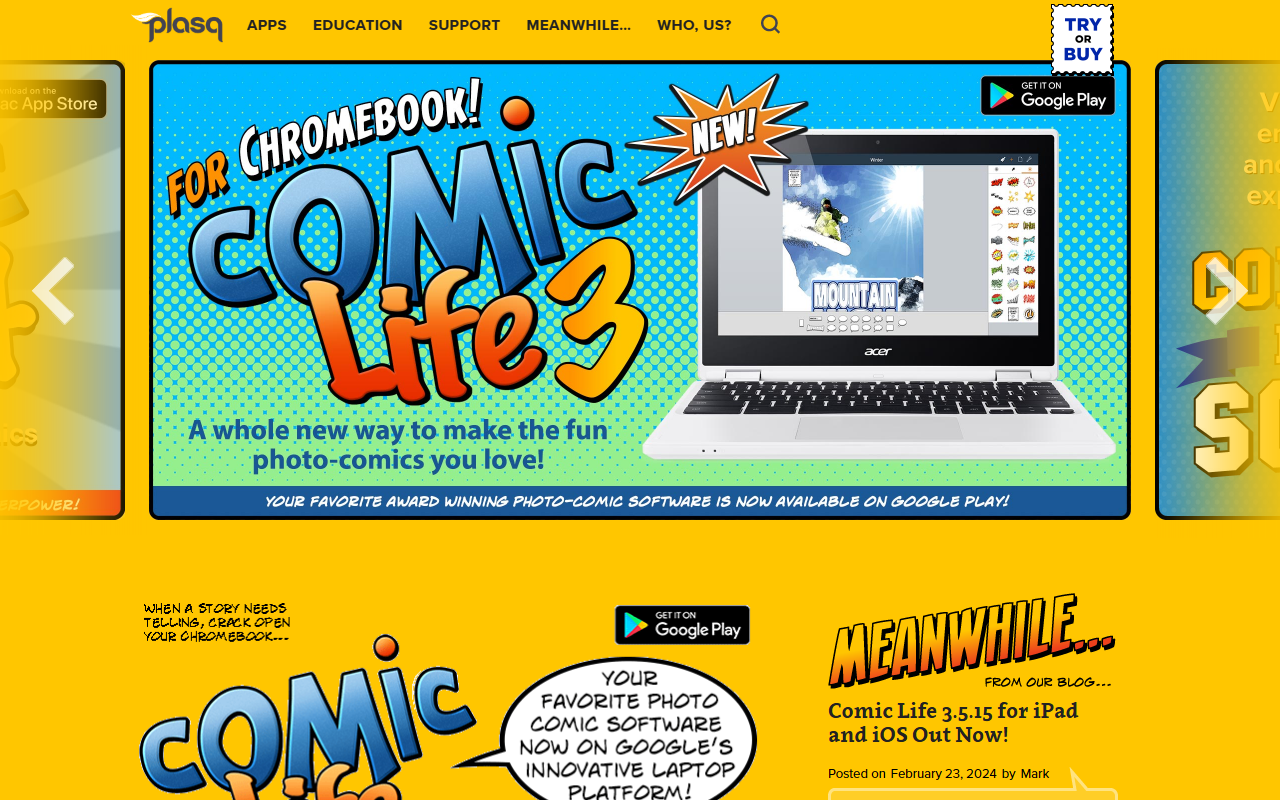
Upon visiting plasq.com, I was greeted by a clean, product-focused landing page that immediately highlights its two flagship tools: Comic Life and Comic Draw. The site doesn’t push a grand AI narrative; rather, it positions these apps as intuitive comic-creation suites. The onboarding flow is straightforward: each product has its own dedicated page with feature lists, screenshots, and download links. For a first-time visitor, the message is clear – this is about making comics from your own photos and drawings, not about generative AI. I tested the free tier by downloading the iOS version of Comic Life 3. The purchase is a one-time $4.99 via the App Store, with no subscription gimmicks. The app launched directly into a template gallery, letting me choose from dozens of comic layouts. The interface is clean, with drag-and-drop panel sheets, speech bubbles, and caption tools. It feels more like a polished desktop publishing tool than an AI-driven design engine.
Core Features and Technology
Comic Life and Comic Draw are designed to automate the tedious parts of comic creation. Comic Life focuses on photo-comics: you import images, apply filters (called “texturize your look” in the app), and arrange them in pre-built templates. The software includes fonts, balloon styles, and lettering art. Comic Draw, on the other hand, is a full digital comic creation suite for iPad, supporting script editing, panel drawing, and even a built-in publishing platform via Comic Connect. Neither tool relies on AI generation in the sense of creating images from prompts; instead, they use rule-based automation to apply filters, auto-layout panels, and provide smart lettering tools. The underlying technology appears to be native iOS/macOS frameworks with custom rendering engines. There’s no mention of APIs or cloud AI models. For educators, the site notes that nearly half a million copies are installed in classrooms across 80 countries, suggesting a strong track record in educational settings – a niche where ease of use and template-based workflows are valued over cutting-edge AI.
Pricing and Platform Availability
Pricing is not fully listed on the homepage, but I found specifics for the iOS version: Comic Life 3 for iPad and iPhone is $4.99 one-time purchase. Comic Life 3 for Mac and Windows is a separate paid app (likely around $15–$30 based on past versions, though not confirmed). Comic Draw is also a paid app on the iPad App Store. The Chromebook version of Comic Life 3 is available through Google Play, with its own pricing. Notably, there is no subscription model – all purchases are lifetime licenses. This is a refreshing departure from today’s SaaS-heavy design tools. However, the lack of a free trial for desktop versions may be a barrier for new users. Competitors like Canva (which also has comic templates) use a freemium model; plasq sticks to a straightforward paid app approach. For educators, there are “Comic Life for Schools” and “Comic Draw for Schools” editions with volume licensing, but details are not prominent on the main site.
Strengths, Limitations, and Verdict
Strengths: Plasq’s tools are mature, stable, and purpose-built. The template library is extensive, and the drag-and-drop workflow is genuinely easy for non-designers. The one-time pricing model is user-friendly. The educational adoption (500,000+ classroom installs) speaks to reliability. Limitations: Despite the “Image AI” category, there is no generative AI here. If you expect an AI design tool that creates original art from text prompts, look elsewhere – this is a comic layout and filtering app. The lack of cross-platform cloud sync is also a downside: your projects live on the device unless you manually export. Updates are infrequent (the last Mac update was January 2023, iOS update February 2024). For AI-powered comic creation, alternatives like Storyboarder or Adobe Illustrator with AI plugins may offer more. Verdict: plasq is best suited for educators, parents, and hobbyists who want a simple, proven way to turn photos into comics. If you need AI-generated characters or scenes, this isn’t the tool. But for its intended purpose – quick, fun photo-comics and hand-drawn comic publishing – it remains a solid choice. Try it on a platform that offers a refund policy if you’re uncertain.
Visit plasq at https://plasq.com/ to explore it yourself.




Comments