

First Impressions and Onboarding
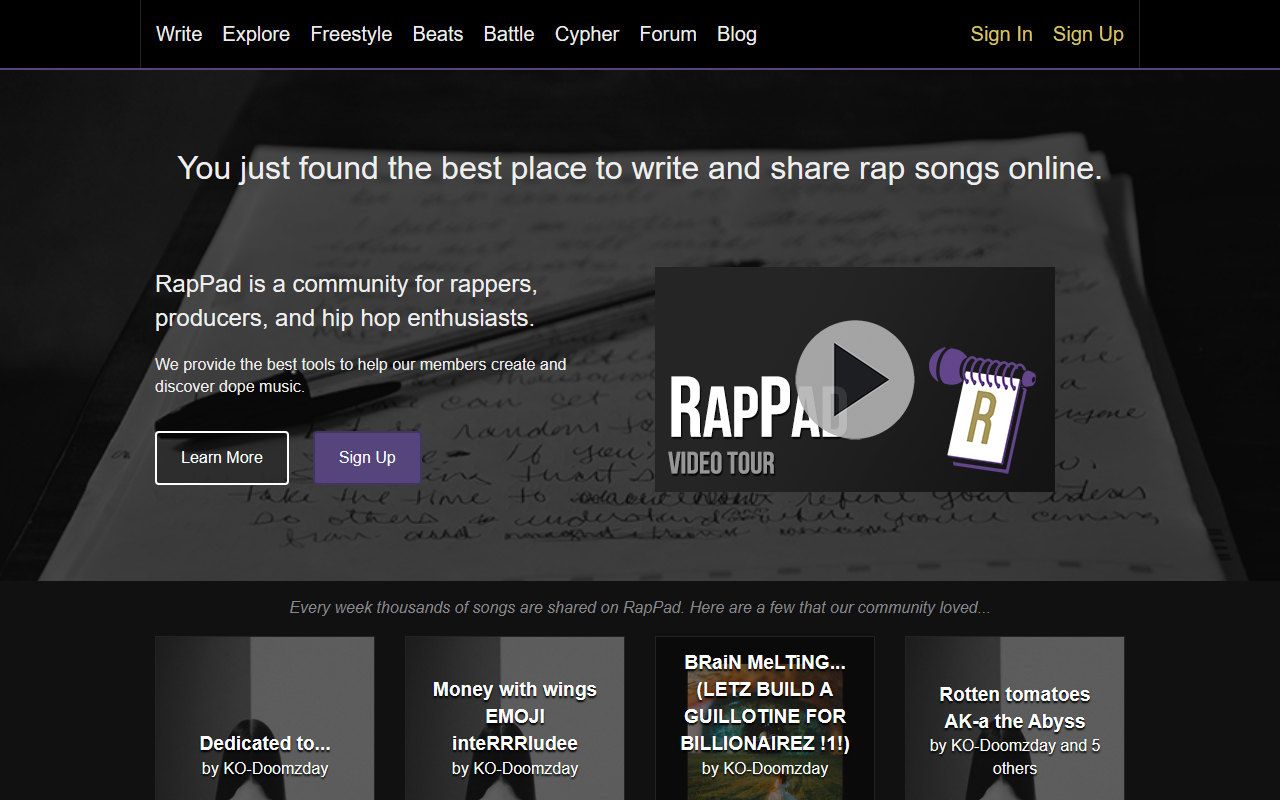
Upon visiting Rappad.co, I was greeted by a clean, dark-themed landing page showcasing a rotating feed of recent community songs. The call-to-action is immediate: 'Sign Up In 5 Seconds!' I clicked through and found the registration process truly minimal—just an email and username. Within moments, I was inside the editor. The interface prioritizes the lyric-writing workspace, with a toolbar on the left housing the rhyming dictionary, syllable counter, thesaurus, and a 'line generator.' I tested the free tier, which grants full access to all writing tools and community features. Freestyle and battle modes are also unlocked. No premium tier is visible, suggesting the entire toolset is free. The dashboard also lists recent cyphers and forum posts, making the community aspect front and center.
Core Tools and Features
RapPad’s editor is its heart. The built-in rhyming dictionary works offline-style, suggesting words that rhyme with your input, complete with syllable counts. I wrote a few bars and used the syllable counter to check each line’s length—helpful for staying on beat. The thesaurus integrates nicely, offering synonyms without leaving the editor. The line generator is the closest thing to AI here: it produces a short phrase based on a keyword you provide. For example, typing 'struggle' yielded 'Rise from the concrete, no time to retreat.' It’s not a full generative AI like ChatGPT, but it sparks ideas. I then opened the Blueprint tool on Eminem's 'Rap God' as the site suggests. It broke down the lyrics into syllables, calculating rhyme density (0.45), complexity (medium), and average syllables per word (1.8), then issued an overall grade of A-. This analysis is genuinely insightful for studying rap technique. The freestyle mode is also notable: you set a timer (e.g., 60 seconds), and it displays random topics (e.g., 'money, fast cars') while playing a lo-fi beat. It’s functional but basic—no real AI generation here, just a shuffled word list.
Community and Battles
Beyond writing, RapPad is a social platform. I browsed the 'Battles' section where members challenge each other. I observed an active text battle with voting open to the community. Rules can specify line limits and round durations. This is unique compared to pure AI writing tools like Jasper or Copy.ai, which focus on content generation rather than competitive lyricism. The community also earns reputation points and trophies for participation—gamification that encourages daily use. I can see thousands of songs shared weekly, as the site claims, though the sample I saw had modest engagement (e.g., 0-1 'props' per song). The forum and cypher (weekly collaborative song) further build camaraderie. However, the platform feels dated; the design and social features resemble forums from the early 2010s (supported by tweets from 2013 on the homepage). Mobile responsiveness is decent but not fluid.
Strengths, Limitations, and Verdict
RapPad’s strength lies in its all-in-one lyric toolkit and tight community integration. The Blueprint analysis is a standout—no other mainstream tool grades rap lyrics on rhyme density and syllable complexity. The freestyle timer and battle system also differentiate it. However, the 'AI' label is misleading; the line generator is basic, and there’s no full song generation or AI beat creation. For writers seeking generative AI assistance, tools like AIVA or LyricStudio offer deeper AI involvement. RapPad is best suited for aspiring rappers, lyricists, and hip-hop enthusiasts who want to improve their craft and engage with peers. It’s less useful for professional songwriters needing advanced production integration. The platform feels stagnant—no updates since 2013 based on footer copyright and tweet dates. I recommend giving it a spin for its unique analysis tools and community, but don’t expect cutting-edge AI. Visit RapPad at https://rappad.co/ to explore it yourself.






Comments