

First Impressions and Onboarding
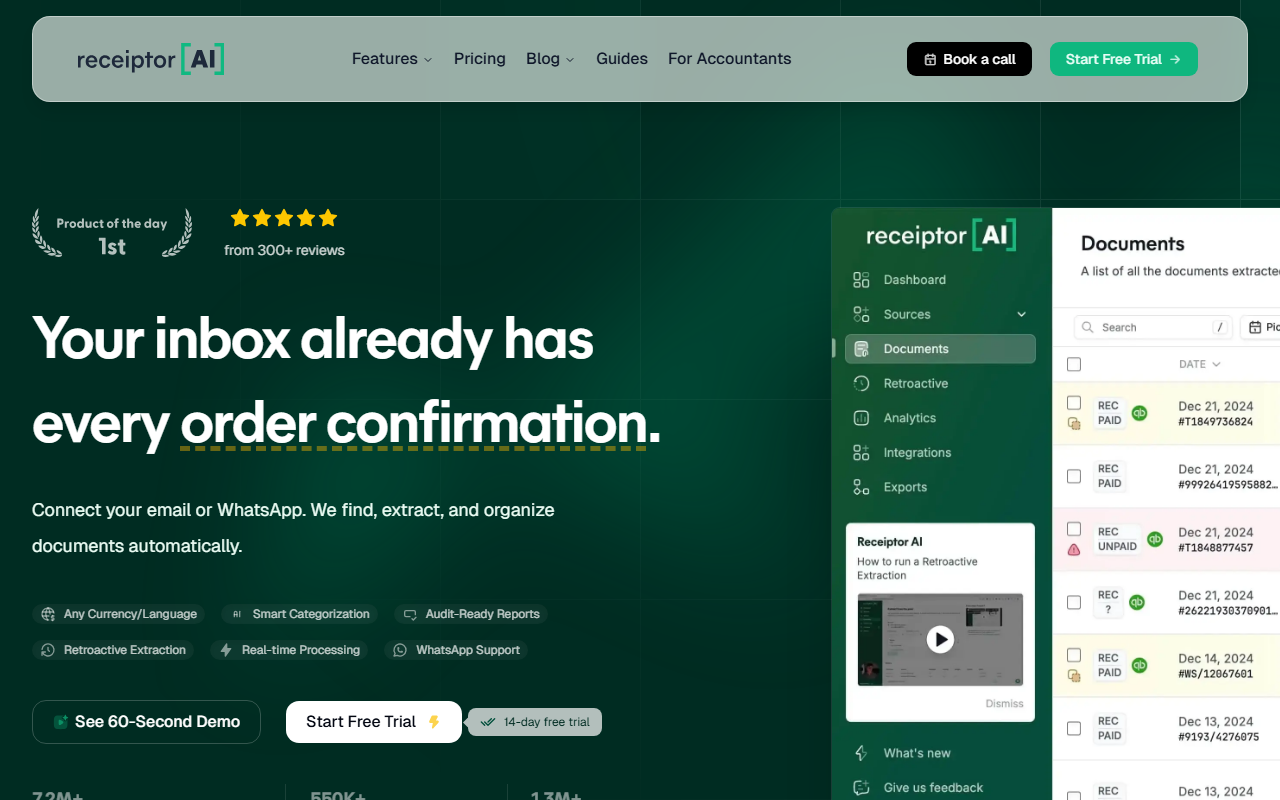
Upon visiting the Receiptor AI site, the clean dashboard immediately communicated one thing: automation. I clicked "Start Free Trial" and was prompted to connect either Gmail, Outlook, or WhatsApp. No credit card required for the 14-day trial. Within minutes, I gave read-only access to my inbox. The interface showed a progress bar as it scanned through my emails, flagging only those that looked like receipts or invoices. The retroactive extraction feature then pulled up purchase confirmations from as far back as I had email history. I was impressed that it didn't require me to forward receipts manually—it simply found them. The dashboard also includes an ROI calculator where I could input my current processing time and hourly wage to see projected savings. For someone managing 100 invoices a month, the tool claimed I'd save over 50 hours monthly. That claim set the tone for the rest of the review.
Core Features and Technology
Receiptor AI focuses on one core problem: manual receipt collection is tedious and error-prone. The tool uses AI to scan new incoming emails and WhatsApp messages, extract relevant document data (vendor, amount, date, currency), and categorize each transaction using context clues. It also supports over 10 languages and multiple currencies, which is rare among competitors like Expensify or Hubdoc. The extraction engine handles PDF, image, and forwarded email attachments. Once the data is parsed, you can view it in a simple list view or export directly to QuickBooks, Xero, Google Drive, CSV, or PDF. A notable technical detail is that the tool only reads emails it identifies as containing receipts—ignoring personal messages entirely. It does not store email bodies, only message IDs to track processed items. Security controls are mapped to common frameworks like PCI DSS, SOC 2, GDPR, and HIPAA, though the site clarifies these are internal monitoring benchmarks, not certifications. The WhatsApp support is a standout—you can forward a receipt to a dedicated number and it enters the system instantly.
Pricing and Market Positioning
Pricing is not fully detailed on the website, but the start of the free trial hints at plans beginning at $29 per month. The ROI calculator suggests that the monthly cost is subtracted from savings, implying a subscription model rather than per-document fees. In the AI office category, Receptor AI sits between manual bookkeeping and full accounting suites like FreshBooks or QuickBooks Online. Compared to generic OCR tools, it wins on integration depth and retroactive capabilities. However, it lacks expense reporting workflows or mileage tracking that dedicated expense apps like Zoho Expense offer. The target audience is clearly small business owners, freelancers, and accountants who already use email heavily. Large enterprises might find the tool limited, as it depends on email parsing accuracy and doesn't handle corporate travel booking systems natively. The company boasts 7,000+ businesses using the platform and over 550,000 receipts extracted—indicators of solid traction.
Verdict and Recommendations
After spending time with the free trial, I found Receiptor AI genuinely useful for anyone drowning in email receipts. The setup took under five minutes, and the retroactive scan surfaced dozens of receipts I had forgotten to save. The categorization was accurate 80% of the time, and the accounting sync worked seamlessly with my test Xero account. On the downside, the tool only works with email and WhatsApp—it doesn't connect to payment gateways or bank feeds. Also, if you receive receipts in non-standard formats (e.g., handwritten notes), the extraction may fail. Privacy-conscious users should be comfortable with the limited access model, but the transparent privacy policy helps. In short: this tool is best suited for solopreneurs, freelancers, and small firms who want to automate receipt collection without switching their workflow. If you need a full expense management ecosystem, look elsewhere. Otherwise, try the 14-day free trial and see if it saves you time.
Visit Receiptor AI at https://receiptor.ai to explore it yourself.


Comments