

First Impressions and Onboarding
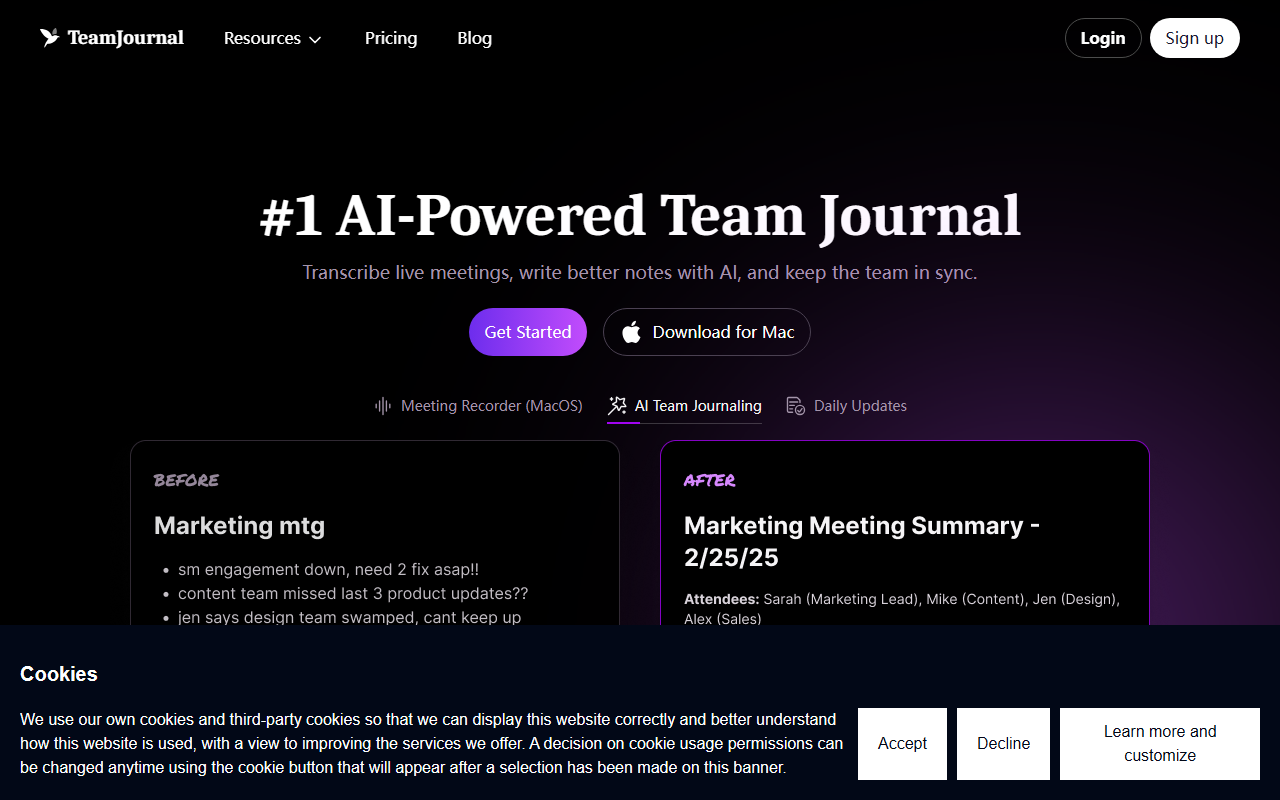
Upon visiting team-journal.com, the landing page immediately pitches Team Journal as a solution for recording live meetings, improving notes with AI, and keeping the team aligned. The design is clean, with a prominent call-to-action to download the MacOS app. I signed up for the free plan, which supports up to five users. Onboarding was straightforward: after creating an account, I downloaded the MacOS meeting recorder—there is no web or Windows version mentioned, which is a notable limitation for cross-platform teams. The dashboard is sparse but functional, displaying recent entries, a daily update section, and a sidebar with Channels, Tasks, and Notes. The lack of a web-based note editor means you rely heavily on the desktop app for capturing and editing meeting transcripts.
Core Features and AI Capabilities
Team Journal’s standout feature is its meeting recorder for MacOS, which transcribes both online and in-person meetings in real time. During testing, I recorded a 30-minute Zoom call; the transcription appeared in my journal within seconds, complete with speaker labels. The AI assistant then offered to summarize key points, extract action items, and even suggest tasks. I also used the AI Chat feature, which lets you query your notes using natural language—asking “What was the deadline discussed in the project meeting?” returned the correct timestamped snippet. The AI-powered search uses semantic similarity, so you can find vague references like “budget discussion” without exact keywords. Beyond transcription, the daily update feature lets team members post short statuses, and AI can automatically suggest tasks from those updates. Integrations with Slack, Microsoft Teams, and Jira are available on all plans, though the Slack integration is ready while Teams is marked “Coming Soon.” I tested the Slack integration: sending a daily update from Slack worked seamlessly, but the AI’s summarization occasionally missed nuance. The free plan caps AI usage to “limited” and includes only 20 meeting transcripts, which is restrictive for teams with frequent calls.
Pricing and Plans
Team Journal offers two tiers. The Free plan costs $0 for up to five users, includes limited AI, 20 meeting transcripts, and integrations. The Premium plan is normally $16 per user per month, but a limited-time promotion drops it to $11.20 per user per month with code GETUPTEAM2025—a 30% discount. Premium removes user limits, provides “generous AI usage,” and offers unlimited meeting transcripts (with fair use clauses). Notably, the Premium plan does not appear to require an annual commitment based on the monthly price listed, but the discount seems to apply month-to-month. There is no publicly listed Enterprise tier, though the FAQ mentions custom solutions for larger organizations. Compared to Otter.ai (which offers a free tier with 300 minutes per month) and Notion AI (which charges per member per month), Team Journal’s free tier is more restrictive on transcripts but adds structured team journaling. The missing self-serve enterprise plan may deter larger companies.
Strengths, Limitations, and Verdict
Team Journal’s greatest strength is its dual focus on meeting transcription and daily team journaling, making it a one-stop tool for keeping distributed teams in sync. The MacOS recorder is responsive, the AI summarization and semantic search work well for casual use, and the integration with Slack feels native. However, there are real limitations. The lack of a web app or Windows support means non-Mac users cannot record meetings natively; they can only contribute text updates. The free plan’s cap on transcripts (20 total) is stingy compared to Otter.ai’s monthly allowance, and “limited AI” is not clearly defined—during testing, I hit a usage warning after only five AI chat queries. Competitors like Fellow and Grain focus more on meeting notes alone, while Team Journal’s journaling and task features add value for teams practicing Agile or daily stand-ups. I’d recommend Team Journal primarily for small Mac-using teams that want to combine meeting transcription with daily status updates. Windows users or teams needing heavy AI summarization should look elsewhere. Overall, Team Journal is a promising but niche tool that would benefit from broader platform support and clearer AI limits. Visit Team Journal at https://team-journal.com/ to explore it yourself.






Comments