

First Impressions and Onboarding
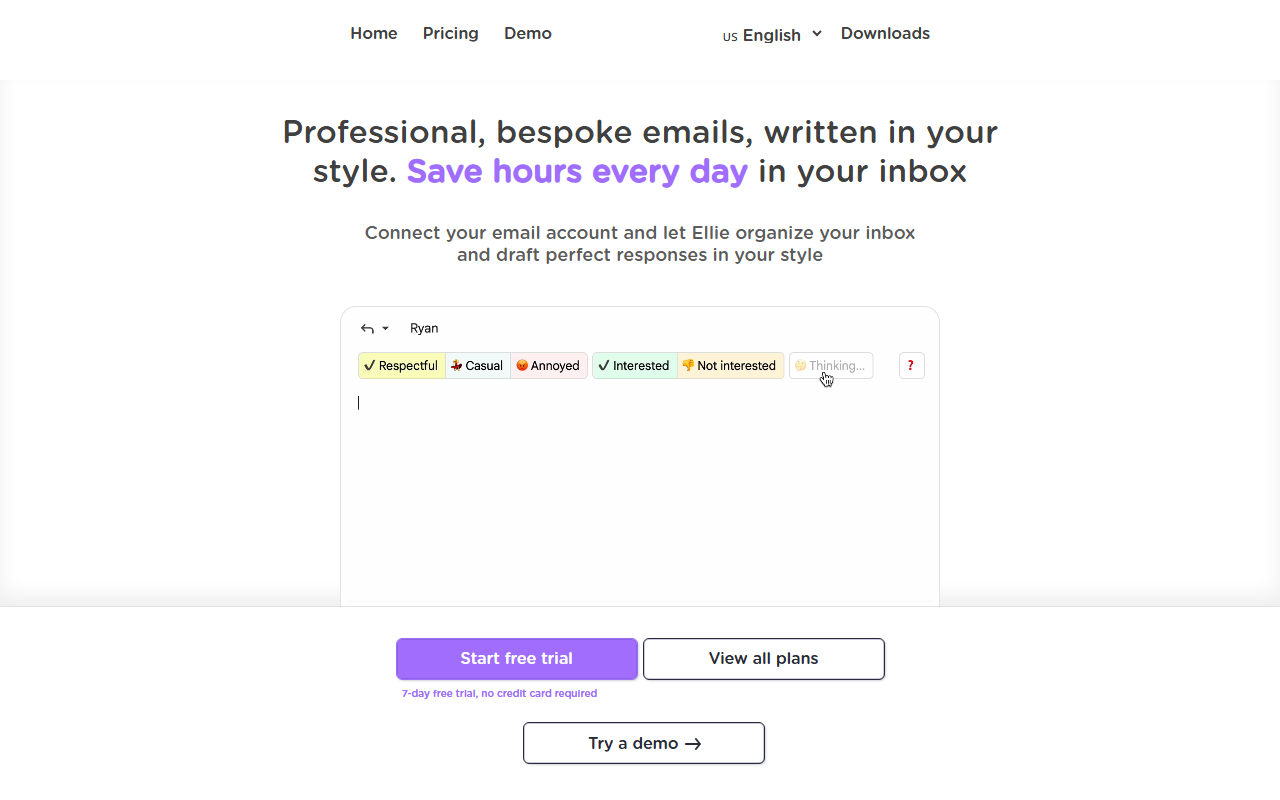
Upon visiting tryellie.com, I was greeted with a clean, product-first landing page that immediately demonstrates the value proposition. The hero section shows a simulated Gmail inbox with Ellie's drafts already populated—a smart way to preview the experience. The dashboard presents a simple choice: connect Gmail or Outlook. I clicked "Connect your inbox" and was walked through OAuth in under 30 seconds. No credit card required for the 7-day trial, which I appreciated. After granting read/write permissions, Ellie began scanning my sent mail and inbox threads. Within minutes, I saw drafts appearing in a new sidebar labeled "Ellie" within my Gmail interface. The onboarding is one of the smoothest I've tested for an AI email tool—no prompt engineering, no templates to configure. Just connect and let it learn.
How Ellie Learns Your Voice and Works Overnight
Ellie's core innovation is passive drafting. It reads your sent emails to pick up stylistic patterns—how you open (e.g., "Hey" vs "Hi"), how long your replies run, your preferred sign-offs ("Cheers" vs "Thanks"), and even punctuation habits. The tool claims it never stores your emails or trains general models on them, which is a strong privacy stance. Each morning, Ellie has already drafted replies for threads that need attention. I tested this by leaving an email from a client about a contract renewal. The draft Ellie produced used my typical short sentences, included the renewal date (pulled from my CRM via the structured data connector), and even added a relevant link from my company's knowledge base. The "Knowledge Base" feature lets you point Ellie at your website, help docs, or pricing pages; it indexes them and references facts when drafting. I connected my help center, and Ellie correctly quoted a refund policy in a support reply. The CRM integration (generic connectors for HubSpot, Salesforce, etc.) adds live data lookups at draft time—no stale info.
Strengths and Potential Pitfalls
Ellie's biggest strength is its hands-off nature. Unlike Mailbutler or Superhuman, which require active choices for each email, Ellie drafts overnight so you can review and send in seconds. The voice imitation is genuinely good—I received replies from colleagues who thought I had written them. However, there are real limitations. First, Ellie only drafts replies to incoming emails; you cannot use it to compose new messages from scratch. Second, the learning period requires enough sent mail to analyze; a brand new account might yield generic results. Third, while the knowledge base and CRM integrations are powerful, setting them up takes effort—crawling websites and configuring connectors. Privacy-minded users may also hesitate to give Ellie full access to their inbox, even with its no-storage promise. Pricing is not publicly listed on the website; only a free trial is advertised, which suggests custom or subscription-based pricing.
Who Should Use Ellie – and Who Shouldn't
Ellie is ideal for busy professionals who manage high email volume and value speed over granular control—sales reps, account managers, support leads, and executives who just want drafts ready without touching a keyboard. It's less suitable for those who need a full email composer (like ChatGPT for writing), or for teams with very sensitive email data who cannot grant third-party API access. Compared to alternatives like Milo (drafting with prompts) or Ramp's email assistant, Ellie's overnight passive model is unique but narrow. If you live in Gmail or Outlook and want to cut your email time by 30-40 minutes per day, start the free trial. For heavy custom formatting or composing long emails, look elsewhere. Visit Ellie at https://tryellie.com/ to explore it yourself.





Comments