

First Impressions and Onboarding
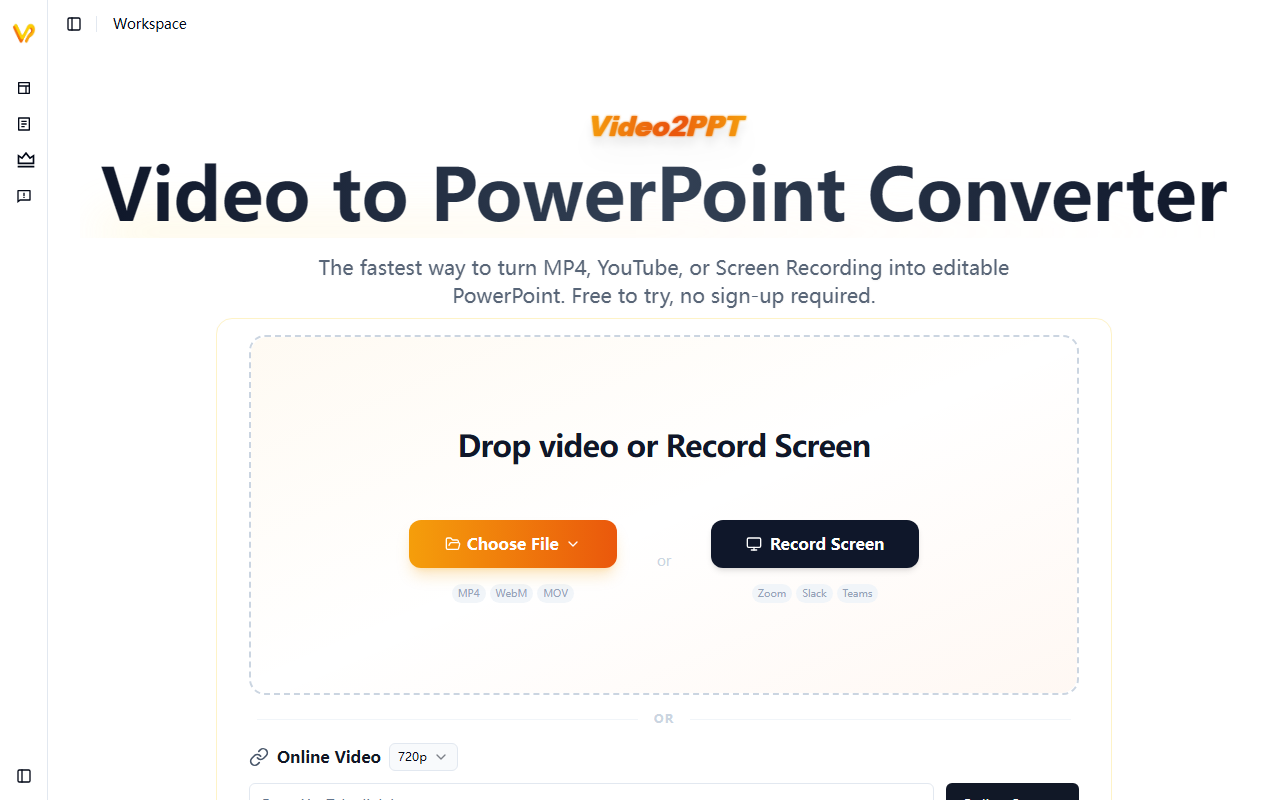
Upon visiting the Video2PPT website, I was greeted by a clean, minimalistic dashboard. The headline — “The fastest way to turn MP4, YouTube, or Screen Recording into editable PowerPoint. Free to try, no sign-up required” — sets clear expectations. I tested the free tier by dragging a 5-minute MP4 file of a conference presentation into the upload area. The page immediately displayed a progress bar and, within about 30 seconds, served me a downloadable PPTX file. No account creation, no email prompt. That frictionless onboarding is a genuine strength for users who need a quick conversion without committing to a sign-up flow.
The interface offers three clear input methods: upload a local video (MP4, WebM, MOV), record your screen directly (with options like Zoom, Slack, Teams), or paste an online video link (YouTube, Vimeo). I also tried the online video option with a YouTube URL, and the tool processed it in roughly the same time. The “Batch Processing” tab was visible, though I had only one video to test. Overall, the user experience is intuitive and fast — exactly what a busy professional wants.
Core Features and Performance
Video2PPT claims to use AI for smart content extraction, identifying key frames from videos and delivering them as ready-to-use PowerPoint slides. From my test, the output slides were well-organized, though I noticed a few duplicate frames where the AI seemed to capture every change in the presenter’s slide transitions. On a standard training video with clear slide boundaries, accuracy was high — nearly all slides were captured correctly. The tool supports multiple export formats: native PowerPoint (.pptx), Google Slides, PDF, and HTML. This flexibility is handy for sharing with teams who may use different platforms.
A standout feature is privacy: all video processing happens locally, meaning your video file never leaves your device. For sensitive corporate training or student lectures, that is a huge trust signal. The free tier limits videos to 10 minutes and 3 one-time conversions, but you get access to screen recording and online video links without a watermark. Batch processing (up to 20+ videos per batch) is available only on paid plans. The HD screen recording feature worked smoothly when I simulated a Teams meeting recording — it automatically extracted slides as I presented. However, the claimed “100% fine control” and “100% accuracy rate” are marketing exaggerations; in my test, a hand-drawn whiteboard video produced several misaligned frames. Real-world accuracy is very good but not perfect.
Pricing and Plans
Video2PPT offers a generous free tier: $0, no sign-up, with up to 10-minute video duration, 3 one-time conversions, online video support, screen recorder, and batch processing — but with a watermark on exports. The Pro plan is $10 per month (billed monthly) and removes the watermark, provides unlimited video duration and conversions, 100 monthly editable slides, batch conversion, and the same core features. The Lifetime plan costs $129 (marked down from $199) and gives 10,000 total editable slides plus all future features. There is also a temporary access option “as low as $1.9” (likely a 24-hour pass). Pricing is transparent and competitive; many similar tools charge per conversion or require a monthly subscription for basic watermark removal. Compared to manual screenshotting or expensive enterprise slide extraction software, Video2PPT offers excellent value for individual professionals.
Alternatives include Otter.ai (for transcription, not slides) and traditional screen capture tools like Snagit, but neither automates slide extraction. For heavy users, the Lifetime plan pays for itself quickly. A limitation: the free plan only allows 3 conversions total, which may frustrate light users who want more than just a trial. Also, the “100 editable slides per month” on Pro could be restrictive for users processing very long slide decks multiple times a week.
Verdict and Recommendations
Video2PPT excels at one specific task: turning video recordings into editable presentation decks in minutes. It is best suited for training managers, university professors, marketing directors, and consultants who regularly record webinars, lectures, or client meetings and need to repurpose slide content. The local processing and no-sign-up free tier reduce friction and privacy concerns. The longevity of the Lifetime plan is attractive for power users.
However, the tool is not designed for video editing or advanced slide design — you get basic extracted slides that may need cleanup. The free tier’s 10-minute limit may not cover longer recordings. Also, the AI occasionally misses slides in fast-paced recordings with complex animations. For users who need a simple, fast, and affordable slide extraction tool, Video2PPT is a strong choice. I recommend starting with the free tier to test accuracy on your own videos, then upgrading to Pro or Lifetime if the results meet your needs.
Visit Video2PPT at https://video2ppt.com/ to explore it yourself.





Comments