

First Impressions and Onboarding
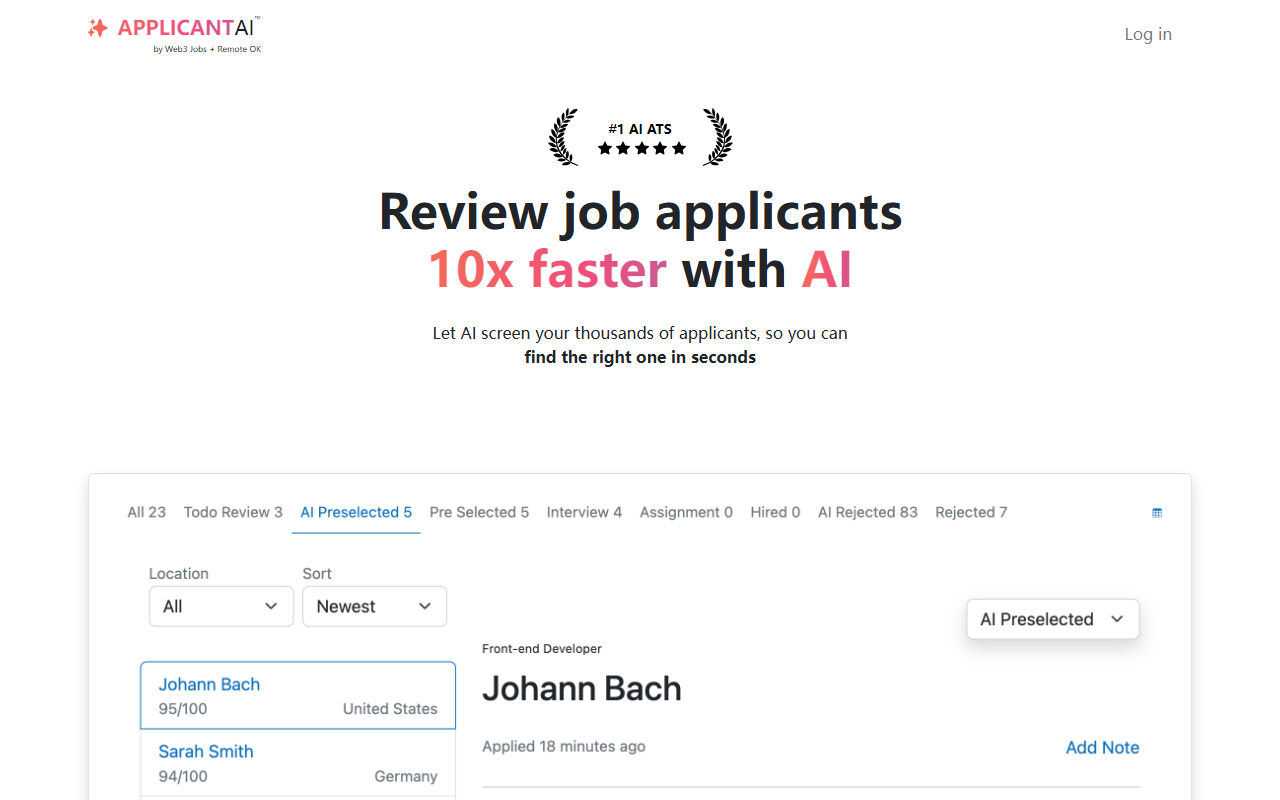
Upon visiting Applicant AI’s website, I was immediately struck by its bold claim: “Review job applicants 10x faster with AI.” The landing page uses a playful yet aggressive tone — emojis of goblins “slashing” low-quality applicants — which makes the value proposition clear but risks feeling gimmicky to HR professionals. The onboarding flow is straightforward: you sign up, immediately get a custom link to a screening form, and can start defining questions. I tested the free tier, which gives access to their built-in Applicant Tracking System (ATS). The dashboard is clean, with a left-hand menu listing jobs, candidates, and stages like “Pre-select,” “Assessment,” “Interview,” and “Reject.” It feels functional rather than flashy, which I appreciated. However, I noticed that the AI scoring is entirely reliant on the questions you set, and the site does not disclose which underlying model powers the screening engine – a transparency gap for technically minded reviewers.
Core Features and AI Screening
Applicant AI’s main differentiator is its pre-screening layer. You send applicants a link to a custom form; they answer your questions; the AI scores each candidate based on alignment with the job description. Only high-scoring applicants are redirected to your existing ATS (Greenhouse, Lever, Workable, etc.). This “firewall” concept is clever – it combats the flood of AI-generated cover letters and generic resumes. The free ATS itself is surprisingly robust for a free tier: unlimited job postings, a branded career page, clarification questions, customizable rejection emails, and pipeline stage tracking. It integrates via a simple redirect URL, so no complex API setup is required. I tested a mock job posting with three dummy applicants. The scoring appeared consistent but felt opaque – I couldn’t inspect the reasoning behind a low score. The tool claims compliance with the EU AI Act by assisting rather than replacing human decisions, but without model details, this remains a claim that HR teams should evaluate carefully with their legal departments.
Pricing and Integration Limitations
Pricing is not publicly listed on the website, which is a significant limitation for budget-conscious teams. The free tier includes the built-in ATS, but it is unclear whether that tier limits the number of screening credits, jobs, or team members. For heavy users, the lack of transparent pricing suggests they are expected to contact sales, adding friction. Additionally, while integration with major ATS platforms is a strength, Applicant AI does not act as a full replacement for those systems – it works best as a supplement. Users who need a complete end-to-end HR suite (including onboarding, payroll, or advanced analytics) will need to maintain separate tools. Another limitation: the screening relies on applicants completing a form, which may deter passive candidates who prefer a simple resume upload. Compared to tools like Ideal or HireVue, which analyze video responses or parse resumes directly, Applicant AI’s form-based approach feels more manual for the applicant.
Final Verdict and Recommendations
Applicant AI is best suited for small to mid-sized companies drowning in low-quality applications, especially if they already use an ATS like Greenhouse or Lever. It attacks a real pain point – the homogenization of applications thanks to generative AI – and does so with a simple, low-code integration. The free ATS is a welcome value-add for startups that cannot yet afford full-featured platforms. However, the opaque pricing and black-box scoring may concern compliance-driven enterprises. I would recommend Applicant AI for teams that are willing to test out the free tier first and treat the AI scores as a coarse filter, not a final verdict. If you are an HR manager spending hours screening obvious mismatches, this tool could genuinely cut your time by 80% – as long as you are comfortable with the trade-offs around transparency and applicant friction. Visit Applicant AI at https://applicantai.com/ to explore it yourself.













Comments